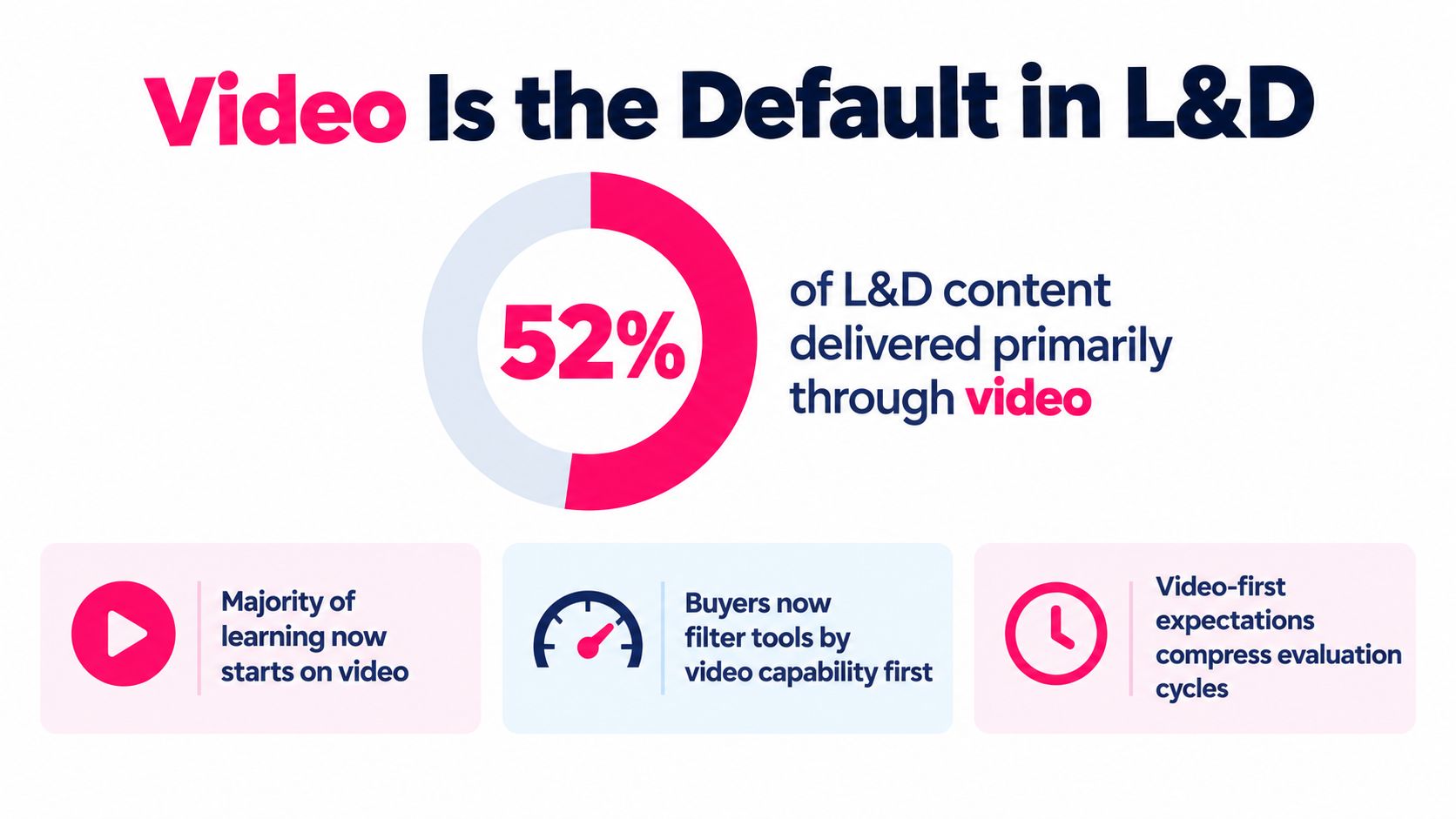
In a 2024 workforce training report, 52% of organizations use video as their primary training modality, while onboarding and compliance are the most common applications, at 70% and 66% respectively (2024 workforce training report). That changes what L&D teams should expect from training video software. The question is no longer whether a tool can produce a polished recording. It's whether the platform can keep a large, multilingual, trackable library accurate as policies, products, systems, and regulations change.
Table of Contents
- Why Video Is the Default and What That Means for L&D Software
- What Training Video Software Actually Does
- Core Capabilities That Drive Real Training Outcomes
- The Hidden Cost Competitors Skip Content Maintenance and Localization
- Choosing the Right Training Video Software for Your Team
Why Video Is the Default and What That Means for L&D Software
Video's position in workplace learning creates downstream pressure. A general editor can help an instructional designer cut footage, but it usually won't manage lesson metadata, learner assignments, compliance status, language variants, approval history, or LMS reporting. Once an organization relies on video for recurring onboarding, policy updates, and compliance refreshers, those omissions become operational problems.
The library starts to fragment. A policy video may exist in an LMS, a shared drive, a knowledge base, and a manager's private folder. Employees may watch different versions, while the content owner struggles to identify which file is current. A recording can remain technically available long after its procedure, product message, or regulatory reference has changed.
Learner visibility creates another gap. A video file can show that someone opened or played it, but formal training often requires more: completion records, assessment results, recertification status, and evidence that the correct audience received the correct version.
> Practical rule: Evaluate training video software as a library-management system with authoring capabilities, not as an editor with a few learning features.
The strongest buying decision therefore looks beyond first-cut speed. It considers how easily an owner can update one source lesson, regenerate captions and translations, route the change for approval, republish it to the learning environment, and preserve a defensible record. Creation starts the workflow. Maintenance determines whether the workflow remains reliable.
What Training Video Software Actually Does
Training video software turns raw knowledge into a structured learning asset. The source might be an SME interview, a screen recording, a slide deck, a policy document, or a script. The output should be more than an MP4. It should be a lesson that learners can access, complete, practice, and report on within the wider learning ecosystem.
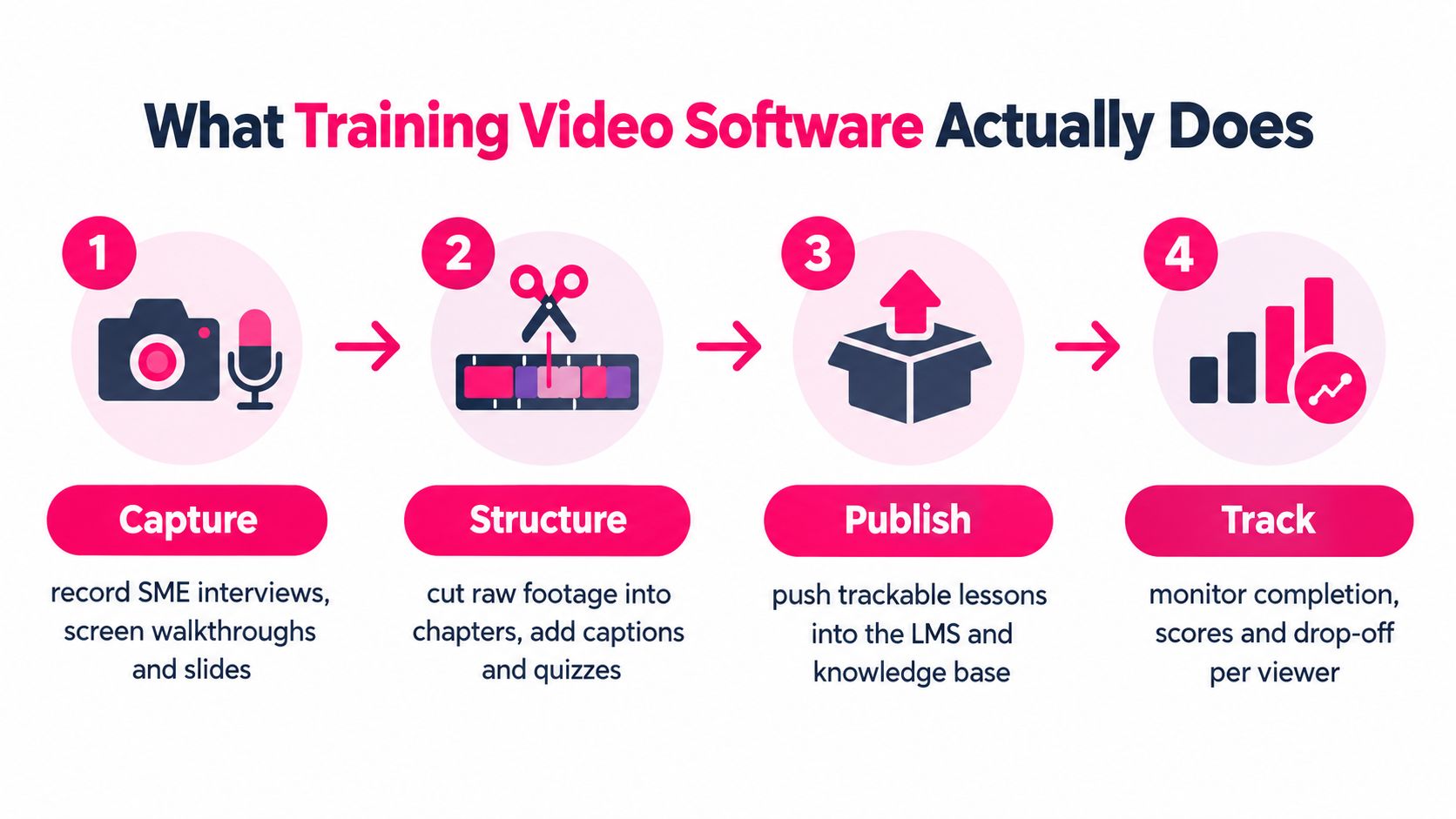
A useful mental model has four stages:
1. Capture: Record a subject-matter expert, software walkthrough, webcam explanation, or presentation. 2. Structure: Remove mistakes, divide the lesson into chapters, add captions and transcripts, and insert quizzes or prompts. 3. Publish: Deliver the lesson to an LMS, knowledge base, course platform, or secure video library. 4. Track: Review completion, assessment results, viewing behavior, and audience-level progress.
That pipeline separates this category from tools such as Adobe Premiere Pro, DaVinci Resolve, or a basic screen recorder. Those products can be excellent for production, but they don't automatically provide learning standards, assessments, learner records, or governance. A platform such as Loom may be ideal for a quick process explanation, yet a formal compliance lesson needs a different delivery and evidence model.
It also helps to distinguish a video tool from a course ecosystem. If you're comparing platforms that combine content, delivery, and learner journeys, this guide to cos'è una learning experience platform provides useful context on the broader LXP category.
Training video software isn't necessarily a marketing video platform, webinar recorder, or standalone authoring application. Its defining job is to connect production with learning operations. That connection matters when the same lesson must be assigned to a specific role, translated for a region, refreshed after a policy change, and verified through an LMS.
Core Capabilities That Drive Real Training Outcomes
A feature list only becomes useful when each capability solves a real workflow problem. Buyers should ask what happens before publication, during learning, and after the content needs to change.
Microlearning that supports a specific objective
Microlearning works best when a lesson has one clear task or decision. Research on microlearning found that video was the most popular content element, selected by 38% of respondents, compared with 25% for static text and 14% for infographics (microlearning study). Related research commonly places microlearning modules in windows of about 2 to 10 minutes, with some educational research identifying 3 to 5 minutes as a preferred video length (microlearning video guidance).
The software decision isn't “Can it make short videos?” Look for templates that force a useful structure: objective, demonstration, practice, and reinforcement. A short video without a check for understanding may create familiarity without competence. Quizzes, branching prompts, spaced reinforcement, and objective-level analytics make the format more instructional.
Publishing standards that match the LMS
SCORM remains the familiar packaging standard for many LMS environments. It can report completion, score, and time while content runs inside the LMS, which suits basic compliance reporting but provides limited insight into what happened inside the video.
xAPI records learning as actor-verb-object statements in a Learning Record Store. That flexibility can support events such as played, paused, seeked, rewound, and completed, allowing a team to investigate where learners disengage within a lesson. The trade-off is implementation complexity. xAPI only adds value when the platform, LMS or LRS, reporting design, and learning questions are aligned. The interactive video software guide is useful when you're assessing how interactions fit into this publishing layer.
Compliance controls that produce evidence
For compliance, a creator needs more than a finished file. Look for audience rules based on role and region, due dates, recertification workflows, attestations, reminders, version history, and audit-ready exports. These capabilities connect the video to the policy process.
A healthcare administrator updating a procedure should be able to identify affected learners, replace or branch the lesson, trigger the relevant assignment, and preserve the completion record associated with the applicable version. Without that chain, the organization may know that employees watched something, but not whether they completed the current requirement.
Accessibility and localization built into production
Captions, transcripts, searchable text, translated subtitles, and alternative audio tracks should be part of the authoring path, not late-stage repairs. Global teams also need terminology controls, regional variants, approval permissions, and a clear relationship between the source lesson and each localized version.
| Capability | Workflow Problem Solved | Expected Outcome | |---|---|---| | Microlearning templates | Long, difficult-to-update courses | Focused lessons that support practice | | SCORM and xAPI publishing | Weak LMS delivery or shallow reporting | Records matched to the learning environment | | Compliance controls | Missed renewals and unclear evidence | More defensible training administration | | Captions and localization | Language and accessibility barriers | Broader, more consistent learner access | | Segment analytics | Unknown points of confusion | Targeted lesson improvements |
The right platform balances authoring speed, instructional design, interoperability, and operational control. A fast editor that creates inaccessible or untrackable content may save time at the beginning and create work later.
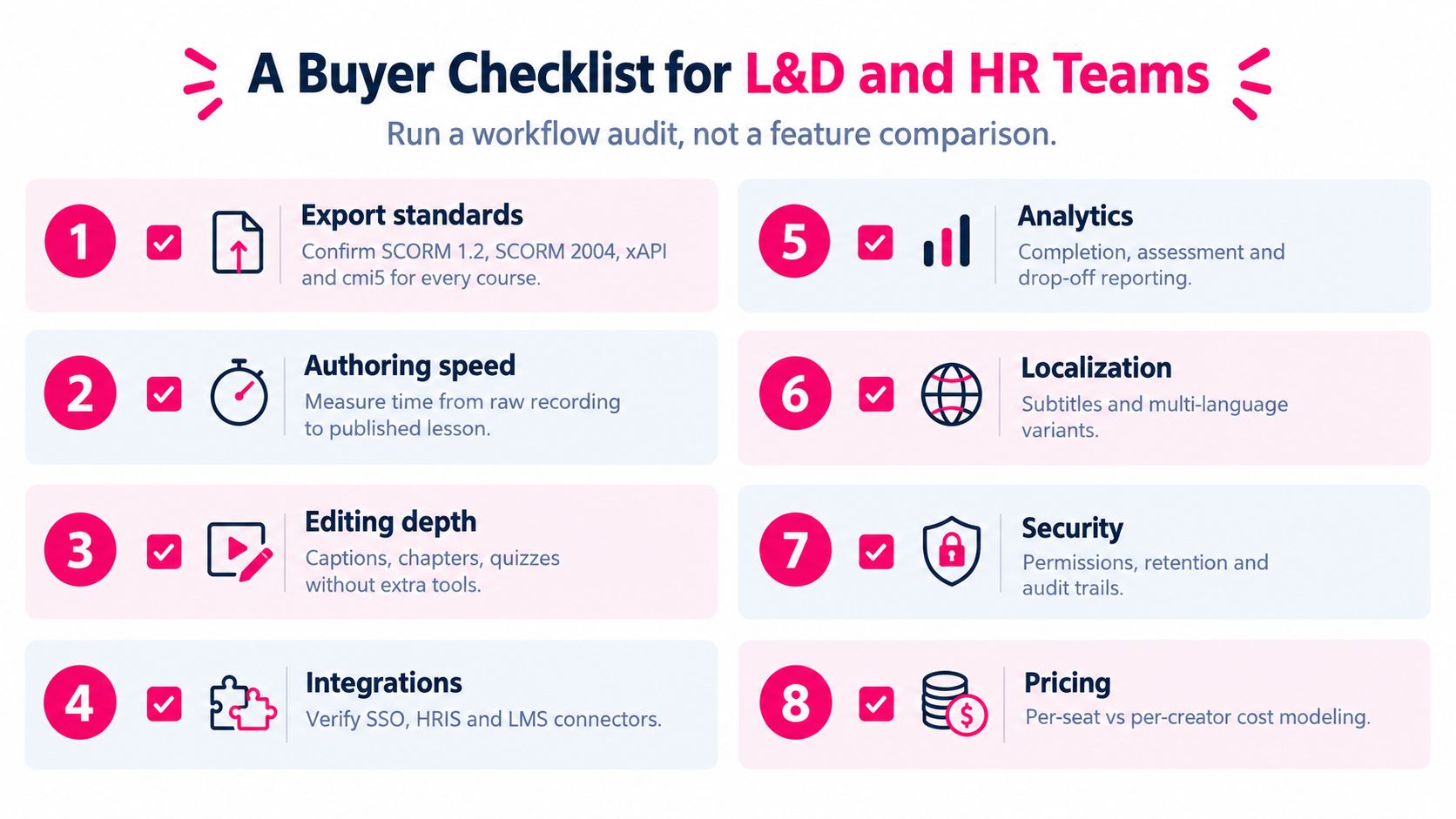
A Buyer Checklist for L&D and HR Teams
Run a workflow audit before comparing interfaces. Give each shortlisted platform the same source material, the same learner group, and the same update request. Good software should make its strengths visible in the process, not only in a product tour.
Use these checkpoints:
1. Export standards: Confirm SCORM 1.2, SCORM 2004, xAPI, and cmi5 support for every LMS and LRS already in your stack. 2. Authoring speed: Time the process from raw recording or source document to a published lesson, including review. 3. Editing depth: Test captions, chapters, quizzes, transcripts, and annotations without moving between tools. 4. Integrations: Verify SSO, SCIM provisioning, HRIS connections, LMS connectors, and knowledge-base publishing. 5. Analytics: Look beyond completion. Check assessment results, segment drop-off, viewing time, and learner-level records. 6. Localization: Ask how the platform handles subtitle translation, voice-over regeneration, terminology, and version branching. 7. Security: Review role-based editing, approval routing, retention controls, audit logs, and data residency. 8. Pricing model: Compare per-seat, per-creator, usage-based, storage, translation, and enterprise administration costs.
The demo should include a correction. Ask the vendor to change a sentence in the source, update the captions, regenerate one language variant, approve the revision, and republish it. Then ask how the system identifies the current version and what happens to the old learner record.
A tool that looks simple during creation may become expensive when every update requires manual downloading, editing, translating, uploading, and relinking. Your test should measure the complete lifecycle, not the best-case recording.
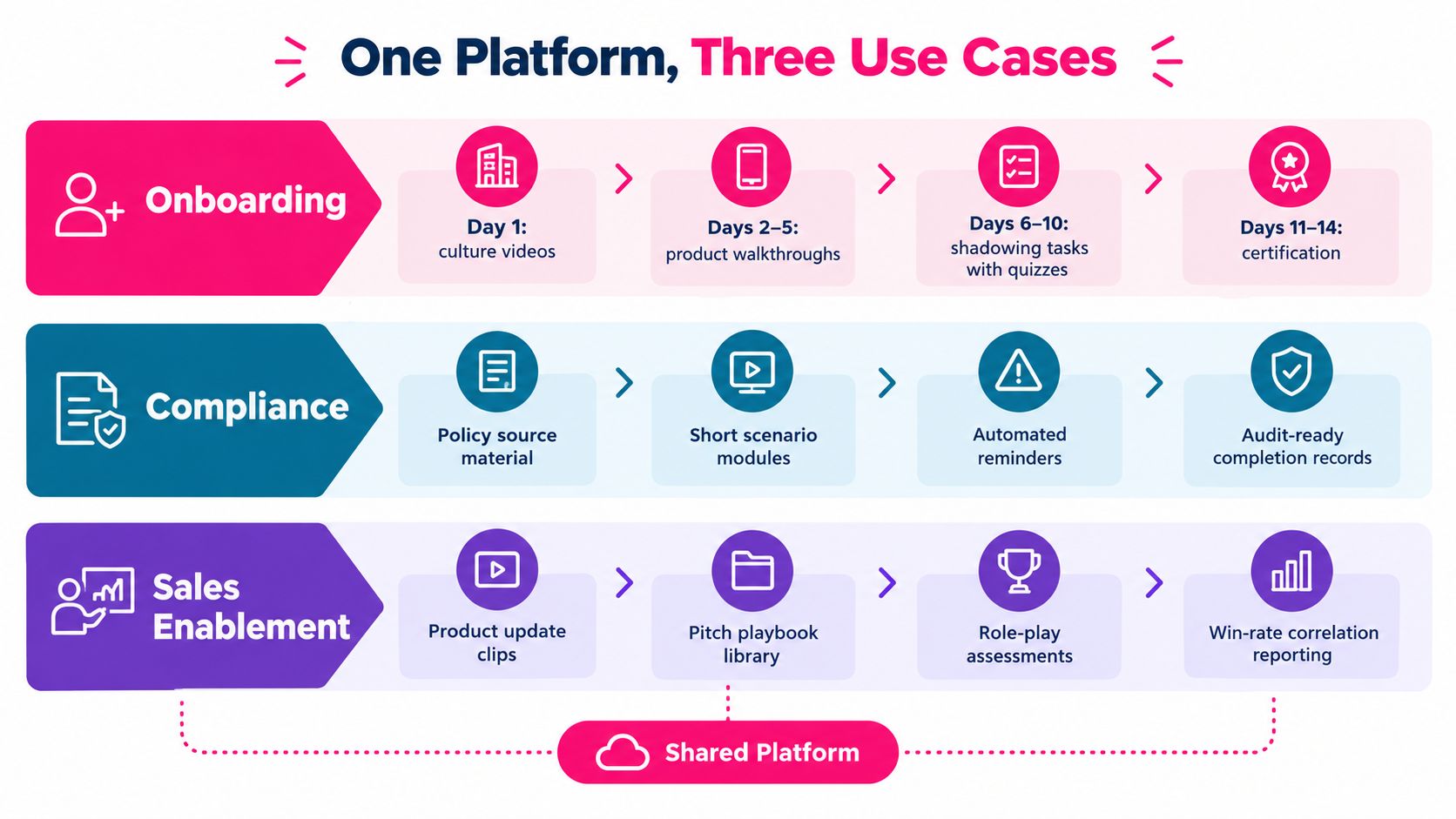
Onboarding, Compliance, and Sales Enablement in Practice
A shared platform can support different programs, but each program stresses a different capability. The examples below are workflow patterns rather than performance claims.
Onboarding
A new employee might start with culture and workplace orientation, then move to role-specific software walkthroughs and supervised tasks. The authoring team creates short modules from source presentations and screen recordings, adds captions and knowledge checks, and assigns the sequence through the LMS.
The important feature is not the opening video. It's the connection between the learning path and manager visibility. An LMS export can show which lessons the new hire completed, while assessment results help the manager decide whether the employee is ready for a live practice task. For a deeper treatment of the production workflow, see employee onboarding videos.
Compliance
A compliance owner receives a policy revision. Instead of producing an entirely separate course and leaving the old version in circulation, the owner updates the source lesson, checks the regional language variants, routes the change for approval, and assigns the new version to the affected population.
The platform should support recertification triggers, reminders, attestations, and historical records. Analytics then answer operational questions: who completed the current version, which roles remain outstanding, and whether a particular segment causes repeated failures on the follow-up assessment.
Sales enablement
A product release creates a different rhythm. Product marketing publishes a concise update, sales enablement adds the new pitch guidance, and managers assign a role-play or certification activity before representatives use competitive materials.
Here, the platform needs a searchable library, permissions, assessment workflows, and clear ownership. Engagement data can indicate whether representatives reached the important sections, while assessment results show whether they can apply the message. Connecting that information to opportunity-stage movement requires integration with the organization's sales systems, so buyers should treat that as a separate validation exercise rather than assuming the video platform provides it automatically.
The same authoring environment can serve all three audiences, but the governance model differs. Onboarding needs sequencing, compliance needs evidence, and sales enablement needs rapid versioning tied to product change.
Implementation Timeline From Pilot to Scale
A controlled pilot exposes integration and governance problems before they affect the entire library. Choose one audience and one workflow with visible friction, such as new-hire orientation or compliance recertification.
Week one
Select a representative source asset, define one learning objective, and name the people responsible for content ownership, review, publishing, and reporting. Confirm where the lesson will live and which standard the LMS will accept.
Month one
Build three to five test videos from real source material, not placeholder content. Configure the LMS export, publish into a sandbox, and verify that completion, assessment, and relevant viewing events arrive as expected. Test captions, transcript edits, permissions, and one localized variant before inviting learners.
Month two
Review completion, drop-off, assessment, and support feedback. The pilot plan can use a 70% completion threshold as a pruning signal, but treat it as a diagnostic rather than a universal quality standard. A low rate may reflect poor content, an incorrect assignment, an access problem, or an unrealistic workflow.
Quarter one
Expand to additional audiences only after the core process works. Assign a version owner, an approver, a localization owner, and a refresh cadence. Fast-moving content can receive a 90-day review cycle, while stable material can use a 180-day cycle, with exceptions for immediate regulatory or product changes.
Schedule a quarterly library audit. Flag outdated titles, broken captions, missing translations, duplicate files, unclear owners, and lessons that no longer connect to an active assignment. Scaling means increasing reliable reuse, not just adding more videos.
The Hidden Cost Competitors Skip Content Maintenance and Localization
Most buying guides reward the fastest first draft. That measure is incomplete. Training libraries age when products change, policies are revised, systems are redesigned, or regional requirements diverge.
The operational risk appears in familiar forms:
- Stale content: An old compliance explanation remains available after the governing policy changes.
- Version sprawl: Several files use similar titles, and no one can prove which one is authoritative.
- Localization drift: The English source changes, but subtitles, dubbed tracks, and regional callouts remain untouched.
- Manual rework: An owner edits one file, sends separate requests to translators, downloads new exports, and updates multiple destinations by hand.
Localization makes governance more demanding because every source change can create a family of dependent assets. Recent coverage of enterprise training tools emphasizes multilingual support, auto-subtitles, translation, and team governance as central buyer concerns (enterprise training software coverage). The operational question is whether those features remain connected to a controlled source.
> The best maintenance workflow has one source of truth, explicit ownership, visible approvals, and a reliable path back to every published destination.
Ask vendors to demonstrate a real revision. Change a policy sentence, regenerate captions, update a translated version, preserve the old record, and show how the LMS package is replaced. Also test accessibility before publishing. This video accessibility guidance can help your team define what captions, transcripts, contrast, and alternative access should look like.
Update speed deserves the same attention as editing speed. A tool that renders an attractive first cut but forces teams to manage every export manually may increase the risk of content drift.
Choosing the Right Training Video Software for Your Team
Start with workflow fit. Identify the two training processes that matter most, such as onboarding and compliance, then test whether the platform supports the actual source materials, review stages, learner assignments, and reporting requirements.
Next, examine source governance. Can one owner update the canonical lesson, create controlled language variants, route approvals, and republish without losing version history? If the answer depends on spreadsheets, shared drives, or undocumented manual steps, the platform may not solve the operational problem.
Finally, match analytics depth to the standard in use. SCORM may be sufficient for basic completion and score reporting. xAPI can support richer behavioral data, but only if your wider learning architecture can store and interpret those events.
Run a two-week pilot with one microlearning template and real learners. Measure time-to-update, not only time-to-publish. Compare finalists on version control, localization, accessibility, governance, and export behavior before weighing price.
VideoLearningAI is one option for teams that want to turn scripts, lesson ideas, or source material into bite-sized training videos, with workflows for areas such as onboarding, compliance, sales enablement, and customer education.
---
VideoLearningAI helps educators, corporate trainers, and L&D teams create structured training videos from existing materials, including scripts, narration, captions, and visuals, with LMS-oriented publishing workflows. Visit VideoLearningAI to test a pilot focused on one real lesson and evaluate how quickly your team can create, update, localize, and distribute it.