Your new hire has finished the welcome videos, signed the policies, and earned a green completion badge in the learning management system. Then a routine customer request arrives, and they still need someone to talk them through it. HR sees a completed checklist; the manager sees an employee who isn't ready to work independently.
That's the gap between delivering information and building competence. Onboarding and training work together when every introduction, lesson, practice task, and check-in helps a new employee take on useful work with less support. The finish line isn't a watched video. It's a task performed correctly, with sound judgment about when to ask for help.
Table of Contents
- Give the handoff an owner - Make progression observable - Schedule retrieval around the work - Turn responsibilities into a learning path - Read learning and performance together - Govern changes without blocking useful adaptation - Build the module around decisions - Run a focused launchWhat Each One Covers
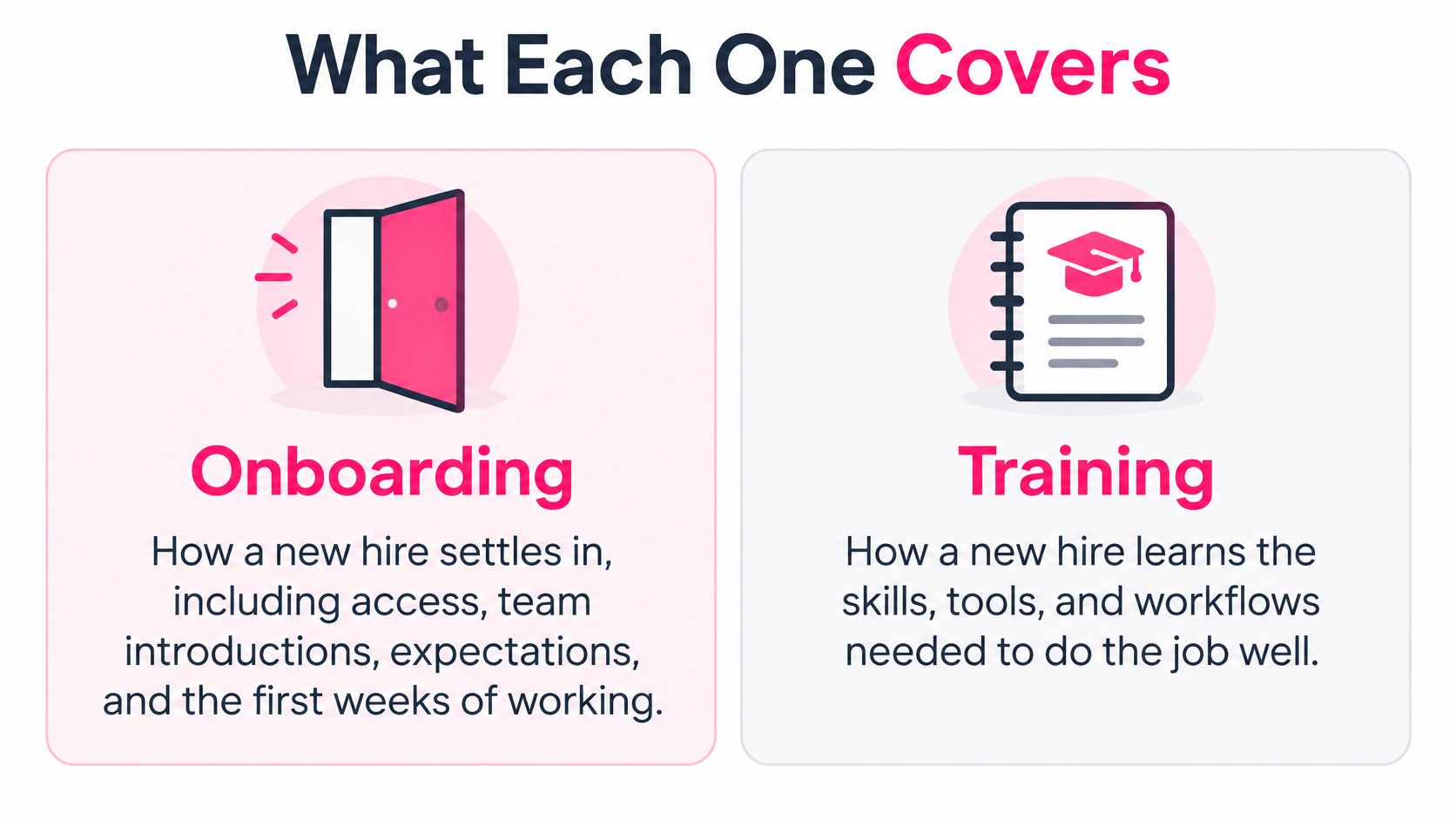
Onboarding is the guided tour of a new city; training is the driving lesson on its busiest roads. The tour helps you understand where you are, who can help, and how things work. The lesson develops a specific capability you'll need once you're moving independently.
Onboarding brings a person into the organization. It covers access, relationships, expectations, culture, and the practical arrangements that let them contribute. Training teaches a defined skill, process, tool, or policy, whether the learner joined recently or has worked there for years.
Onboarding compared with training
| Aspect | Onboarding | Training | |---|---|---| | Main question | How does a new hire settle in? | How does a person gain a specific skill? | | Timing | Starts on day one, usually runs to about day 90 | Runs whenever a skill, tool or policy is needed or changes | | Scope | Culture, team, access, expectations, first tasks | One skill, process, policy or tool | | Typical owner | HR with the hiring manager | L&D with subject-matter experts | | Typical format | Checklists, welcome modules, buddy programs, first-week tasks | Micro-lessons, simulations, quizzes, classroom sessions | | Success measure | Time to first independent task, early attrition | Quiz accuracy, error rate on real tasks |
Treat the onboarding timing above as a planning window, not a deadline for every employee to master every responsibility. Orientation is narrower still: the initial welcome and administrative introduction, not the whole learning journey.
The distinction is easier to see side by side.
Give the handoff an owner
Hiring information should inform the learning plan without becoming a permanent label on the employee. A resource such as a shared workspace for hiring teams from Hire Sense can provide a place to coordinate that handoff; managers should then validate learning needs through actual work.
The expensive mistake is designing onboarding and initial training as separate projects. HR schedules introductions, L&D publishes courses, and the manager assumes someone else has arranged practice. Instead, assign ownership across the complete journey, including the handoffs between teams.
Check your current programs: which has no named owner, and which has no success measure beyond completion?
A 90-Day Plan That Blends Onboarding and Training
Use the following as a proposed schedule, with proficiency gates controlling progression. Dates help managers reserve time, but demonstrated performance should determine when support is reduced.
A 90-day onboarding and training plan
| Phase | Focus | Training format | Proficiency milestone | |---|---|---|---| | Days 1-5 | Policies, tools, team introductions | Short orientation videos and a checklist | Accounts set up and first-week tasks finished | | Days 6-30 | Core routine tasks with support | Micro-lessons, each followed by a quiz | Completes routine tasks using a checklist | | Days 31-60 | Applying skills across realistic variations | Guided assignments, demonstrations, and manager feedback | Completes representative work and explains when to escalate | | Days 61-90 | Independent work and edge cases | Simulations and spaced refreshers, using day 60 and day 90 checkpoints | Supervisor-rated proficiency met on role criteria |
The reason to plan beyond orientation isn't just administrative convenience. A quasi-experimental study of Associate Software Engineers in an IT organization found 92% first-year retention among employees receiving a nine-month onboarding program across 2017–2019, compared with 82% in the comparison group.
That finding supports sustained support, but it doesn't prove onboarding alone caused the difference. Nor does it establish that every role needs the same program length.
Make progression observable
For a customer-support hire, the early milestone might be navigating the ticketing system and locating the correct policy. The next might be resolving a routine request using a checklist. Later, the employee should handle an ambiguous case, document the reasoning, and recognize when approval is necessary.
Managers need protected review time for these transitions. Otherwise, the schedule becomes a list of deadlines that employees pass just by remaining employed.
> Progression rule: Move a learner forward when they can demonstrate the required work, not when the calendar reaches the next phase.
Keep the first phase focused on access and immediate working needs. Don't bury a new employee in advanced exceptions before they can complete the standard process.
Compress phases for simple, repeatable roles when the employee meets the criteria safely. Extend supported practice for technically complex work, especially where errors are difficult to detect or reverse. Before launch, name the exact milestone that permits each transition and the person authorized to confirm it.
Microlearning That Sticks Through Spaced Recall
Define one clear learning objective before producing a lesson. Our implementation checklist uses that rule because a tightly written objective makes it easier to choose the example, remove unrelated material, and write a meaningful assessment.
A lesson on refunds shouldn't also explain customer segmentation, register maintenance, and inventory reconciliation. It should teach an observable decision or action, such as identifying whether a return requires supervisor approval.
Keep the explanation short enough to use near the task. Then require active recall: learners answer a question or choose an action before seeing the solution.
A workplace-training study involving 10,514 learners found that the optimal gap between retrieval events increased as the desired retention interval increased. That supports spreading retrieval across the period employees need to remember the material, rather than relying on an orientation session and a final test.
Schedule retrieval around the work
Use this as a starter schedule to test, not a universally validated set of intervals. Adjust it using delayed quiz results and observed mistakes.
Recall timing by content type
| Content type | First recall check | Follow-up checks | Example | |---|---|---|---| | Task knowledge needed this week | Same day | Day 7 | Steps for processing a return at a register | | Compliance or safety rule | Day 1 | Day 7 and Day 30 | Lockout steps before servicing equipment | | Product or policy detail | Day 2 | Day 7 and Day 30, then before relevant changes take effect | Refund approval limits by order value |
For safety-critical procedures, a recall question supplements supervised practice and authorization requirements. It doesn't qualify someone to service equipment.
Our guide to spaced repetition learning provides further context for organizing reinforcement. In practice, use a mix of choosing the next action, explaining a decision, and retrieving the relevant rule without prompting.
Avoid these common mistakes:
- Counting views as learning: A playback record confirms exposure, not understanding.
- Testing only once: Immediate success doesn't tell you what the learner remembers later.
- Adding more explanation: A longer video won't fix a missing practice task.
- Repeating identical questions: Learners may memorize the answer pattern rather than the underlying decision.
Feedback should explain why the response was appropriate and what would change the answer. A learner who selects the wrong refund route needs to understand the approval condition, not merely see a red cross.
Write the first recall prompt before recording anything. If you can't identify what the employee should retrieve, the lesson objective probably needs tightening.
How to Build a Learner Journey Step by Step
Start with the work employees must perform, not the documents the organization wants them to read. In BambooHR's 2025 onboarding benchmark, 52% of employees felt onboarding focused too much on administration rather than role training, while 25% identified pressure to perform before training was complete as a skill-development barrier.
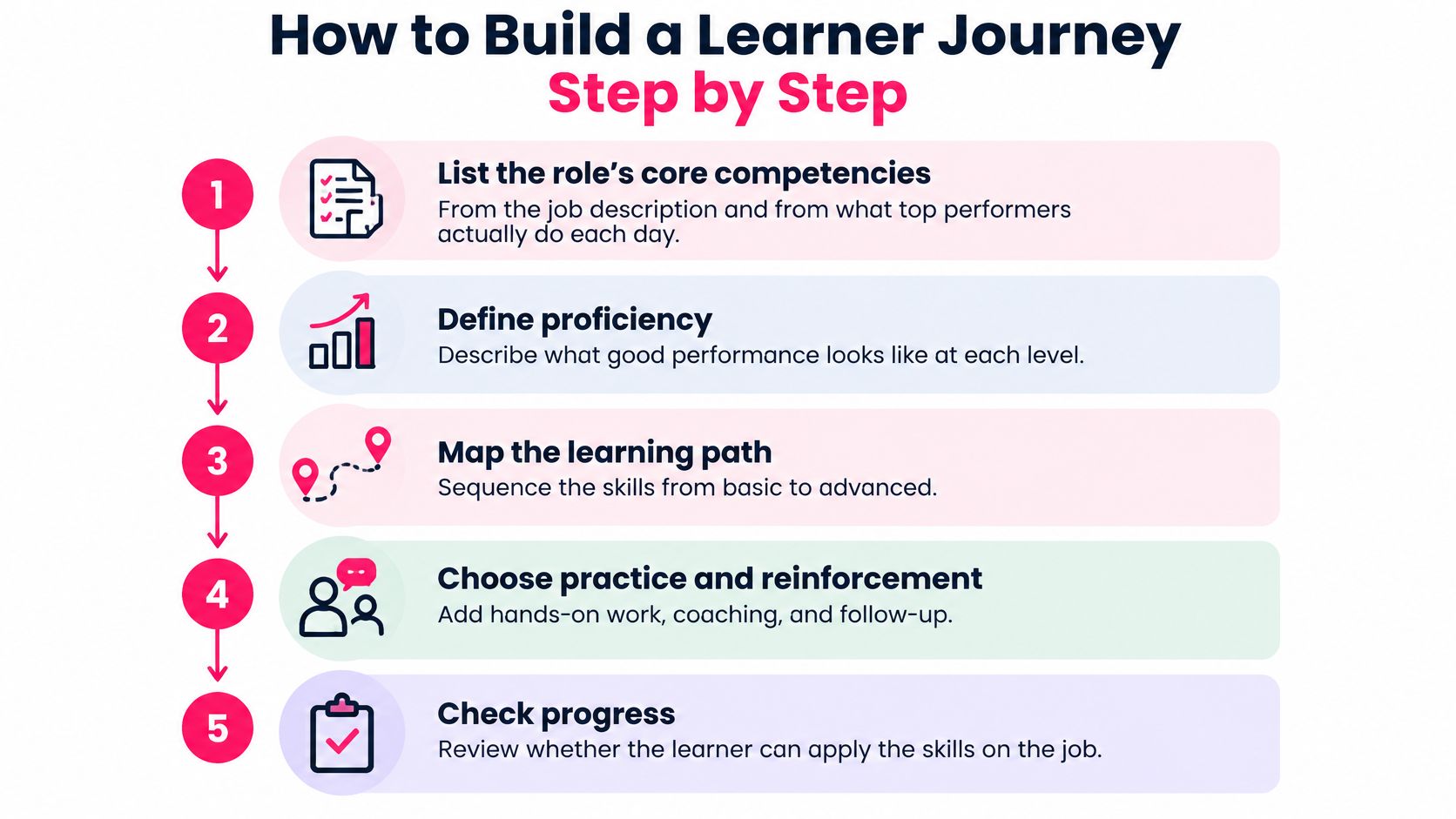
The practical response is a journey that connects learning to application and feedback. This visual summarizes the design process.
Turn responsibilities into a learning path
1. List the role's core competencies. Compare the job description with what capable employees do during a normal working day. Don't copy policy-manual headings and call them competencies; processing a return is work, while reading the returns policy is preparation.
2. Define proficiency in observable terms. Specify the task, acceptable quality, permitted support, and escalation conditions. Avoid vague labels such as understands refunds when you mean completes an eligible refund without unnecessary escalation.
3. Sequence prerequisites. Teach account lookup and order verification before refund authorization. Organizing lessons by department ownership instead of task dependencies forces learners to assemble the process themselves.
4. Build a micro-lesson for each objective. Use a realistic screen, customer request, or decision from the workflow. Don't polish a generic example that omits the difficult choice employees face.
5. Attach practice and manager feedback. After the learning block, assign an authentic task and give the reviewer a short rubric. This is the step teams are tempted to skip once the content is finished, even though it's where misunderstandings become visible.
6. Publish the path to the LMS. Track access, completion, assessment responses, and the status of workplace demonstrations. Don't let automated course completion overwrite a manager's unresolved proficiency concern.
7. Review after a proposed fortnight of use. Examine failed questions, delayed tasks, and recurring requests for help, then revise the relevant material. Don't rebuild the whole course when the problem is an unclear instruction or missing example.
For a complementary walkthrough, use the video alongside your draft journey map.
The output should be a one-page journey map for each role, supported by the necessary learning materials. Include the competency, lesson, practice assignment, reviewer, and proficiency evidence so nobody has to infer how the pieces connect.
Metrics That Prove Onboarding Is Working
Early attrition has a financial consequence as well as a human one. A U.S. Office of Personnel Management reference estimates turnover costs at roughly 30–50% of annual salary for entry-level employees, about 150% for mid-level employees, and up to 400% for highly specialized employees.
Those estimates aren't a substitute for your organization's replacement costs. They explain why an onboarding dashboard should connect learning activity with retention and productive work.
Use the following proposed reporting cadence.
Onboarding metrics, sources and check dates
| Metric | Data source | Check at | |---|---|---| | One-year retention | HR records by hiring cohort | One year after hire | | Quiz accuracy | Retrieval quizzes at day 7 and day 30 | Day 7 and day 30 | | Time to first independent task | Manager log against the task list | Days 30 to 60 | | Supervisor-rated proficiency | Rating against role proficiency criteria | Days 60 and 90 | | Error or rework rate | Quality audit of real work | Monthly | | Early attrition | Exits before day 90 | Day 90 |
Completion rate is an administrative signal, not proof of competence. Keep it because missed assignments can reveal access problems or scheduling conflicts. Don't use it as the headline measure of readiness.
Read learning and performance together
Pair quiz accuracy with time to the first independent deliverable. If employees remember the process but can't execute it, investigate permissions, task opportunities, practice quality, and manager availability before adding another course.
If employees complete work quickly but generate rework, inspect the quality criteria. They may be moving independently before they can recognize an exception.
> A useful dashboard helps a manager decide what to change. A dashboard that only reports participation leaves that decision unanswered.
Standardize the measurement definitions before comparing teams. An independent task should mean completion without coaching, not completion while a colleague supplies every decision. Supervisor ratings also need shared examples of acceptable performance so a demanding manager doesn't appear to have a weaker program.
For a broader evaluation framework, use our guide to measuring training effectiveness. Keep the reporting burden manageable by collecting evidence from existing manager logs, LMS records, and quality checks rather than creating parallel paperwork.
Compare each hiring cohort with the preceding cohort, while noting changes in role mix, workload, managers, and selection practices. External benchmarks can suggest what to investigate, but they don't provide a clean target when organizations define onboarding quality differently.
Keeping Onboarding Consistent Across Teams and Locations
Use a shared core, role-specific paths, and local modules. Consistency means employees receive the same applicable expectations, not that every employee watches identical content.
The shared core covers organizational policies, values, and common obligations. Role paths teach the relevant work. Local modules address regional requirements, language, site procedures, and location-specific contacts.
There's a reason to take structure seriously: the 2015 Brandon Hall Group benchmark summarized in HiBob's employee onboarding report reported 82% higher new-hire retention among organizations with strong onboarding processes than those with weaker approaches. Treat this as a benchmark association, not a promised improvement or proof that standardization alone causes retention.
Govern changes without blocking useful adaptation
Our implementation checklist recommends standardizing script and visual structure so reviewers can approve faster. Use consistent fields for the objective, demonstration, decision point, practice instruction, and assessment. Translators and reviewers can then compare equivalent parts instead of interpreting a different layout in every module.
Maintain a short governance checklist:
- Named owner: Assign someone accountable for the accuracy of each learning path.
- Review date: Set a review point and identify events that trigger an earlier update.
- Approval record: Record who authorized the current procedure and learning content.
- Retirement rule: Withdraw material that no longer matches the approved workflow.
- Local boundaries: State which elements sites may adapt and which require central approval.
The common failure is a global presentation that every team edits privately. Soon, a new hire in one location receives an approval rule that contradicts the rule taught elsewhere.
Keep approved material in a controlled source location and link to it from learning paths. When a local exception is legitimate, document its scope rather than hiding it inside a copied deck.
Standardization has a trade-off: central review can slow urgent corrections. Give local owners a defined escalation route for inaccurate or unsafe instructions, including authority to suspend the affected module while it's corrected.
Every module should record who approved its last change. Without that record, a consistent visual style can conceal inconsistent policy.
Training New Hires on AI Tools and Policies
Permission to use AI isn't preparation to use it responsibly. ISACA's 2025 global poll of 3,029 digital-trust professionals found that 59% of organizations permit generative AI, yet 32% provide no AI training.
A generic awareness course won't tell a new employee which tool they may use for a customer response, what information they must exclude, or who must review the result. Teach those decisions in the context of the role.
The goal is supervised judgment, not familiarity with a chat interface.
!A mentor guides a new employee on the proper and safe use of generative AI at work.
Build the module around decisions
1. Show approved use for the role. Name the permitted tool and demonstrate an allowed workflow, such as drafting product copy from approved public information. Explain what the employee must still do before using the result.
2. Test confidential-data judgment. Contrast public product descriptions with customer records or internal commercial information. Have the learner decide whether to proceed, remove information, or stop and seek guidance under the organization's policy.
3. Require verification. Present a flawed output containing a factual error, unsupported statement, or biased assumption. Ask the learner to identify the problem, check an authoritative reference, and revise or reject the output.
4. Name the escalation contact. Give an actual team, role, or reporting channel for unresolved cases. Separate ordinary usage questions from suspected exposure of confidential information so employees know when urgent reporting is necessary.
Assess the reasoning behind the decision. Someone who can produce a polished prompt may still mishandle restricted information or accept an unsupported claim.
Our discussion of AI in corporate training offers broader implementation context, but the onboarding assessment must use your approved tools and policies.
> Control check: An employee should know when not to use AI, not just how to use it.
Keep the module's policy version visible, along with its owner and escalation contact. Refresh the lesson whenever the governing policy changes, and update the assessment when new approved workflows introduce different risks.
Pilot One Onboarding Journey This Quarter
Choose a role with frequent hiring or a visible early-retention problem. Don't start by rebuilding onboarding for the entire organization. A bounded pilot makes it easier to identify whether the difficulty lies in the content, task design, manager support, or access.
Use this proposed launch schedule to organize the work. It prepares and starts the journey; it doesn't establish long-term retention results.
Run a focused launch
- Days 1–7: Select the role, appoint the owner, and write proficiency statements with employees who perform the work and managers who review it.
- Days 8–14: Map the full learning journey, prepare the initial lessons, and write recall prompts before production. Use the phase plan to reserve practice and review time.
- Days 15–21: Establish the baseline from comparable existing hires, including delayed quiz accuracy where available and recorded time to independent work. Mark missing evidence rather than inventing a starting value.
- Days 22–30: Launch with small cohorts, schedule a manager review for each, and inspect engagement weekly. Continue until the planned proficiency checks can be completed.
Schedule the first revision after learners have used the path for a fortnight, even if that falls beyond the launch window. Our implementation checklist recommends publishing, measuring completion, and iterating every two weeks; use workplace evidence to decide what those iterations change.
Our Onboarding Training Template includes a welcome module, role ramp-up path, and knowledge check sequence. Reuse the structure, but have the people who do the job write the objectives and milestones.
Name the pilot role and its accountable owner this week. Then put the first manager review on the calendar before producing the lessons.
---
VideoLearningAI turns existing knowledge and course materials into bite-sized training videos without requiring video-editing skills. Visit VideoLearningAI to build your pilot's initial lessons, then connect them to practice tasks, recall checks, and manager-verified proficiency.