A new customer signs in, sees a dense dashboard, and looks for one clear path to a useful result. If that path isn't obvious, the customer may postpone setup, ask support to explain basic tasks, or quietly stop returning. Customer education starts paying off at that moment, not when someone completes an impressive course catalog.
The customer education examples below show how software and training companies turn difficult products into structured learning experiences. Each example focuses on the lesson format, the adoption problem it addresses, and a tactic you can adapt for product tutorials, onboarding flows, or microlearning clips. The strongest programs don't just explain features. They connect a lesson to a job, a workflow, or a measurable product behavior.
Table of Contents
- Copy the task-sized lesson - Make progress prove something - Build around the decision - Let the learner finish something - Tie instruction to a business decision - Sequence the practice - Give every learner a safe first step - Start with a campaign decision - Train the rollout, not just the interface- Top 10 Customer Education Platforms Comparison
- Build Your Own Customer Education Path, Starting Small
1. HubSpot Academy
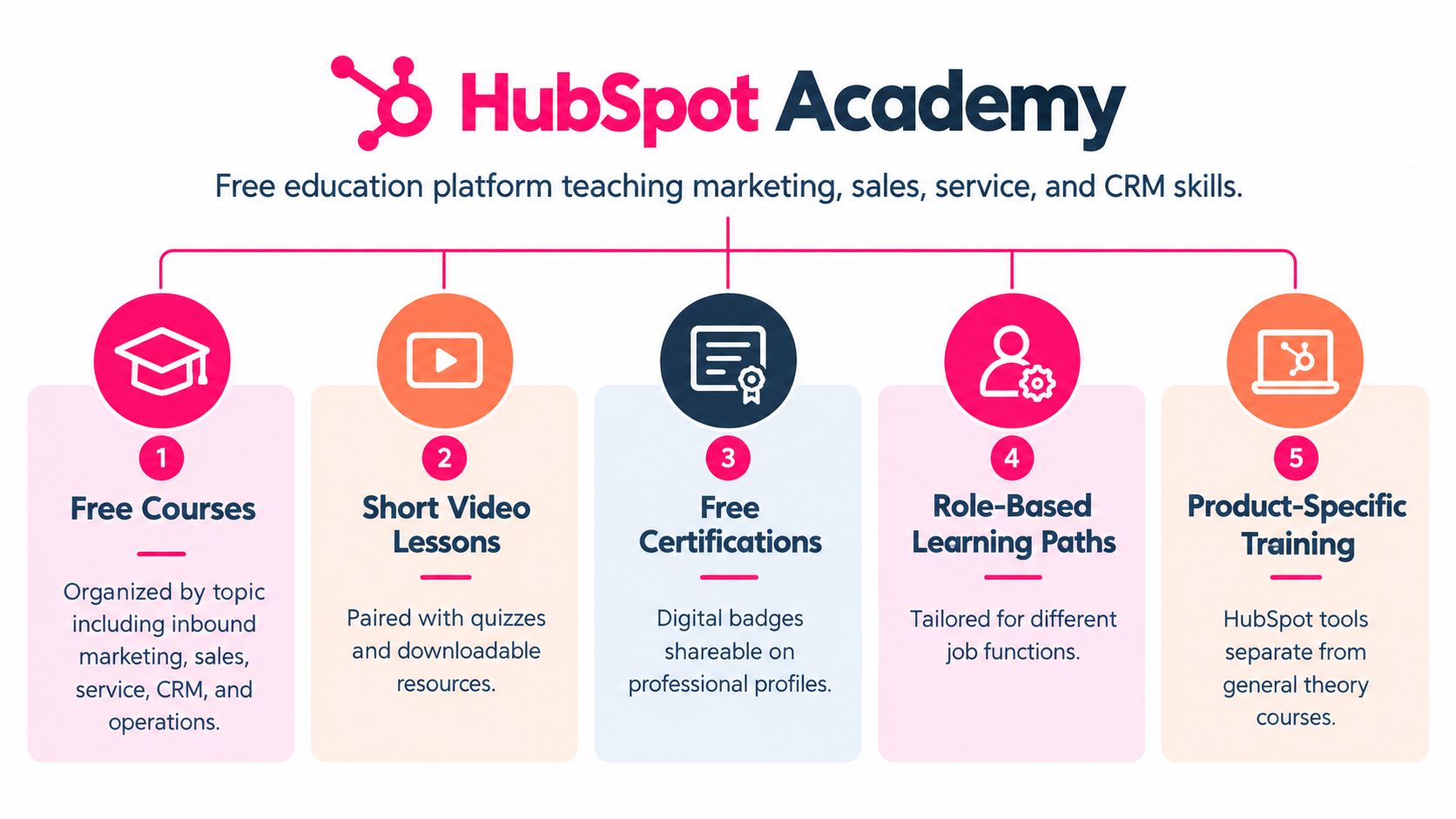
HubSpot Academy teaches marketing, sales, service, and CRM skills through short video lessons, interactive modules, and certifications. Its reach extends beyond existing customers, which gives the program a useful advantage: learners can build professional skills while becoming familiar with HubSpot's way of working.
That structure addresses a common adoption problem. A customer may understand the promise of a CRM but still lack the marketing or sales process needed to use it well. A feature tour won't solve that gap. A lesson on building a campaign, managing a pipeline, or handling a service workflow gives the product a practical role in the learner's job.
HubSpot's Inbound Marketing Certification is a useful model for foundational learning, while product-specific certifications can support teams using Sales Hub or Service Hub. The transferable idea is to make education valuable even before the learner reaches advanced product usage.
Copy the task-sized lesson
Build a path around a role and its first meaningful outcome. A marketer might start with campaign planning, an account executive with pipeline hygiene, and a service lead with ticket routing.
For each lesson:
- Keep the scope narrow: Use a three to seven minute video for one task outcome, not an overview of an entire feature set.
- Add active practice: Follow the video with a knowledge check, worksheet, or task completed in a safe account.
- Create a meaningful credential: Use a badge or certification when the learner has demonstrated a job skill.
- Map the progression: Show how beginner lessons lead to product mastery and more advanced workflows.
The customer education program guide can help teams connect these lessons to onboarding, self-service, and customer success. The main lesson from HubSpot is simple: teach the work customers need to perform, then show where the product makes that work easier.
2. Salesforce Trailhead
Salesforce Trailhead turns a complex enterprise platform into a sequence of short, interactive learning units. Learners move through modules, trails, and projects that combine explanation with practical challenges. Points, badges, and ranks make progress visible, while the Trailblazer Community extends learning into events, study groups, and peer interaction.
The adoption problem is the scale of the platform. A new administrator doesn't need every Salesforce concept at once. They need a credible route from basic configuration to the responsibilities their role requires. Trailhead reduces that cognitive load by presenting a sequence rather than an unstructured catalog.
Make progress prove something
Gamification works best when it represents real progress. A badge for completing a meaningful module can encourage momentum. A badge for clicking through a trivial screen creates noise and weakens trust in the credential.
A role-based Salesforce Administrator path is more useful than a generic product tour because it reflects the learner's likely responsibilities. Each module can end with a practical challenge, such as configuring a workflow, creating a report, or resolving a permissions problem.
> Practical rule: Reward completed capabilities, not completed screens.
For your own program, borrow the hierarchy. Start with one module that teaches a task, group related modules into a path, and reserve a project or assessment for a broader outcome. The product knowledge training guide offers a useful direction for combining short lessons with structured progression.
Self-paced content shouldn't carry the entire experience. Live office hours, community discussions, or instructor-led sessions can help learners recover when they get stuck. The trade-off is operational effort. Live support takes more coordination, but it exposes misunderstandings that a completion report won't reveal.
3. Zendesk Academy
A new support agent rarely needs a tour of every Zendesk feature. They need to recognize a customer request, choose the right priority, and move the ticket toward resolution. Zendesk Academy connects learning to that working context through courses and certifications for agents, administrators, partners, and teams configuring service operations.
Start with the operational problem that blocks performance. A short lesson on setting up a ticket workflow may produce earlier value than an overview of reporting tools. The sequence should reflect the learner's responsibility, then add administration or analysis after the basic service task is reliable.
A useful lesson follows one ticket from arrival to resolution. Show the customer's request, the agent's response, the internal decision, and the platform actions that preserve context. This format teaches judgment alongside product use, which is harder to develop through screen recordings alone.
For example, a lesson can:
- open with a realistic request that a new agent will recognize;
- show assignment, prioritization, internal notes, and resolution in Zendesk;
- pause for a classification or routing decision;
- finish with a supervisor review or certification milestone.
The customer service video training resource can help teams turn service scenarios into repeatable lessons. The trade-off is production time. Realistic scenarios require more planning than interface demonstrations, but they are better suited to decisions involving tone, urgency, ownership, and escalation.
Use a simple template for your own program: customer moment, service decision, product action, feedback, readiness check. Reuse the structure across common cases such as a delayed order, a billing question, or a technical issue, while changing the decision point and expected resolution.
Zendesk's broader lesson is that customer education can improve service operations as well as product adoption. Administrators learn to configure workflows deliberately, and agents learn to use those workflows consistently. Tie every lesson to a customer or operational outcome so learners can see why the task matters.
4. Google Skillshop
Google Skillshop organizes learning around products such as Google Ads, Google Analytics, and Google Marketing Platform. Its audience includes advertisers, marketers, agency staff, and developers who need to create campaigns, interpret results, or validate their working knowledge through certifications.
The important design choice is to organize content around jobs to be done, not only around the product's navigation. Someone searching for help with launching a campaign thinks in terms of a business task. They don't usually begin by asking which feature category contains the right control.
Build around the decision
A useful Skillshop-inspired path might start with a goal such as launching a search campaign. The learner then needs a sequence covering campaign structure, audience or keyword decisions, measurement, and review. Each lesson should answer one practical question and lead naturally to the next action.
Knowledge checks can confirm whether the learner understands a concept before they apply it. They shouldn't become a memory test about interface labels. Ask the learner to choose an appropriate campaign structure, interpret a report, or identify a measurement problem.
Interface change creates a constant maintenance burden for product education. A video that shows an outdated screen can damage confidence quickly, especially when a learner follows the instructions and can't find the same controls. Keep screen recordings modular, label lessons with their purpose rather than a temporary interface location, and schedule reviews after meaningful product changes.
Certification can add a clear finish line, but it shouldn't be the only reason to learn. A customer who needs to make a sound campaign decision may benefit more from a focused lesson and practice task than from a long credential path. Use both formats, but let the immediate business task determine where the learner starts.
5. Canva Design School
Canva Design School teaches visual design, branding, and Canva workflows through video tutorials, articles, and courses. It serves beginners who need confidence as much as it serves experienced users who want a faster way to produce a specific asset.
That makes the adoption challenge different from an enterprise administrator's challenge. A new Canva user may not know the vocabulary of design, may feel unsure about visual choices, and may abandon the product before completing a useful design. A tutorial that produces a visible result can reduce that hesitation.
Let the learner finish something
The strongest lesson format is a concrete creation task. “Make a social media graphic” gives the learner a reason to open the editor, choose a template, adjust the layout, and export an asset. A broad lesson titled “Introduction to design” may be accurate, but it delays the moment when the learner sees personal progress.
Use a clear voiceover, visible on-screen actions, captions, and a consistent visual style. Keep terminology accessible, then introduce technical language only when it helps the learner make a better decision. A tutorial for educators might focus on creating a training slide deck, while a small business lesson might focus on producing a branded social post.
> A customer remembers the finished asset more readily than the feature list used to create it.
Organize the library around user goals, not only tools. “Create a presentation for a workshop” is more useful to many learners than “Use presentation layouts.” This approach also gives your team a practical way to identify gaps. If customers repeatedly need a certain outcome, create a lesson that delivers it from start to finish.
The trade-off is breadth. A goal-led library can become difficult to use if every possible outcome gets its own tutorial. Use audience, task, and difficulty labels to keep discovery simple.
6. Shopify Learn
A merchant can complete every setup screen and still lack a workable store. Shopify Learn addresses that gap by combining platform guidance with business education for people launching, running, and growing online stores. The useful unit is not the feature demonstration. It is the business task the feature supports.
Start with the milestone the learner needs to reach. Opening a store, presenting products clearly, and encouraging repeat purchases each require different decisions, even when they use the same platform.
Tie instruction to a business decision
A store setup lesson might begin with the offer, audience, and product information, then move into theme configuration and checkout settings. A marketing lesson can explain the decision first, such as how to attract a defined audience, before showing the Shopify tools that support it. Product photography guidance can connect image quality to the way shoppers assess an item online.
A practical lesson can follow this sequence:
1. Define the decision: Ask the learner to specify the product, audience, or offer being prepared. 2. Complete the platform task: Demonstrate the exact configuration that supports that decision. 3. Check the buyer's view: Have the learner inspect the storefront as a customer would, including product details, navigation, and checkout. 4. Choose the next action: End with a concrete task, such as publishing a product or testing checkout.
This format targets a common adoption problem: merchants learn where a setting is, but do not know when or why to use it. The lesson should leave them with a store change they can inspect, not only a list of features.
A short merchant story can provide context and credibility, provided it leads to a transferable action. The trade-off is scope. Business education can serve a broad audience, yet drift away from product adoption. Keep the Shopify behavior visible in every lesson, and show how it enables the stated business outcome.
7. Cisco Networking Academy
Cisco Networking Academy demonstrates what happens when customer education becomes a skills ecosystem. Its program combines online courses, hands-on labs, and instructor-led learning for students, instructors, and professionals. The long progression suits networking because learners need conceptual understanding, repeated practice, and guidance through increasingly difficult configurations.
The adoption problem is complexity. Networking concepts rarely become useful through passive viewing alone. Learners need to understand what a system is doing, predict an outcome, configure an environment, and diagnose what went wrong.
Sequence the practice
A Cisco Networking Academy-inspired course should make progression visible. Begin with core concepts, move into guided configuration, and then introduce a lab where the learner must apply the ideas with less support. Video can explain topology or demonstrate a command, but the learner should eventually make the decision themselves.
The CCNA certification pathway shows the value of a clear destination for learners entering networking roles. Partner schools and instructors add accountability, local support, and access to practice that a self-paced library may not provide.
> The lesson to copy: Complex skills need a deliberate handoff from explanation to practice.
Partners are useful when your product requires technical judgment or organizational change. An instructor can spot confusion, adapt an example, and connect the lesson to a learner's environment. The cost is consistency. Partner delivery requires facilitator guidance, updated materials, and a way to verify that the intended learning experience survives outside your own team.
For a smaller program, start with one guided lab rather than attempting a full academy. Explain the concept in a short clip, provide a safe environment, give the learner a task, and ask for evidence of completion. That structure teaches behavior more reliably than a longer lecture.
8. Microsoft Learn
Microsoft Learn brings modules, learning paths, documentation, video, interactive sandboxes, and certification alignment into one technical learning environment. It covers products including Azure, Microsoft 365, Power Platform, Dynamics 365, and developer tools.
Its central adoption problem is catalog overload. A learner who searches for Azure training can encounter material for administrators, developers, architects, analysts, and business users. Without a role-based starting point, even high-quality content can feel like a research project.
Give every learner a safe first step
Start with a path that reflects the learner's role. IT staff preparing for Azure fundamentals need a different sequence from business users building a low-code application in Power Platform. The product may be related, but the vocabulary, practice environment, and first success differ.
Sandboxes and demo environments reduce the fear of making a costly change in a live account. They also turn a lesson into an experience. A learner can read a short explanation, try the workflow, and inspect the result without waiting for access to a production environment.
Use short summaries and key takeaways alongside longer technical material. Documentation remains valuable as a reference, but a learner in motion needs to know what matters now. A concise video can introduce the concept, while a written page can provide exact configuration details for later reuse.
The trade-off is maintenance. Technical content changes as products evolve, and interactive environments can break when permissions or interfaces change. Assign ownership to product specialists, record the product version or scope where relevant, and review paths when the underlying workflow changes.
9. Hootsuite Academy
A marketer can learn to schedule a post in minutes and still make a poor channel or content decision. Hootsuite Academy addresses that gap by teaching social media marketing alongside Hootsuite's scheduling and analytics tools. Its courses use video, reading, quizzes, and certifications for marketers and agency teams.
The adoption problem is misplaced emphasis. Tool familiarity can create activity without improving audience fit, content planning, measurement, or channel selection. Education should therefore begin with the marketing task and introduce the platform at the point where it supports that task.
Start with a campaign decision
Use a campaign scenario as the lesson's spine. The learner defines an objective, chooses a channel, drafts content, schedules it in Hootsuite, and interprets the resulting data. Each step connects a product action to a marketing judgment, so the learner can transfer the process to future campaigns.
For an agency, the same structure gives new team members a shared operating method. A certificate can document completed learning and support a marketer's portfolio, while the assessment should include decisions about audience, timing, and performance rather than testing recall alone.
A compact lesson template looks like this:
1. Define the marketing objective: State the outcome the learner is trying to achieve. 2. Choose the operating process: Explain the planning or publishing decision. 3. Demonstrate the tool: Show the relevant Hootsuite workflow. 4. Review the result: Ask the learner to interpret an example report. 5. Apply the lesson: Have the learner create and schedule a real piece of content.
Keep strategic principles separate from temporary interface instructions. Social platforms, reporting screens, and recommended practices change frequently, so the strategic explanation can remain stable while product demonstrations receive regular updates. That separation reduces maintenance work without leaving learners with outdated steps.
The result is a practical bridge between education and adoption, rather than a feature-by-feature tour.
10. Asana Academy
Asana Academy offers courses, webinars, and certifications for project management, work coordination, and administration of the Asana platform. Its audience includes team leads, operations staff, and administrators responsible for turning individual usage into consistent team behavior.
The adoption problem is organizational. One person can learn how to create a project, but a company won't realize much value if teams use different conventions, skip ownership, or continue managing the important work in spreadsheets and disconnected messages.
Train the rollout, not just the interface
An admin needs guidance on workspace structure, permissions, templates, and governance. A manager needs help assigning work, setting expectations, and reviewing progress. A contributor needs a fast route to creating, updating, and completing tasks. Role-based videos prevent each audience from sorting through irrelevant material.
A rollout guide should sit beside the training. Include the first workflows the team will use, the terminology everyone should share, the date or event that begins adoption, and the support route for questions. A training video can explain how to use a project template. A rollout plan explains when the team will use it and who owns its maintenance.
> Adoption depends on shared habits, not individual completion.
Asana's own customer-education program provides a useful measurement model. According to Asana's customer education case study, monthly active learners grew 2.25 times year over year, customers who engaged with training scored 19 points higher on NPS than customers who did not, and learners completed more than 60,000 hours of self-directed education in 2021. The same case study reported average CSAT above 4.5 among training-engaged customers and found that nearly 25% of Ambassadors discovered the program through Asana Academy.
Those comparisons need careful interpretation. Participation was self-selected, so the NPS difference shows an association, not proof that training caused the outcome. For your own program, compare trained and untrained cohorts while tracking early adoption, product usage, and account-level retention signals. Where possible, use matched cohorts or controlled invitations.
Top 10 Customer Education Platforms Comparison
| Platform | Implementation Complexity 🔄 | Resource Requirements ⚡ | Expected Outcomes 📊⭐ | Ideal Use Cases 💡 | Key Advantages ⭐ | |---|---:|---:|---|---|---| | HubSpot Academy | Low, modular video + quizzes; continuous updates needed 🔄 | Low–Medium, short video production, LMS, SMEs ⚡ | 📊 Increased product adoption and onboarding; ⭐ Moderate credential value | Customer onboarding, marketing skill-building, partner enablement 💡 | Free access, bite-sized units, shareable certifications ⭐ | | Salesforce Trailhead | Medium–High, gamified paths, hands‑on challenges, sandbox integration 🔄 | High, sandbox environments, content breadth, community ops ⚡ | 📊 High engagement and completion; ⭐ Strong career/role credentials | Enterprise admin/dev certification, gamified onboarding, applied projects 💡 | Gamification, projects & hands‑on labs, large community ⭐ | | Zendesk Academy | Low–Medium, scenario-driven video + practical exercises 🔄 | Medium, scenario production, role tracks, some paid tiers ⚡ | 📊 Reduced support burden; ⭐ Practical support and admin competence | Support team training, success workflows, agent onboarding 💡 | Tied to support workflows; mixes soft skills and product training ⭐ | | Google Skillshop | Low, tutorial videos + quizzes; frequent refresh required 🔄 | Medium, content updates, certification infra ⚡ | 📊 Wide reach and product mastery; ⭐ Recognized certs in advertising/analytics | Advertisers, analysts, agency training for Google products 💡 | Broad audience, regular updates, industry-recognized certs ⭐ | | Canva Design School | Low, short, task-based screencasts and guides 🔄 | Low, screencasts, simple editing, topical organization ⚡ | 📊 Fast user wins and adoption; ⭐ Great for novice-to-intermediate design skills | Quick design tasks, social graphics, educator resources 💡 | Highly accessible, task-focused tutorials, strong visual demos ⭐ | | Shopify Learn | Low–Medium, mix of video, webinars, and guides 🔄 | Medium, live sessions, merchant case studies, content upkeep ⚡ | 📊 Improved merchant success and retention; ⭐ Business outcomes-focused | New merchant onboarding, store setup, marketing & photography 💡 | Connects platform skills to business results; practical merchant examples ⭐ | | Cisco Networking Academy | High, sequenced curriculum, labs, instructor-led delivery 🔄 | High, physical/virtual labs, partner network, instructor training ⚡ | 📊 Strong employer recognition and job-readiness; ⭐ High-competency certifications | Formal IT education, vocational programs, networking career pathways 💡 | Hands-on labs, structured progression, long-standing industry alignment ⭐ | | Microsoft Learn | Medium–High, modules + interactive sandboxes and docs 🔄 | High, sandbox tech, broad content team, frequent updates ⚡ | 📊 Clear certification pathways and practical skills; ⭐ Highly relevant for MS roles | Cloud/IT certification prep, role-based upskilling, developer onboarding 💡 | Interactive sandboxes, role-based paths, extensive product coverage ⭐ | | Hootsuite Academy | Low, short videos and quizzes focused on social strategy 🔄 | Low–Medium, content updates with platform changes, tracking ⚡ | 📊 Teaches transferable social skills; ⭐ Certificates motivate completion | Social media marketers, agency onboarding, portfolio building 💡 | Discipline-first training, concise lessons, shareable certs ⭐ | | Asana Academy | Low–Medium, role-based videos and rollout resources 🔄 | Medium, workflow guides, rollout checklists, certification setup ⚡ | 📊 Increases team adoption and reduces churn; ⭐ Useful for org rollouts | Team rollout, project-management training, change management 💡 | Adoption-focused training, role-based paths, rollout support ⭐ |
Build Your Own Customer Education Path, Starting Small
These customer education examples cover very different products, but their most reusable pattern is consistent. Each program gives the learner a defined outcome, a clear route to it, and some form of practice or proof. The lesson isn't "produce more content." It is "remove one adoption obstacle with the smallest learning experience that can change behavior."
Start with the first outcome your customer needs. For a design tool, that might be a finished social graphic. For a CRM, it might be a configured pipeline. For a technical platform, it might be a safe first deployment or completed lab. For an account administrator, it might be a workspace structure that the team can use consistently.
Choose a format that matches the obstacle:
- Use a short video when customers need to see a workflow performed.
- Use a checklist when setup involves several simple steps.
- Use a guided practice task when learners must make decisions.
- Use a role-based path when different audiences need different workflows.
- Use certification when demonstrated competence matters to the customer or their employer.
- Use live sessions or community support when learners need feedback, troubleshooting, or peer momentum.
Build one lesson with one practical check. Then watch where learners stop, which question they ask next, and whether they complete the target product behavior. A completion rate alone won't tell you whether the lesson helped. The useful signal is whether learning connects to adoption, successful setup, self-service, or another outcome your customer-success team already cares about.
Measurement deserves early attention. The Forrester Consulting study commissioned by Intellum surveyed 300 customer-education decision-makers at U.S.-based companies during February and March 2024. It found that 96% of respondents' organizations had at least recouped their investment in customer education, while 86% reported a positive return on investment. Among programs with measurable outcomes, training was associated with a 38.3% average increase in adoption of targeted products and a 26.2% improvement in customer satisfaction. The study also reported a 35% increase in average lifetime value per trained customer, a 7.6% increase in revenue for products supported by training, and a 15.5% decrease in customer-support costs for trained users. Read the Forrester and Intellum benchmark, and treat it as a U.S. major-market benchmark rather than a universal global average.
Don't wait for perfect analytics. A recent customer-education maturity benchmark reports that 31% of programs lack analytics capability, 21% haven't defined success measures, and 20% report disconnected systems. The same source says 52% are very confident they can demonstrate ROI, even though more than half of that group still reports at least one fundamental measurement gap. Review the customer-education maturity findings before designing your measurement plan.
A simple starting model is enough: identify the baseline behavior, define the trained audience, connect the lesson to one product action, and choose a follow-up window. Compare completion plus product usage with product usage alone. Keep correlation separate from causation, and improve the design as your evidence grows.
For teams creating a steady stream of short lessons, this strategic business guide to interactive learning platforms offers additional context. VideoLearningAI can also fit naturally into this workflow by turning existing training materials into bite-sized customer education videos and supporting structured learning paths for onboarding, self-service learning, and product adoption. Start with one useful lesson, keep it current, and expand only when customer behavior shows that the next lesson is needed.
---
VideoLearningAI helps teams turn existing materials into structured, bite-sized training videos for customer onboarding, self-service learning, product adoption, and support education. Create a practical first lesson from your current content, then visit VideoLearningAI to explore templates and publishing workflows for a repeatable customer education program.