You've got a shared drive full of expert notes, a policy update that needs to become training by Friday, and a request to make it bite-sized. You record something clear and polished, learners complete it, and a week later managers are asking the same questions the video was meant to answer. That gap rarely comes from poor narration or plain visuals. It comes from skipping the work of structuring ideas before production starts.
Table of Contents
- Start With the Job, Not the Topic - Stage One Captures Without Debate - Stage Two Groups by Use - Let the Learner's Decisions Shape the Modules - Give Each Element a Structural Job- Why Shorter Is Not Automatically Better
- Where AI Belongs in the Structuring Workflow
- Turning Structured Ideas into Training Video
Why Most Training Videos Disappear from Memory
A training manager I work with described her Monday perfectly. Legal had sent annotated policy pages, a subject-matter expert had added voice notes, and sales leaders wanted three customer stories included. She had plenty of material, but she didn't have a structure. Her team turned the pile into a tidy video, and learners still couldn't decide what to do in a real situation.
That's a diagnostic problem, not a production problem. Before you outline scenes, you need answers to three questions. What behavior should change, what do learners already know or believe, and what's stopping them from acting correctly now?
Start With the Job, Not the Topic
Suppose you're building onboarding for support agents. A topic-led list might include product history, system logins, ticket categories, and escalation rules. A behavior-led structure starts differently. By the end, a new agent should triage a ticket correctly, write a useful first reply, and know when to escalate without guessing.
Once you name those behaviors, content earns its place by supporting them. Product history moves to optional background if it doesn't help an agent decide. Escalation rules become a worked example because agents must apply them under pressure. If you're reviewing why completed courses don't stick, practical ways to improve learning retention in training start with this sorting decision.
- Target behavior: State what the learner will do differently, in observable terms.
- Learner baseline: Note prior knowledge, common misconceptions, and language they use at work.
- Work constraints: Capture time pressure, tools, manager expectations, and consequences of error.
> If you can't say what someone will do after watching, you don't have a training structure yet. You have subject matter.
This matters most where mistakes carry cost. In compliance, a missed prerequisite can lead to the wrong disclosure. In sales enablement, a rep who memorizes features but can't diagnose a buyer's problem will still lose the conversation. Structuring ideas is how you turn expert knowledge into decisions learners can repeat.
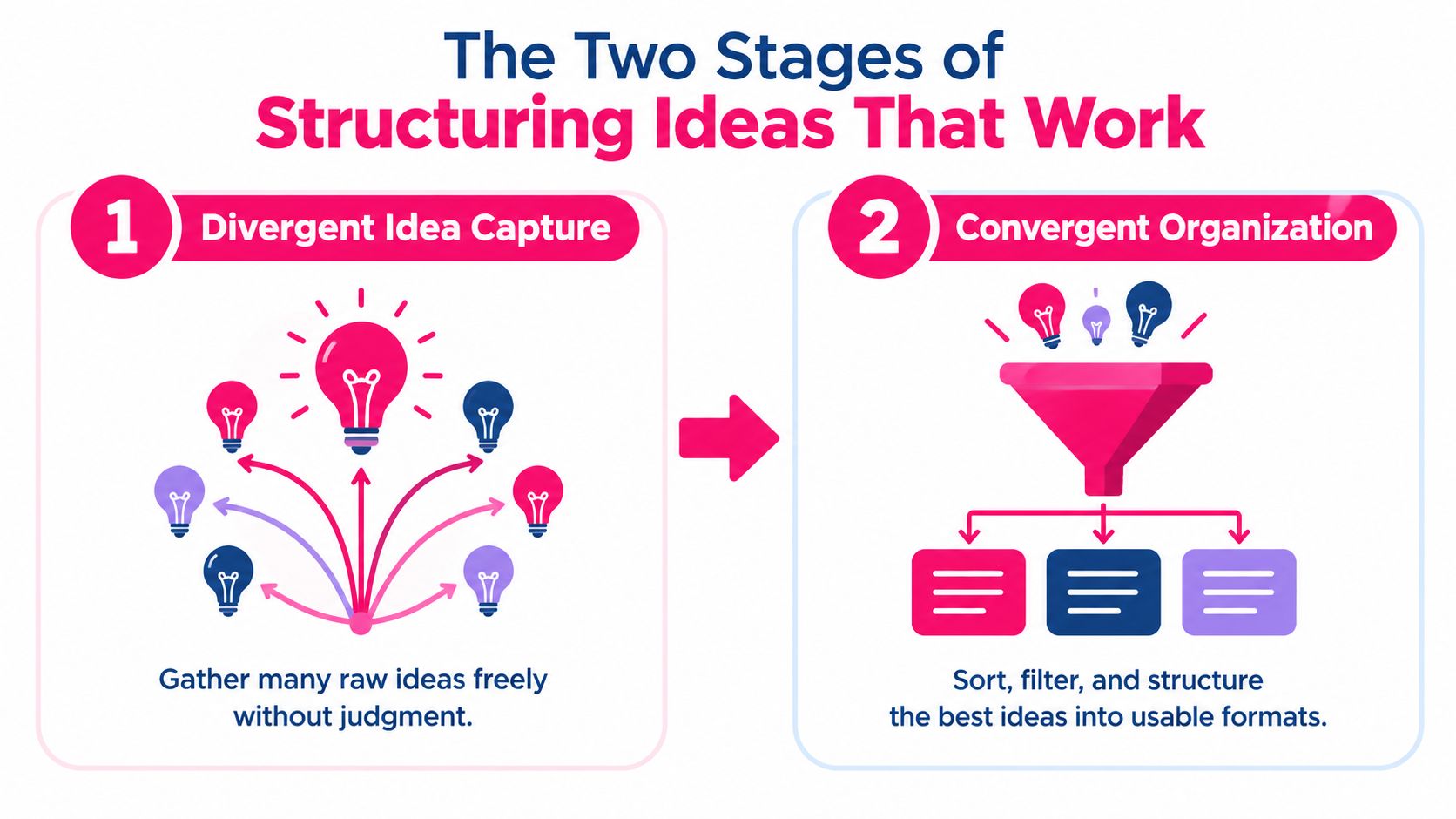
The Two Stages of Structuring Ideas That Work
Good structuring separates two jobs that teams often blur together. First you capture ideas widely. Then you organize them ruthlessly. When people judge ideas while they're still generating them, quieter contributors stop offering rough material and the group settles too early.
Research on brainstorming supports that separation. A review summarized 34 studies, 24 of which found superior idea quantity for nominal groups, where people generate ideas separately before combining them, with an average effect size of 0.572, according to Oxford Academic's review of brainstorming research. The same body of work reports that groups of four often produce about half as many ideas as nominal groups of four, partly because only one person can talk at a time.
Stage One Captures Without Debate
Use brainwriting or an asynchronous document. Ask each expert to add examples, errors, exceptions, customer phrases, and decisions learners face. Don't ask for polished lesson titles yet. You're collecting raw material, not approving a curriculum.
For a compliance update, that first pass might produce thirty scattered points about record retention, approvals, exceptions, reporting channels, and manager duties. That's fine. Messy input is useful if the second pass is disciplined.
Stage Two Groups by Use
Now sort the material by learner task. Those thirty points might collapse into five clusters: recognize a covered record, store it correctly, request an exception, report a problem, and coach a team member. Each cluster can become a module because it's tied to something someone does.
This is also where you draft outcomes, using clear guidance on how to write learning objectives to keep every cluster anchored to performance. Delete duplicates, park background material, and mark gaps where experts disagree. The result isn't just neater. It's teachable, because learners can see why each group exists.
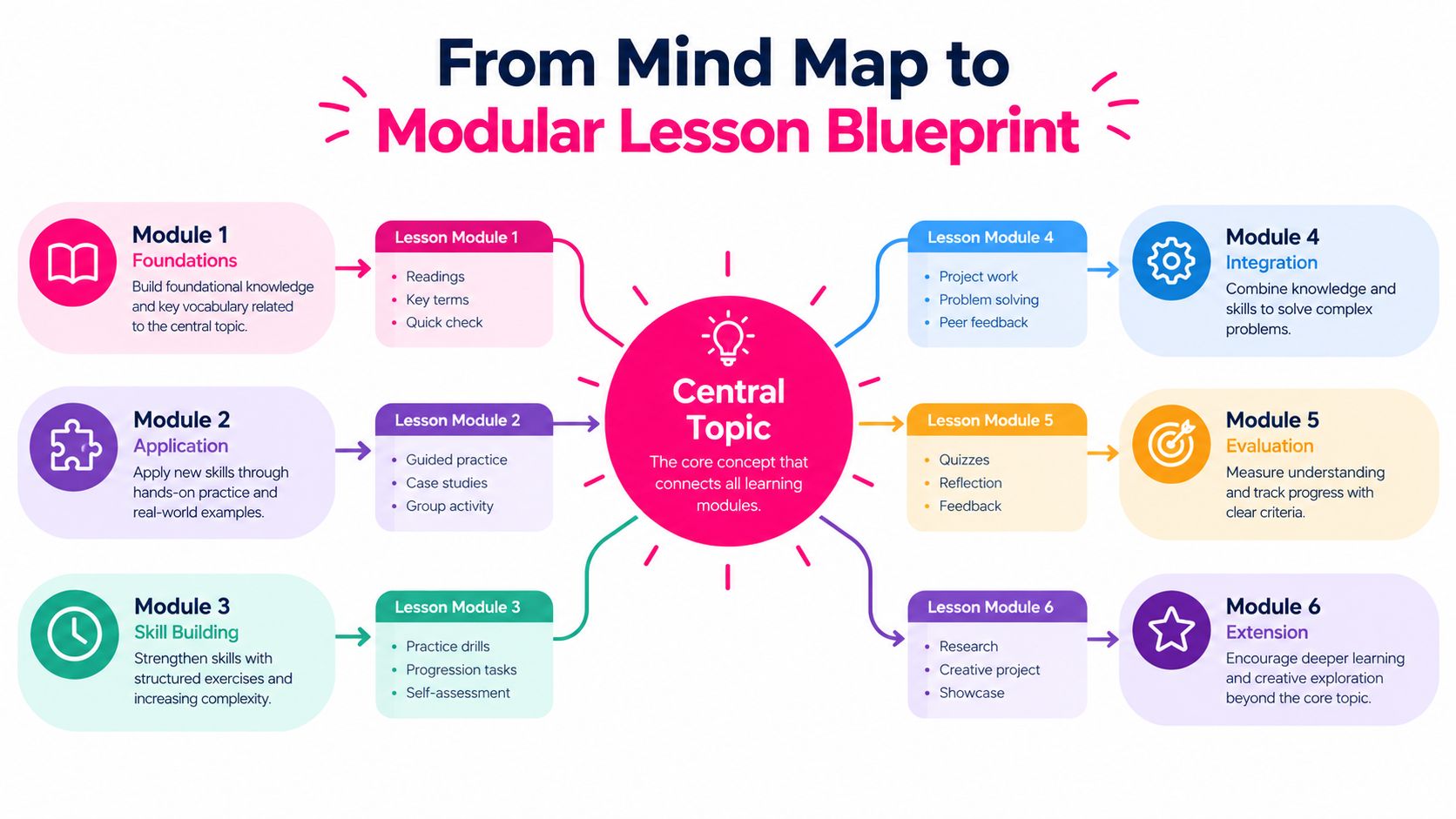
From Mind Map to Modular Lesson Blueprint
A sales trainer preparing reps for discovery calls may see one central challenge with several connected skills: diagnose before pitching. A mind map lays out those relationships visually. The modern method was popularized by British psychologist Tony Buzan during the 1970s, building on older traditions of visual organization, as described in this overview of mind mapping history and evidence. The overview also reports that a 2002 study by Farrand, Hussain, and Hennessey found improved long-term memory performance among medical students using mind maps compared with conventional note-taking. The map helps reveal connections, but it does not decide what learners need to master first.
For the discovery-call map, branches might cover account research, opening questions, listening for impact, handling vague answers, and agreeing on next steps. Each branch becomes a design decision. A skill that requires judgment and rehearsal may deserve a lesson; a quick reference may fit better on a single screen. The distinction keeps a course from turning every topic into an equally weighted module.
Let the Learner's Decisions Shape the Modules
Start with the work learners must do. Reps need to ask useful follow-up questions when a prospect gives a vague answer, so that branch could become a standalone lesson with practice. A research checklist, by contrast, may serve as a job aid within another lesson.
Then trace the prerequisite chain. Reps need to listen for the prospect's impact before they can propose a relevant next step. Put listening first, and make the connection visible. This sequence works like stepping stones across a stream: each module gives learners a foothold for the decision that follows.
Name modules by the behavior learners should perform. Ask a second question before pitching sets a clear destination; Discovery Part Two only labels a location in the source material. A transfer task makes the destination concrete, such as having reps review a sample call and choose an appropriate follow-up question.
A one-page blueprint can show the central behavior, modules, prerequisite links, and transfer tasks at a glance. If a branch has no meaningful practice or application, reconsider whether it belongs in the core path. Creators who turn the blueprint into a downloadable guide or companion resource might use a Genesize ebook creation platform to organize that material into a digital product.
Anatomy of a Storyboard That Holds Together
A blueprint works at module level. A storyboard works at lesson level, and every element needs a job. Without that discipline, a short video becomes a compressed lecture. Learners hear information, but they don't retrieve it, test it against an example, or connect it to work.
Consider a lesson for new managers on documenting performance concerns. Open with a realistic hook: an employee asks why a comment appeared in a review months later. Then reveal the objective in plain language. By the end, the manager will write a note that separates observation from interpretation.
Give Each Element a Structural Job
Storyboard Elements and Their Structural Jobs
| Storyboard Element | Structural Job | Failure When Omitted | |---|---|---| | Hook | Shows a recognizable problem | Learners don't see why the lesson matters | | Objective reveal | Names the behavior to perform | Learners watch passively, unsure what to track | | Worked example | Models expert thinking step by step | Learners memorize rules without judgment | | Retrieval question | Forces recall before feedback | Recognition replaces usable memory | | On-the-job task | Connects the lesson to a real artifact | Learning stays inside the course |
The worked example carries much of the depth. Show a weak note such as "Sam has a bad attitude in meetings." Then revise it on screen into observable detail: what Sam said, when it happened, and what impact it had. That contrast teaches a standard learners can imitate.
A retrieval question should require a choice, not a nod. Ask which revised note is defensible and why. Then assign a small task: rewrite one real note this week using the same pattern. Strong storytelling in video lessons helps the hook feel human, but story alone won't create transfer.
> Storyboard test: Remove one element and ask what breaks. If nothing breaks, that element is decoration.
Duration comes last. If the example needs another beat so learners can compare options, give it that beat. If a definition can live in a caption or job aid, move it there. You're designing a complete thinking sequence, not filling a time slot.
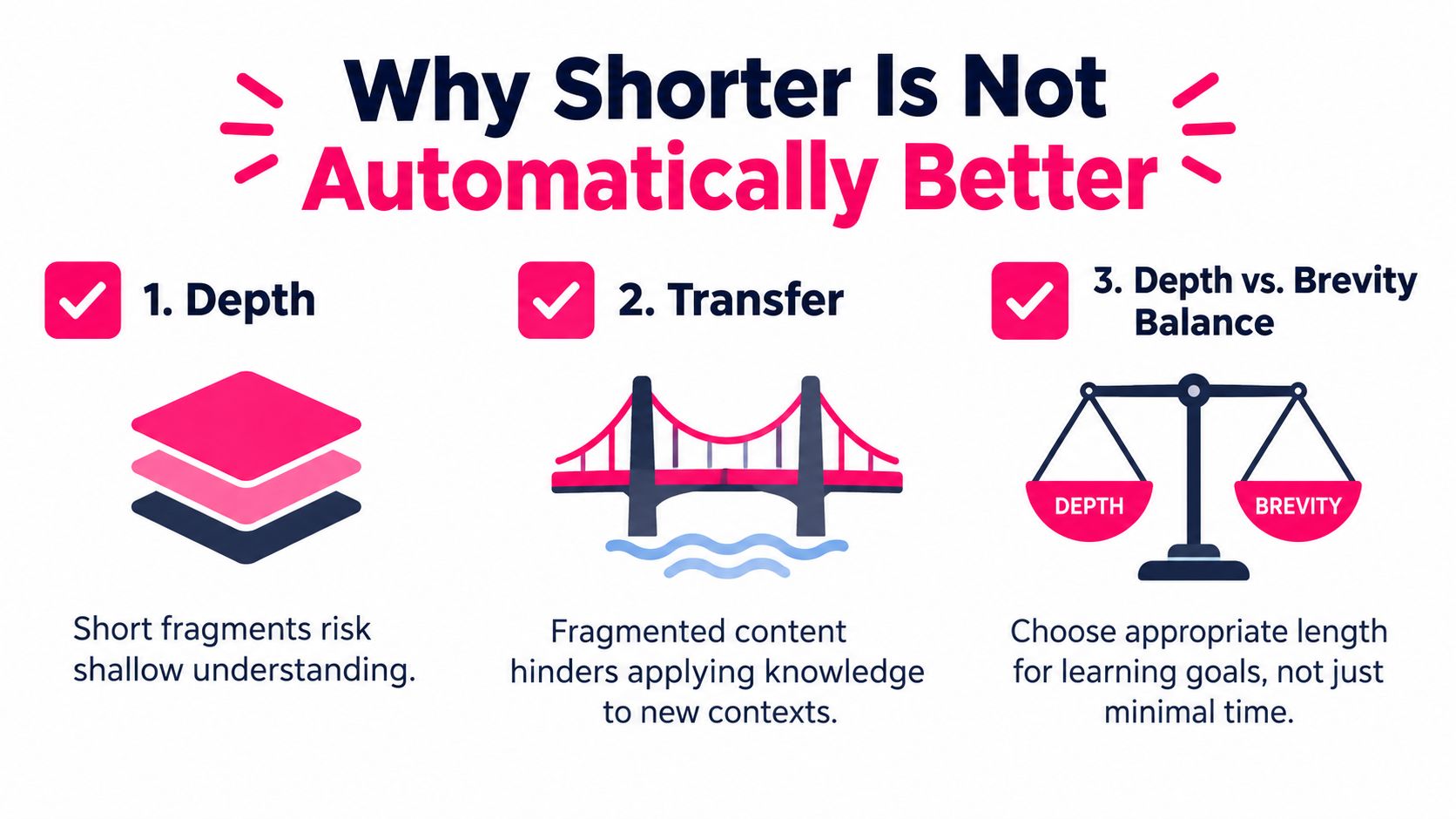
Why Shorter Is Not Automatically Better
A technician diagnosing a fault needs to connect each test result to the next action. Separate clips on isolating power, testing a component, and documenting a fault may be brief and easy to finish. Yet if they never show how one result changes the next step, learners remember separate procedures rather than a diagnostic process.
Short lessons can reduce overload for busy employees. Their value depends on how well they preserve the relationships among ideas. A 2025 review of research on microlearning design and outcomes identifies content fragmentation and limited depth as key risks. It also notes that many studies measure immediate engagement, recall, or test performance, while giving less attention to long-term retention, workplace transfer, and higher-order thinking. Finishing a lesson is not the same as being able to use its ideas later.
Use the concept map to set lesson boundaries before choosing a duration. Follow each prerequisite chain: what must a learner understand first, what decision does that knowledge support, and where will the learner apply it? These connections form the frame of the lesson. Cutting through them to meet an arbitrary time limit can leave learners with pieces but no usable sequence.
A password reset or a rule for completing one form field can stand alone. A troubleshooting process usually cannot, because the value lies in how evidence guides judgment and action. Keep connected steps together when learners need to interpret one result before choosing the next move. Then add a transfer task that asks them to use the chain in a realistic work scenario. The right lesson may be slightly longer, but it gives learners a path they can follow beyond the video.
Where AI Belongs in the Structuring Workflow
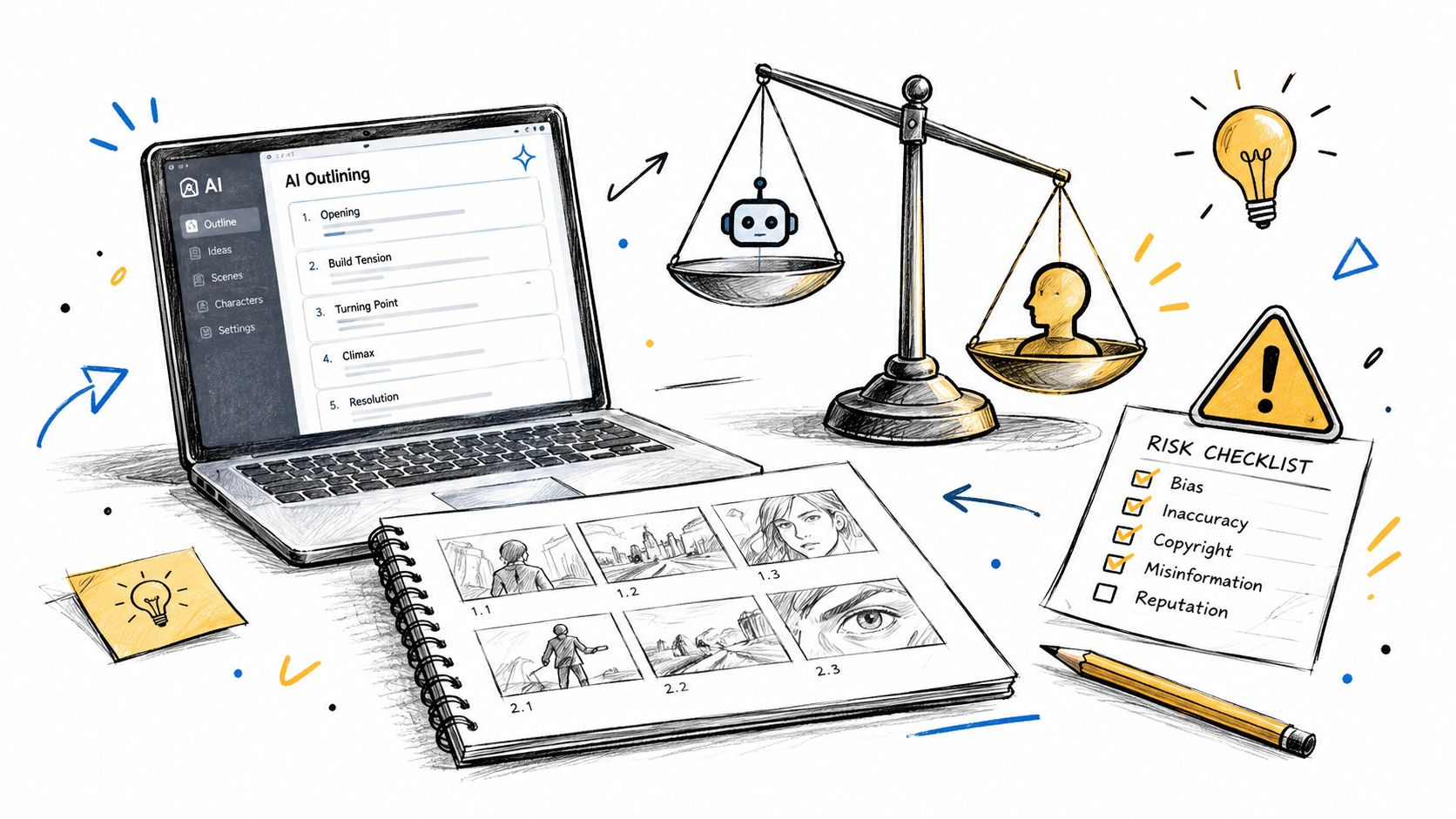
A course creator preparing customer-service training may ask AI to outline a lesson on handling complaints. The result can look orderly while missing a key question: what can learners already do, and what judgment must they develop? AI can arrange material, but a human should first diagnose the learner, the work context, and the behavior the course needs to change.
In ATD's report on instructional design in the age of AI, ATD researchers report that 80% of surveyed instructional designers use AI, often for outlining courses, storyboarding, and drafting learning objectives. Only 21% often or always use it to develop learner personas, and 19% use it to analyze learner data. That gap suggests a useful production lane: let AI draft and organize after people have established what learners need and why.
Start by defining the target behavior, learner baseline, work environment, constraints, risk level, and evidence of success. These are the rails for generation. Without them, an outline may be tidy but still teach the wrong thing.
Then match AI's role to the risk. For a low-risk draft, it can brainstorm examples or rephrase approved material. In an assisted workflow, the designer sets the structure, AI develops scenes or questions, and a human checks their fit. For regulated, safety, or customer-facing content, subject-matter experts should own sequence and accuracy, while AI handles formatting or summaries.
Language learning makes the boundary clear. Guidance on how AI helps you speak Irish shows AI supporting practice and feedback, while the learner's goals and level shape the work. Apply the same logic to training: people diagnose needs and set the structure; AI speeds up bounded production, with expert review where mistakes could affect compliance, safety, or customer trust.
Turning Structured Ideas into Training Video
Once the blueprint and storyboard are approved, production becomes a translation task. You're no longer deciding what to teach while choosing visuals. Each module already has an outcome, each lesson has a sequence, and each scene has a reason to exist.
Start with the expert notes attached to one storyboard. Convert the hook into an opening scene, the worked example into a visual demonstration, and the retrieval question into a pause point or quiz item. Keep narration close to the language learners hear at work. If a scene doesn't support the stated behavior, cut it rather than decorating it.
Build a Repeatable Pipeline
1. Approved blueprint: Lock module order, prerequisites, and transfer tasks. 2. Storyboard template: Reuse the same lesson anatomy across onboarding, compliance, sales, and customer education. 3. Rendered lesson: Produce narration, visuals, captions, and timing from the storyboard. 4. LMS handoff: Check titles, completion rules, accessibility needs, and reporting fields before launch.
Teams that need regulated content can learn from adjacent fields where accuracy and sequencing are tightly controlled, such as the ProMed Certifications elearning guide for online medical certification. The production lesson transfers well. Standard templates help, but review checkpoints still protect correctness.
In that pipeline, VideoLearningAI can turn a structured prompt or training notes into a scripted video with narration, visuals, captions, and scene timing, using templates for common training types. Treat that as the production lane, not the diagnosis lane. Your structure remains the quality control.
Treat Your Structure as a Living Hypothesis
Launch doesn't prove your structure was right. It gives you evidence. Repeated quiz errors may show a missing prerequisite. Strong quiz scores with weak job performance may show that practice tasks don't match real conditions.
Watch for regulatory changes, new learner profiles, product updates, and manager feedback. Audit the concept map, prerequisite links, and transfer tasks on a regular cycle. Revise the sequence when evidence changes, even if the videos still look polished.
That habit keeps structuring ideas from becoming a one-time planning exercise. It becomes a diagnostic discipline. You propose a structure, test it against behavior, and improve the chain until learners can perform with confidence.
---
Turn your next approved blueprint into a clear, structured training video without rebuilding your workflow from scratch. VideoLearningAI helps you convert structured ideas and course materials into bite-sized lessons with templates for onboarding, compliance, sales enablement, and customer education. Visit the platform to start building training that learners can remember and apply.