The compliance refresh is due, sales wants new enablement videos, customer education has a launch on the calendar, and the onboarding library still needs attention. A small L&D team can end up juggling all of it at once, with the same subject-matter experts reviewing every draft and no clear way to tell which deliverables matter most.
The instinct is often to produce faster: add an AI tool, reuse a slide deck, or ask reviewers to approve everything in a single pass. But speed doesn't fix a pipeline that starts with vague objectives and ends with a completion dashboard. A reliable content creation process works backward from evidence of learning, then builds production, review, publishing, and measurement around that evidence.
Table of Contents
- Why Most L&D Content Pipelines Break Under Pressure
- The End-to-End Content Creation Process Explained
Why Most L&D Content Pipelines Break Under Pressure
When several programs land at once, the first bottleneck usually isn't recording. It's deciding what deserves to be made, finding the right source material, and securing review time from people who already have full-time responsibilities. A compliance team assigned forty module refreshes with two people, for example, can't solve the workload by shortening scripts alone. If nobody has sorted which policies changed, who owns the source of truth, and what learners must do differently, the team risks producing polished videos that repeat outdated guidance.
Three failure patterns tend to make that pressure worse:
- Undisciplined ideation: Stakeholders submit topics, not learning needs. The backlog fills with requests such as “make a video about the new process,” without specifying the audience, behavior, or evidence that would show the video helped.
- Under-resourced review: Subject-matter experts get a late draft, a vague deadline, and no clear way to distinguish a wording preference from a material accuracy or compliance issue. Their review becomes a bottleneck, or they approve without enough time to check.
- Activity-based measurement: Teams report how many assets shipped, how often learners clicked, or whether they finished. Those numbers can describe usage, but they don't show whether someone can apply a policy or handle a customer conversation correctly.
A content calendar can help organize work, but it won't make weak decisions stronger. Teams need an operating workflow with clear decision rights, reusable materials, and review effort matched to content risk. For practical ideas on structuring repeatable online workflows, Form Timer's blog offers useful context, though L&D teams still need to adapt any general process advice to instructional goals and governance.
> Operational rule: Don't approve a production request until the team can name the learner, the behavior to change, and the evidence it will check afterward.
That's why a structured microlearning pipeline matters. It gives teams a way to make trade-offs consciously, protect time for review, and stop treating publishing volume as a substitute for learner outcomes.
The End-to-End Content Creation Process Explained
A modern content creation process is a connected chain, not a writing task followed by an upload. The working definition is simple: a repeatable system that turns a verified learning need into an approved, accessible asset and checks whether learners can use what it teaches.
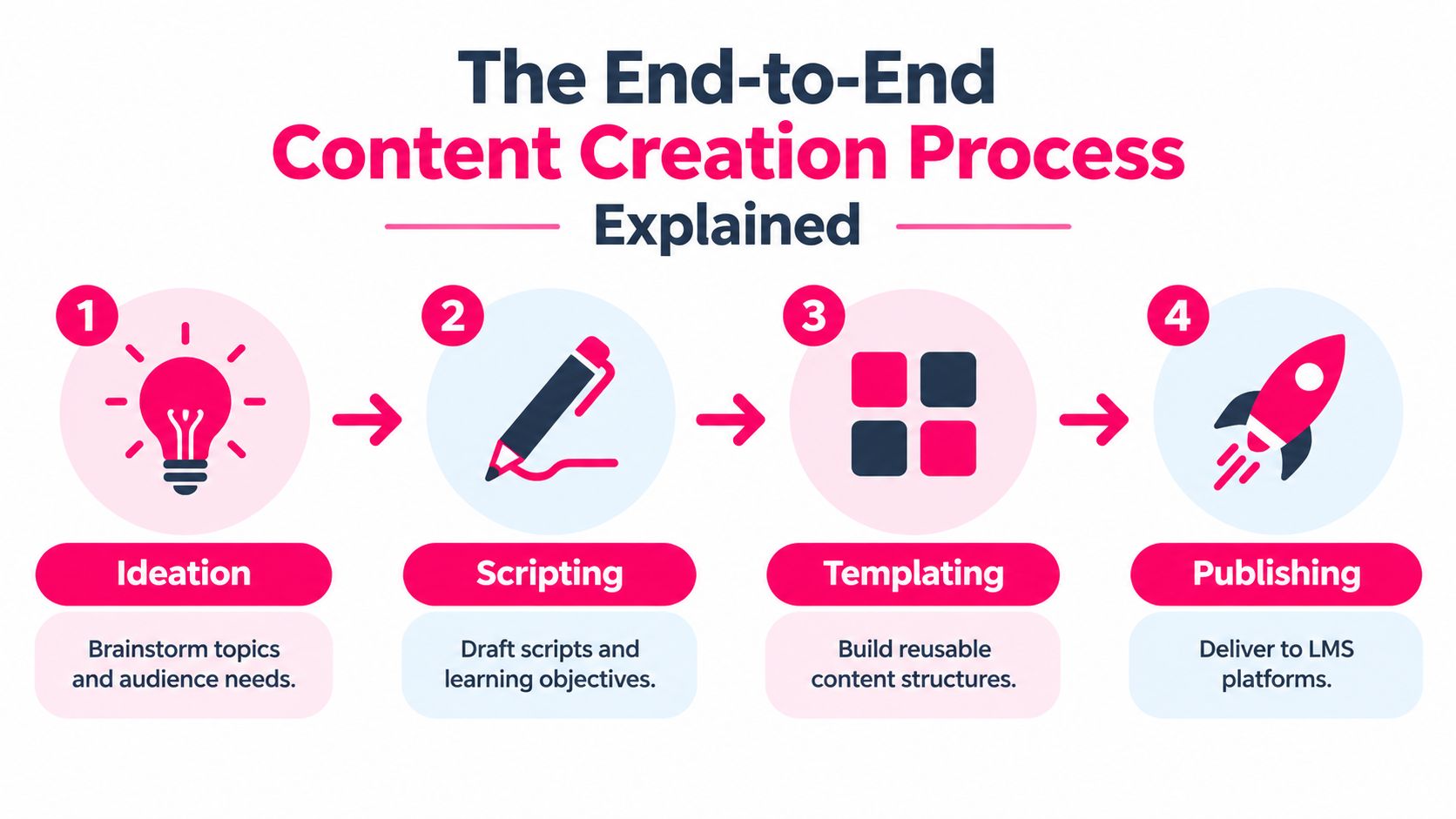
The pipeline has seven stages:
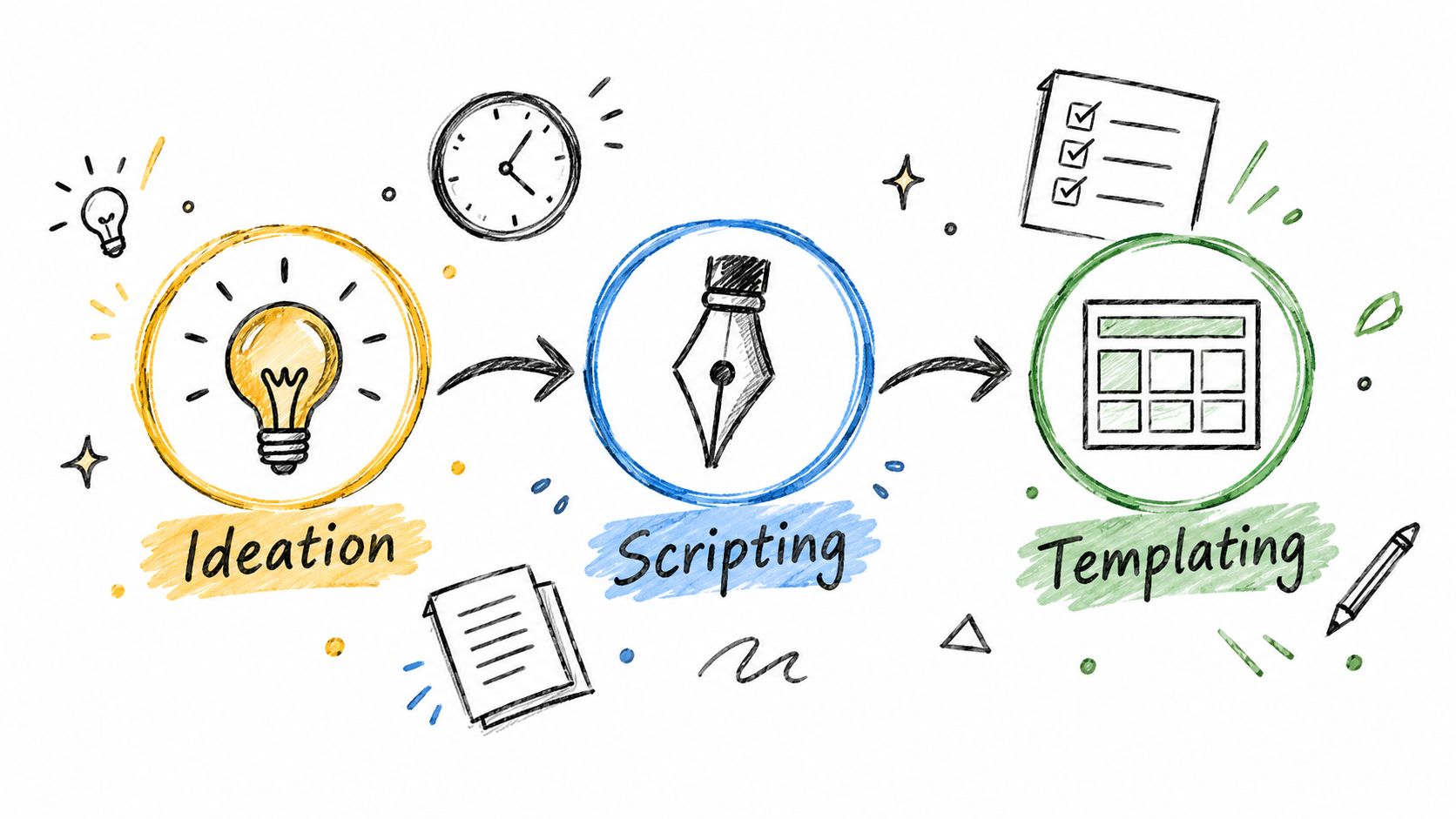
1. Ideation: Identify a learner problem and connect it to an observable behavior or decision. 2. Scripting: Shape accurate source material into a concise explanation, example, and practice opportunity. 3. Templating: Use a consistent structure so authors don't reinvent navigation, visuals, and review prompts for every lesson. 4. Production: Build the video or other asset, using tools to handle mechanical tasks without delegating instructional judgment. 5. Review: Verify claims, context, accessibility, and risk-sensitive details before release. 6. Publishing: Deliver the approved content in a format and location learners can access. 7. Tracking: Check whether the audience reached the intended assessment, behavior, or operational result.
Why today's audiences need a deliberate format
The publishing environment has changed from occasional web pages to constant, multimedia distribution. The first website appeared on August 6, 1991; Mosaic launched in January 1993; YouTube was registered in February 2005; and Instagram launched in October 2010, reportedly reaching 25,000 users on its first day. Later milestones, including an estimate of 2.7 million blog posts published daily in 2017 and the report of more than 720,000 hours of daily YouTube uploads in 2024, illustrate the scale of content audiences encounter (internet content milestones).
For L&D, that history isn't a reason to make every lesson shorter or more entertaining. It's a reason to make the format purposeful, easy to access, and focused on one useful outcome at a time. A useful companion for comparing workflow stages is Contesimal's content workflow framework. Templates and AI can accelerate drafting and assembly, while humans still need to decide what to teach, confirm what's true, and approve high-risk material.
From Learning Objective to Production-Ready Template
The most useful template can't rescue an unclear objective. Start with the decision a learner needs to make, then build the script and production structure around that decision. For instance, “understand expense rules” is too broad to guide a lesson. “Choose the correct approval path for a purchase request” points to an observable task and a way to assess it.
Connect the need, the script, and the template
Use a short chain to prevent rework:
- Define the objective: Write what the learner should do, not merely what information they should recognize. For onboarding, the task might be identifying where to find an escalation procedure and when to use it.
- Choose evidence: Decide how the team will check the objective. A scenario question, demonstrated task, or manager observation may fit better than a generic satisfaction prompt.
- Draft for action: Keep the script organized around the decision. Explain the rule, show a realistic example, and give the learner a chance to apply it. Remove details that don't help with that outcome, but retain any necessary conditions and exceptions.
- Template for consistency: Build reusable slots for the objective, source material, narration, visuals, captions, assessment, and reviewer notes. A compliance lesson and a sales lesson can share production conventions without pretending to teach the same thing.
A strong template standardizes the work that should be repeated, not the thinking that should remain specific to the audience. If every lesson gets the same visual rhythm but the same generic examples, production becomes consistent while instruction stays disconnected from the job.
For teams building a structured classroom sequence, a 5E format lesson plan for junior secondary can offer a useful instructional-design reference. The same discipline applies in corporate microlearning: organize the teaching around what learners need to do, then select a format that supports it.
An AI-assisted video platform can take approved text or a script and assemble narration, captions, visuals, and scene timing. That may reduce mechanical production work, but it doesn't establish whether a claim is correct or whether the lesson meets the objective. Here's a demonstration to help teams consider how a video workflow fits into their production choices:
Building a Risk-Based Review Layer AI Cannot Replace
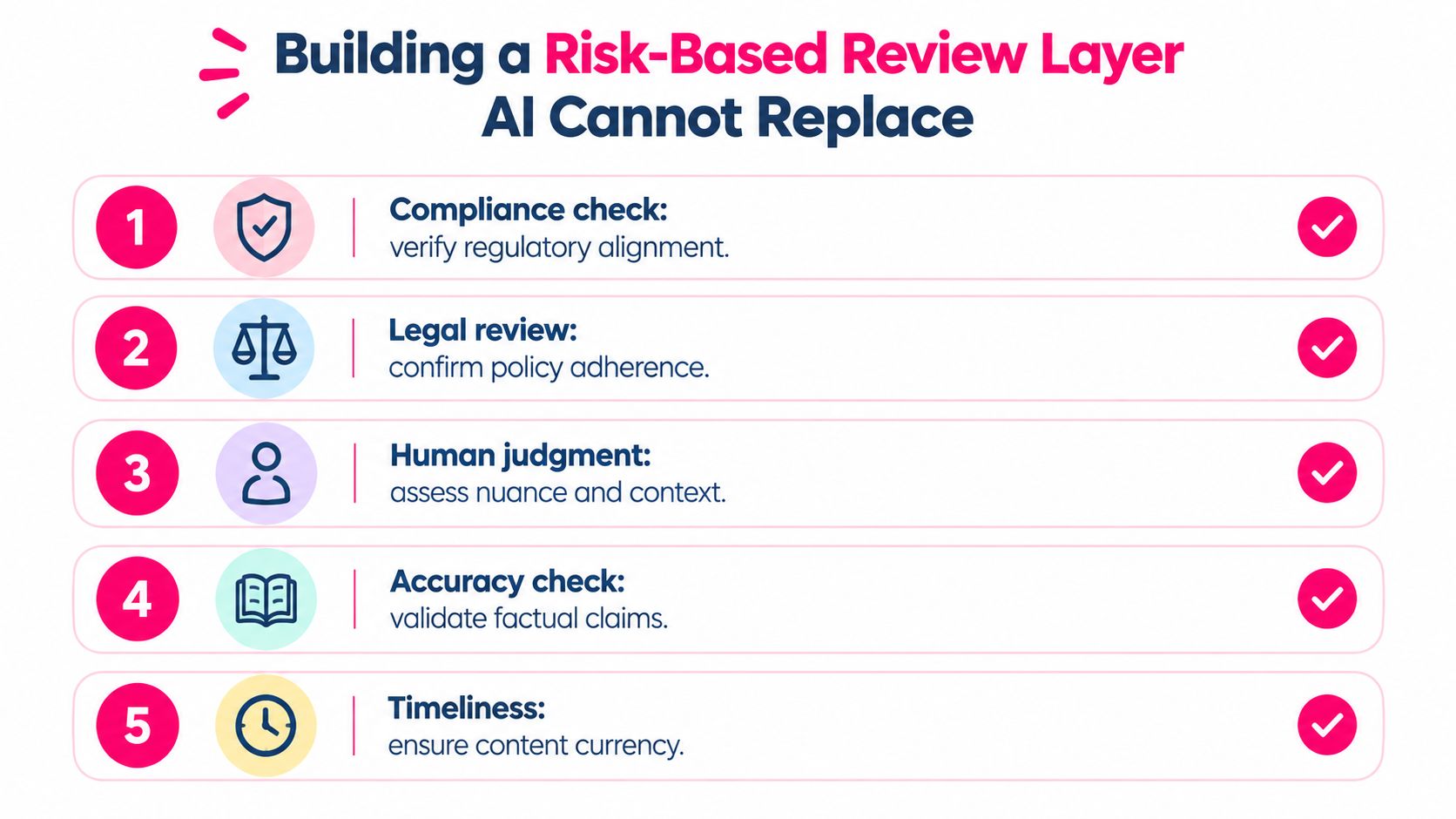
AI can help restructure notes, suggest alternative explanations, or format a first draft. Those tasks still need checking, but a typo in a low-risk draft isn't the same as an inaccurate safety instruction or a mistranslated legal requirement. Treat review as a risk decision built into the workflow, not a final proofreading pass.
Accessibility research describes AI as useful for creating and checking accessible content, while also reporting concerns such as inaccessible outputs, inaccurate information, security, bias, and the need for human expertise (AbilityNet's accessibility attitudes report). For L&D leaders, that points to a practical distinction: let automation assist, but assign a person to approve anything that could affect safety, rights, access, or compliance.
Match approval to the consequence of an error
For lower-risk work, such as reorganizing internal notes or generating a plain-language explanation of approved material, a designated editor can check meaning and clarity. For high-risk content, add an accountable subject-matter or compliance reviewer, document approval, and keep the approved source and version history with the asset.
Before release, confirm:
- Source control: The team can identify the approved policy, procedure, or other source behind each important claim.
- Claim accuracy: Reviewers check critical facts and instructions against that source rather than trusting fluent wording.
- Accessibility: A human checks captions, reading order, visual contrast, and whether important meaning depends on audio or visuals alone.
- Language and context: A qualified reviewer checks translations, jurisdiction-specific requirements, and examples that could be misunderstood.
- Traceability: The team records who approved the content, what version they reviewed, and what needs a future update.
If review guidance is unclear, a documented content approval process can help teams define responsibilities and approval gates. The point isn't to send every low-risk draft through the same committee. It's to make sure that the people who can identify consequential errors review the material before learners rely on it.
Publishing to LMS Platforms and Tracking What Actually Works
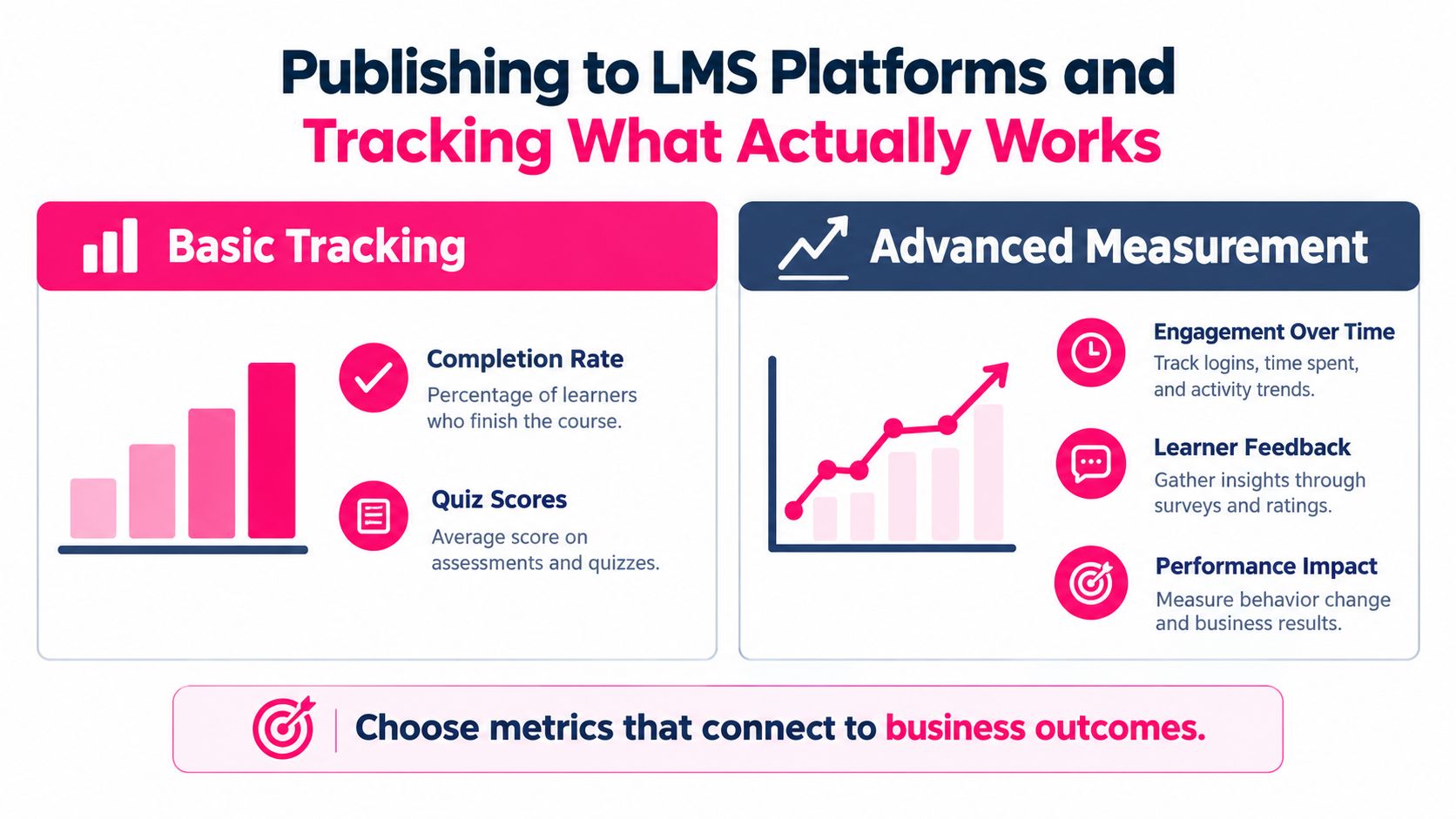
Publishing and tracking belong in one operating loop. A lesson's destination determines whether learners can reach it and what the team can observe afterward. Before release, confirm that the video, captions, links, and assessment behave as intended in the LMS or learning portal, and that reporting captures the events needed to evaluate the learning objective.
A 2024 survey of more than 120 marketing professionals examined ideation, creation, publishing, promotion, and performance measurement. Respondents generally reported spending 0–20 hours on ideation, publishing, and measurement, while creation and promotion commonly required 20–60 or more hours in total (content marketing management survey). That's a reminder to plan for the full lifecycle: publishing may be a smaller time commitment than creation and promotion, but it still needs deliberate setup if the team expects useful tracking.
Choose events that answer a learning question
Starts, completions, assessment scores, and points of learner drop-off can help diagnose access and engagement. Replays may show where learners return for clarification. None of these events proves learning on its own, but they can tell the team where to investigate.
Plan the tracking before upload. Confirm that the LMS or portal records the events the team needs, and check that the content works across the organization's delivery environments. A practical LMS integration guide can help teams think through how content and reporting need to fit together.
| Metrics to Trust | Metrics to Use With Caution | |---|---| | Assessment results tied to a defined objective | Completion rates viewed without assessment context | | Drop-off paired with access and scheduling checks | Clicks treated as evidence of understanding | | Replays examined alongside confusing content or questions | Views without evidence of learner action | | Relevant operational indicators reviewed against a baseline | Output volume used as a proxy for impact |
The caution column isn't a list of useless metrics. It's a reminder to interpret them alongside learning and operational evidence. If completion is low, check whether learners could access the lesson, had time to take it, and found it relevant before blaming instructional design.
Designing Measurement That Proves Learning Actually Happened
Decide what success means before recording. A strong measurement plan connects four things: a learning objective, an observable signal, a collection method, and a review decision. Without that chain, a dashboard can report activity while leaving the team unsure whether the training changed anything.
For an onboarding lesson about handling customer requests, a knowledge check can test whether new employees choose the right response in a scenario. For compliance training, compare policy-related errors with the baseline the organization already tracks. For customer education, review whether learners can complete the task the lesson teaches, and examine related support requests for signs of persistent confusion.
Pair engagement with outcome evidence
Use a small set of measures that match the objective rather than collecting every available event:
- Pre- and post-learning checks can show whether learners answer the same objective-focused questions differently after instruction.
- Completion-to-assessment drop-off can flag a point where learners stop before demonstrating what they know.
- Time to competency can help onboarding teams examine whether learners reach an expected job task sooner or need continued support.
- Policy errors or support requests can reveal whether a lesson's intended practice appears in operational work.
- Manager observation can test whether a learner applies a behavior in context, beyond what a quiz can capture.
Engagement signals need interpretation. High completion may mean a lesson fits conveniently into a learner's day, not that the learner understands the material. Low completion could point to poor scheduling, access, or relevance rather than weak instructional design.
Set a baseline and define what result would justify keeping, revising, or retiring the content. A practical training effectiveness measurement guide can help teams choose methods, but the key discipline is to tie each measure to the decision it will inform. If a metric won't change what the team does, it doesn't belong at the center of the evidence chain.
A 90-Day Rollout for the Full Microlearning Pipeline
A workable rollout starts with a small slice of the backlog, not a full redesign of every course. The team should prove that its workflow can produce an accurate, accessible lesson and collect evidence that matters before scaling the template or automation.
Build, pilot, then standardize
Weeks one to three: Select a real learner need, identify the target audience, document the learning objective, and decide how success will be observed. Choose a reusable lesson template and assign owners for source validation, accessibility checks, and final approval.
Weeks four to seven: Produce a small pilot using the approved source material. Test the script, visuals, captions, assessment, and publishing path with the reviewers and learners who can spot issues early. Set the success threshold before release, then record both outcomes and friction in the workflow.
Weeks eight to ten: Expand only the parts that worked. Publish through the appropriate LMS or learning portal, confirm that tracking events are recorded, and use AI for repeatable production tasks that have clear review steps.
Weeks eleven to thirteen: Review the evidence and document the operating model. Decide what to revise, what to retire, which approval steps are mandatory, and which production tasks can be standardized. Keep a short record of lessons learned so the next team doesn't have to rediscover the same bottlenecks.
A mature content creation process isn't the one with the most tools or the highest output. It's the one that makes ownership clear, keeps high-risk content accountable, and helps the team improve based on learner and operational evidence. Start with one lesson already on your backlog, write down its objective and evidence chain, and use that pilot to establish a repeatable standard.
---
VideoLearningAI helps teams turn topics, scripts, and existing course materials into structured training videos with narration, captions, visuals, and scene timing. If you're building a microlearning workflow, visit VideoLearningAI to see how its templates and publishing options could fit your production process.