Your internal inbox is full, but the communication problem isn't solved by sending another message. A policy update gets skimmed, a town hall recording sits untouched, and a manager repeats the same explanation in several meetings because nobody can find the original guidance. Video can help, but only when it delivers a clear message to a defined audience and gives you evidence that people understood it.
The most effective internal communication video programs treat production as one part of a larger operating system. Scripts, recording tools, AI assistance, captions, LMS publishing, manager reinforcement, and analytics all matter. So does restraint. A polished recording is still a poor communication choice if employees need a searchable reference, a live conversation, or a private discussion instead.
Table of Contents
- The program matters more than the production - Leadership updates - Policy and compliance explainers - Product and process walkthroughs - Peer-driven knowledge shares - Start with the watcher - Reduce the message to one sentence - Map the surrounding communication - Give each format a useful shape - Reinforce the watch - Build the universal foundation - Design for multilingual reuse - Publish where work happens - Know when video is the wrong channel - Use three layers of evidence - Read the signals together - Review the program quarterly - Launch without waiting for a studioWhy Internal Communication Video Matters Now
Internal communication video has moved from an occasional corporate film to an always-on channel for leadership, learning, onboarding, and change communication. An internal communications archive documents one company's employee film magazine releasing 27 issues between 1946 and 1960, showing that organizations used moving-image media for employee education and culture-building long before web video became practical. The modern shift is distribution. Teams can now publish a short message to an LMS, intranet, Slack, Microsoft Teams, or a secure video library without waiting for a formal production cycle.
By 2020, only 28% of organizations used video regularly for informal internal communication, while 72% of employees worldwide said video improves communication in their organization and 83% said more video would improve their overall employee experience, according to Mindstamp's internal video communications research. The same dataset found that 73% would rather watch a one-minute video than read an email, and 76% watched one to three work-related videos per week. Those figures point to a practical reality, not a mandate to put every message on camera. Employees have become comfortable with short video, particularly for frequent updates that benefit from voice, demonstration, or visual context.
The enterprise benchmark has continued in that direction. By 2025, 59% of companies used video for corporate communications, rising to 84% among large enterprises, while 69% used video for employee training and learning, rising to 89% among large companies, as reported by All Things IC's WatchIC archive and benchmark.
The program matters more than the production
A library can grow quickly and still fail. Views don't tell you whether someone finished, understood, or applied a message. Start with completion and comprehension, then decide how much polish the message deserves.
> Practical rule: Ship the clearest useful version first. Add production value only when it improves understanding, trust, or reuse.
For teams refining executive scripts, narration, or manager updates, the Voice Control Pro guide to clarity is a useful reference for making spoken communication more direct. Clear writing makes every later production decision easier, from captions to translation.
The Four Video Types Every Internal Team Needs
Most internal video requests fall into four practical categories. They share a publishing system, but they shouldn't share the same script, filming style, or approval path.
Leadership updates
A leadership update gives a decision, result, or priority a human voice. A CEO or department leader can record a focused message against a consistent background, supported by a short outline rather than a dense script. Keep the opening specific: name the decision, explain why it matters, and tell employees what changes for them. A monthly leadership message can work well as an informal single-camera recording distributed through the intranet and manager channels, provided leaders respond to questions elsewhere.
Don't turn every executive message into a miniature documentary. Employees usually need context and direction, not elaborate graphics that delay publishing.
Policy and compliance explainers
Policy videos need stronger governance. Use captions, a transcript, clear chapter labels, and an LMS assignment when completion must be documented. Separate the durable explanation from details that change frequently. For example, explain the principle in the video, then link to the current policy page for names, dates, forms, or regional exceptions.
A compliance explainer also needs a named owner and review date in its metadata. If the policy changes, the team should know which asset is affected and whether a replacement is required.
Product and process walkthroughs
Screen recording with voiceover is usually the fastest route for software, operational, or workflow instruction. Show the exact action, narrate the reason behind it, and remove cursor movement that doesn't teach anything. Short walkthroughs are easier to revisit than a single recording that combines several unrelated tasks.
For guidance on choosing an appropriate duration, use this microlearning video length guide as a planning reference, then validate the choice against your own completion data.
Peer-driven knowledge shares
Subject matter experts often hold the knowledge employees need, but they aren't trained presenters. Give them a lightweight template: the problem, the recommended approach, one example, and one mistake to avoid. A phone or webcam is enough when the content is practical and the audio is clean.
These four formats can use the same storage, captioning, access, and analytics infrastructure. Their review rules differ. Leadership content may need executive approval, compliance content needs policy ownership, product walkthroughs need technical validation, and peer shares need a quick accuracy check without stripping away the speaker's natural voice.
Planning Videos Around Your Audience and Message
Production time disappears fastest when teams start recording before they know what the viewer needs. Planning begins with the audience, not the camera.
Start with the watcher
Write down the viewer's role, prior knowledge, time pressure, and likely device. A frontline retail manager watching on a phone between shifts needs a different opening and visual scale than a senior engineer reviewing a compliance change at a desk. The first viewer may need a direct instruction and large captions. The second may need precise terminology, screen detail, and searchable references.
Audience segmentation also determines distribution. A manager update may belong in a team channel with a discussion prompt. A required training module may belong in the LMS. A temporary operational alert may need a short clip embedded in the same message employees already monitor.
Reduce the message to one sentence
Before writing a script, finish this sentence: “After watching once, the viewer should remember that…” If the answer contains several unrelated outcomes, split the video.
Suppose an HR policy video begins with company history, legal background, definitions, exceptions, and a long explanation of the approval process. The viewer's real need may be simple: “Starting on the effective date, employees must submit remote-work requests through the new form.” That core message can become a tight ninety-second explainer. The preamble moves into a linked FAQ, while the video shows the decision and the action.
> A script that tries to preserve every stakeholder comment usually produces a video that serves nobody.
Map the surrounding communication
List what the video replaces and what it reinforces. If an email already contains the exact steps, the video should demonstrate the difficult part rather than repeat the email word for word. If managers will discuss the change in team meetings, give them a short prompt and a link to the relevant segment.
This context map prevents duplicate messaging and exposes missing follow-up. The video may explain the change, but a checklist, manager conversation, or knowledge check may be what makes the change usable.
Planning also protects the polish-versus-speed trade-off. A high-stakes leadership announcement may justify careful audio, framing, and review. A temporary process reminder may need only a clean screen recording, accurate captions, and a reliable publishing path.
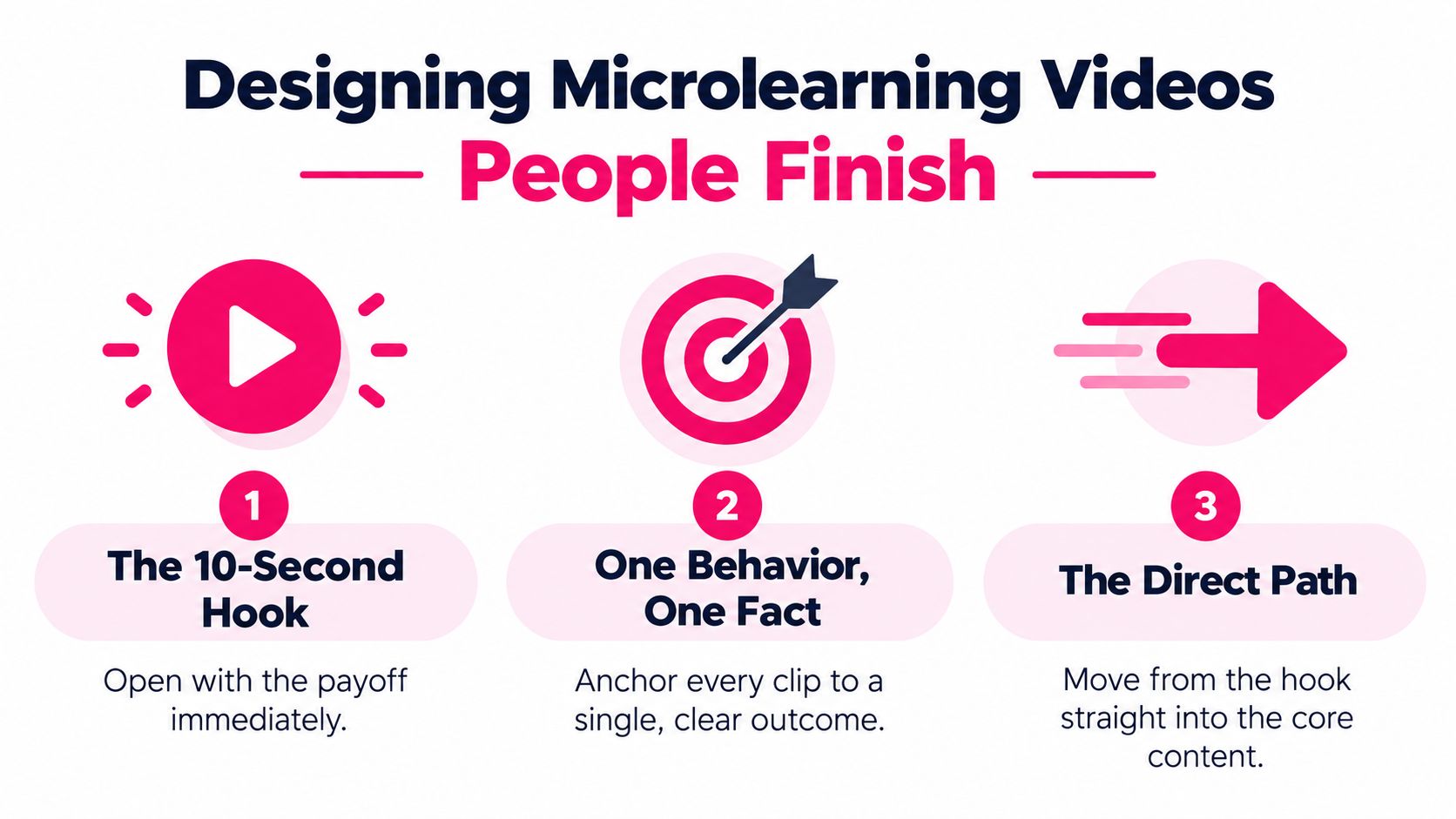
Designing Microlearning Videos People Finish
Microlearning works when the clip has a narrow job. Anchor each video to one behavior, one decision, or one fact, then remove anything that doesn't support that outcome.
Open with the payoff immediately. The first moments should tell the viewer what they'll be able to do or decide after watching. Move directly into the demonstration or explanation, then close with one reinforcement cue, such as a checklist prompt, a short summary, or a link to the next action.
Give each format a useful shape
Procedural content often benefits from a compact sequence: show the task, explain the decision point, and let the viewer try it. Change-management content needs enough room for the reason behind the change, the employee impact, and the next step. A detailed walkthrough can run longer when every part earns its place, but split unrelated tasks into separate clips.
Use consistent visual grammar across a series. The same opening sting, lower-third treatment, caption style, and end card help employees recognize the format without making every video feel overproduced. Consistency also reduces editing decisions for the production team.
Reinforce the watch
A video can't carry retention on its own. Pair it with a one-page job aid, a Slack question, a checklist, or a short knowledge check. The reinforcement should require the viewer to use the information, not just confirm that playback occurred.
Training-retention reporting gives a clear warning about passive playback. Average corporate training completion is reported at 45%, only 25% fully engage, 60% pause training videos mid-content, and 35% never resume; without reinforcement, only 12% of workplace training content is retained after 30 days, according to WorldMetrics' training retention statistics. The same source reports 92% play-through rates for short-form content under four minutes, while hour-long lectures fall sharply. Treat those figures as directional benchmarks, then measure your own audience and topic.
Producing With AI Tools Without Losing Quality
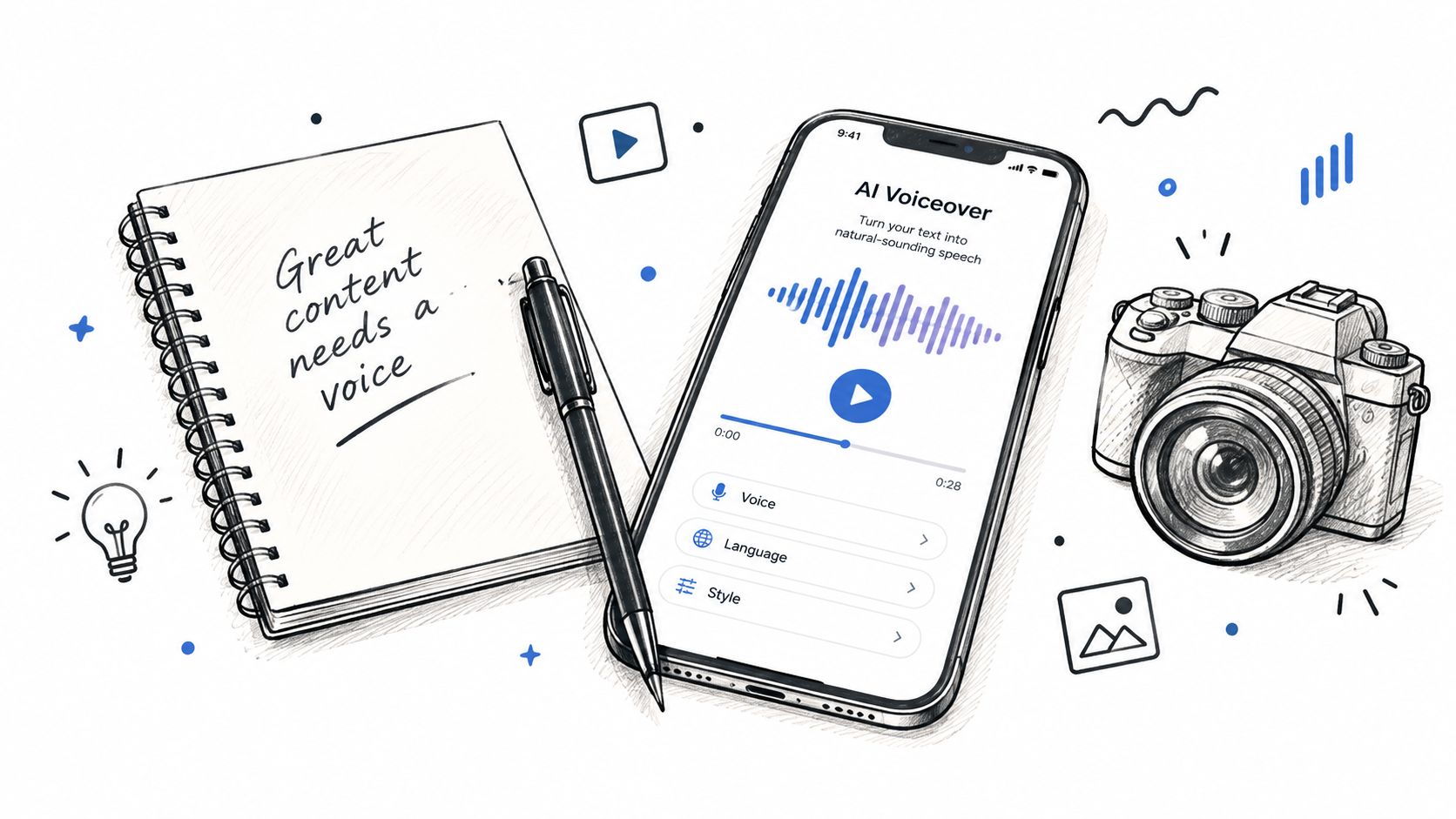
AI is most useful when it removes repetitive production work while a human keeps editorial control. A repeatable workflow starts with a script written in the organization's own voice. AI can help tighten the draft, identify missing steps, suggest visual cues, or adapt the lesson for different roles, but the message owner must approve the meaning before anything is generated.
!A digital sketch featuring a notebook, pen, smartphone with an AI voiceover app, and a camera icon.
A practical pipeline looks like this:
1. Draft the source script. Use plain language, identify the single outcome, and mark terms that require exact pronunciation or translation. 2. Generate supporting assets. Create a voiceover, visual prompts, b-roll suggestions, captions, and chapter markers where appropriate. 3. Edit for meaning. Review cuts for missing nuance, awkward pauses, incorrect emphasis, and visuals that imply the wrong action. 4. Validate the output. Have the subject matter owner check facts, captions, terminology, and access permissions. 5. Publish the governed version. Store the source files, transcript, final export, owner, and replacement conditions together.
The trade-offs are real. Synthetic voices can flatten executive presence, automated cuts can remove a necessary qualification, and machine-translated subtitles can drift on internal jargon. Keep one human quote or introduction in important messages, maintain a terminology glossary, and require a human review of every translated caption file.
Tools such as VideoLearningAI's automated video production workflow can fit into this model by helping teams turn scripts or source lessons into short training videos. The platform is one option among many. The right choice depends on how much control you need over voice, visuals, templates, publishing, and review.
The editor's role doesn't disappear. It moves toward judgment, quality control, accessibility, and governance.
Use AI to increase the number of useful drafts your team can evaluate, not to create a larger library of unreviewed content.
Accessibility, Reuse, and LMS Publishing
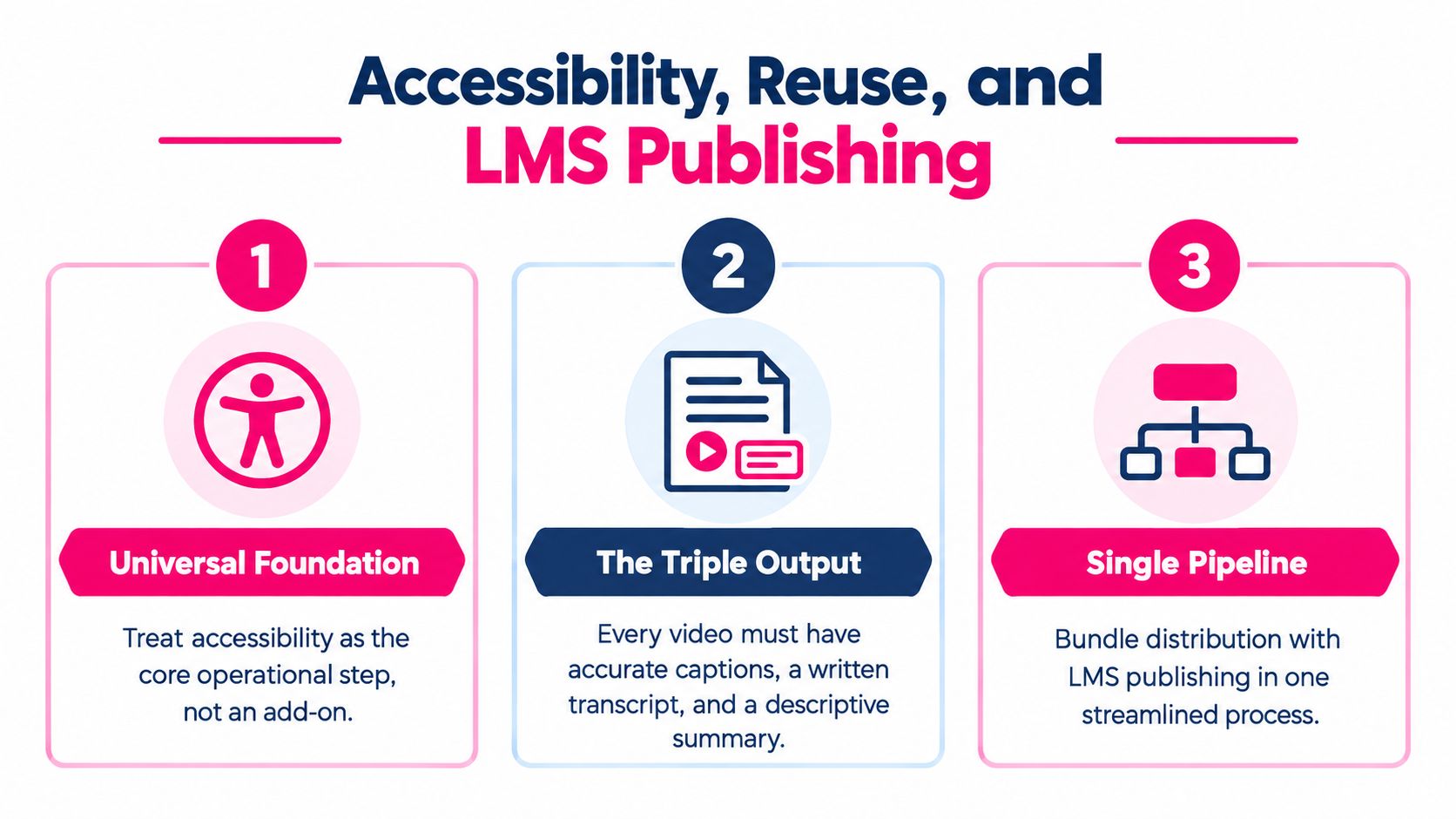
Accessibility and distribution belong in the same operational checklist. A video that has excellent visuals but inaccurate captions isn't finished, and a perfectly captioned asset that employees can't find won't support performance.
Build the universal foundation
Every internal communication video should have accurate captions and a written transcript. Add a descriptive summary so employees can decide whether the content is relevant before playing it. If the instruction depends on information shown only on screen, provide an audio description or a spoken explanation that makes the visual action understandable without relying on sight.
Use readable typography, sufficient color contrast, and layouts that remain clear on a phone. WCAG 2.1 AA should be part of the accessibility review, not an afterthought added when someone raises a problem. Automated captioning can accelerate the first pass, but a person still needs to correct names, acronyms, product terms, punctuation, and timing.
A subtitle tool such as the quso.ai subtitle generator can support caption creation, but caption generation isn't the same as caption approval. Assign responsibility for the final file to someone who understands the subject and the audience.
Design for multilingual reuse
Write for translation from the start. Prefer direct sentences, avoid idioms, keep one idea per line in the script, and maintain a glossary for product names, policy terms, and job titles. Don't bake essential text into graphics when a caption or translated layer can carry it more reliably.
Store the script, voiceover, captions, project file, visual assets, and approval record together. Regional teams should be able to update a source element without rebuilding the entire video. Version names should identify the topic, audience, language, owner, and status. A policy video without a clear replacement path becomes a liability as soon as the policy changes.
Publish where work happens
For required learning, publish through the LMS with SCORM or xAPI wrappers so completion and quiz results can enter reporting. For everyday communication, embed the same governed asset in the intranet, Slack, or Microsoft Teams. Sensitive content should sit behind SSO and use access rules appropriate to the information.
The LMS video publishing workflow should connect the finished lesson to its destination, metadata, assessment, and reporting requirements. Production isn't complete until employees can search for the asset, open it on their normal device, and access the supporting transcript or job aid.
Know when video is the wrong channel
More video doesn't automatically create better communication. Research on videoconferencing and relationship-building found that workers who communicate mainly through videoconferencing are much less effective at building relationships than when communication happens face to face, as discussed by the University of South Carolina's analysis of Zoom conversations. Recorded video can convey tone, but it can't replace dialogue when trust, ambiguity, or emotional sensitivity dominates.
Use this decision rubric:
- Choose written content when the answer is short, stable, and likely to be searched later.
- Choose a live discussion when leaders need unscripted questions, accountability, or the ability to adjust the message in real time.
- Choose a small-group conversation when managers need to surface local concerns or coach behavior.
- Skip video for sensitive HR or performance conversations where privacy and two-way dialogue matter more than presentation.
- Use a checklist or voice memo for routine process updates that don't benefit from demonstration or human context.
Save production effort for moments where video changes comprehension, trust, or action. A four-minute talking head shouldn't replace a clear checklist just because a camera is available.
Measuring Completion and Comprehension
Views are a starting signal, not a success metric. Employees may leave a browser tab open, scrub through required content, or replay a section because the explanation was unclear. A useful internal communication video program measures whether people reached the important parts, understood them, and changed what they do.
Use three layers of evidence
The first layer is engagement. Track completion rate, average watch percentage, drop-off points, replay patterns, and interaction with embedded prompts. These signals show where attention declines, but they don't explain whether the message was understood.
The second layer is comprehension. Add a short in-video quiz or end-of-video knowledge check. For compliance content, require an appropriate pass result and provide remediation rather than treating failure as a final outcome. For leadership or culture content, use a response prompt that asks employees to identify the implication for their role.
The third layer is behavior. Connect the video to operational evidence, such as fewer support tickets, fewer process errors, faster time to proficiency, or manager observation notes. The right measure depends on the message. A tool walkthrough may influence support requests. A safety module may require an observed task. A strategy update may need a manager discussion rather than a quiz.
Read the signals together
A high completion rate with weak quiz performance usually points to a clarity problem, a poor question, or a mismatch between the video and the assessment. A low completion rate with strong results from those who finish may indicate that the opening, length, access path, or distribution channel needs work. Don't label employees disengaged before checking the experience you gave them.
Internal comms research reports that 81% of employees prefer video updates for higher engagement, while leader-to-employee channels are rated 85% effective but used by only 43% of organizations, according to ZipDo's internal communication statistics. The same research reports manager-to-employee channels used by 59% of organizations with 81% effectiveness. The practical implication is that a manager distribution plan can matter as much as the recording itself. Give managers a short context note, a discussion question, and a clear escalation route.
Review the program quarterly
Compare topics, formats, audiences, and lengths side by side. Retire assets that no longer support completion, comprehension, or behavior. Rework videos with an early drop-off, unclear assessment, outdated reference, or weak manager follow-up.
| Layer | Example metrics | What it tells you | |---|---|---| | Engagement | Completion, watch percentage, drop-off, replay, prompt clicks | Whether the format and distribution held attention | | Comprehension | Quiz results, knowledge checks, learner responses | Whether viewers understood the intended message | | Behavior | Ticket volume, errors, proficiency, manager observations | Whether the message changed work after viewing |
Launch without waiting for a studio
A ninety-day rollout keeps the program practical.
Days 1 to 30: Audit existing internal content, choose two pilot topics with clear success metrics, define the audience and intended length, and write a one-page governance document covering approvals, branding, accessibility, ownership, and replacement rules.
Days 31 to 60: Build the workflow for scripting, voiceover, recording, captions, review, and publishing. Use AI for repetitive tasks, publish the pilots to the LMS and one chat channel, and collect baseline engagement data.
Days 61 to 90: Review completion and quiz data, rework or retire weak assets, expand to four additional topics, and train two backup producers. A program that depends on one person will stall when that person changes roles or gets pulled into urgent work.
This week, choose one pilot topic, write a 150-word script, record a rough cut with a phone or webcam, add captions, and publish it to a small test audience. Momentum will teach you more than another planning meeting.
---
VideoLearningAI helps teams turn scripts, lessons, and existing training materials into short AI-generated training videos, with workflows for microlearning and LMS publishing. Visit VideoLearningAI to evaluate whether its templates and publishing approach fit your internal communication video program.