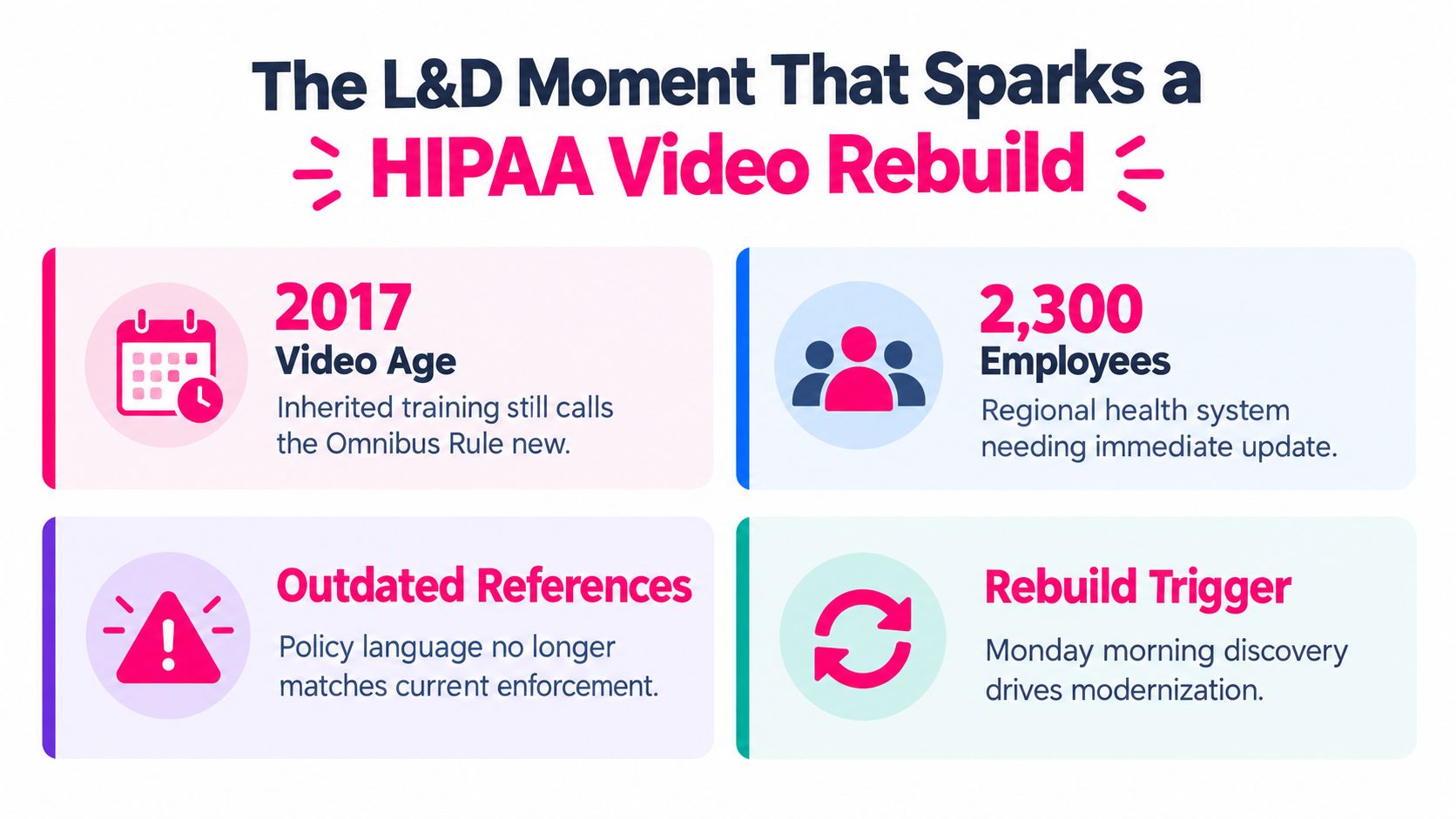
Monday morning, an L&D director opens the inherited HIPAA course and sees a narrator explaining the “new” Omnibus Rule in a video produced in 2017. The examples feel dated, the workflow no longer matches the health system's current systems, and nobody can explain whether the old SCORM package is still mapped to today's policies. The problem isn't that the organization lacks training. It's that the HIPAA training video has become a historical artifact instead of a working compliance product.
HIPAA training sits inside federal regulation. The HIPAA Privacy Rule requires covered entities to train workforce members on privacy policies and procedures by the compliance date, train new workforce members within a reasonable period after joining, and retrain staff when material policy changes affect their duties, as described by the U.S. Department of Health and Human Services HIPAA guidance. A durable program therefore needs more than polished narration. It needs current content, role-based decisions, assessments, protected production assets, reliable records, and a refresh process that survives staff turnover and audit review.
Table of Contents
- What to do during the first week - Build the matrix before production - Worked scene for minimum-necessary disclosure- Structuring Microlearning Modules With Built-In Assessment
- Protecting PHI Inside Your Training Stack
The L&D Moment That Sparks a HIPAA Video Rebuild
The inherited course usually fails in several ways at once. It may contain accurate definitions, but it presents them in a single sequence for every employee. A physician, billing coordinator, help desk analyst, contractor, and executive all receive the same examples, even though they interact with PHI differently. The course may also record completion without showing whether anyone can apply the rule during a rushed phone call or suspicious email.
Start the rebuild with evidence, not a blank storyboard. Pull the last three audit findings, incident reviews, policy exceptions, and help desk escalations. Look for recurring behaviors such as sending information to the wrong recipient, leaving a workstation open, discussing a patient in a public space, or approving an unusual request without verification. Then confirm that the Privacy Officer and Security Officer will sponsor the work, while HR owns the workforce and assignment implications.
> Practical rule: An old course shouldn't be retired because it looks old. Retire or revise it because its policy references, examples, ownership, assessment logic, or reporting no longer match the organization's operating reality.
What to do during the first week
Use the first week to create an inventory and a decision record.
- Inventory the assets: List every video, subtitle file, transcript, quiz, SCORM package, policy reference, completion record, and source file. Note who owns each item and when it was last reviewed.
- Map the role groups: Separate staff by PHI exposure and workflow. Don't assume that a common employment category means a common risk profile.
- Review the incidents: Select realistic examples from internal reviews, sanitized before they reach production. A lost laptop and a wrong-recipient email can teach more than several minutes of abstract definitions.
- Choose the packaging path: Determine whether the existing SCORM package can be updated, supplemented with new modules, or replaced. Preserve historical completion records according to organizational policy, but don't let legacy reporting dictate a poor learner experience.
- Define review ownership: Assign a content owner, compliance reviewer, security reviewer, HR reviewer, and LMS owner before recording begins.
The regulatory anchor is not a fixed annual timer. The training obligation under 45 CFR §164.530(b) calls for training that is necessary and appropriate to workforce duties, including onboarding and material policy changes, as summarized in the HHS guidance linked above. That distinction matters because an annual assignment can be administratively convenient without being educationally sufficient.
The available industry data shows the gap. In 2024, 62% of organizations reported annual HIPAA training, while 89% provided Privacy Rule training, 81% covered the Security Rule, and 63% addressed the Breach Notification Rule, according to SecurityMetrics' 2024 HIPAA trends. The same source reports that more than 80% of organizations provide HIPAA training once a year or less, and 10% of employees didn't receive training within their first three months of hire.
A single long video hides weak coverage behind a completion record. Staff may finish it without practicing the decisions their roles require, and new hires can sit outside the training window if assignment logic is weak. A better design uses short role-based modules, reinforcement, and decision checks. The compliance training workflow should be treated as a product lifecycle, not a once-a-year upload.
Mapping Your Audience and Compliance Checkpoints Before You Record
Audience mapping determines whether the final course teaches usable behavior or merely distributes policy language. Begin with PHI exposure, then add workflow pressure. A clinician may need practice with verbal disclosures and workstation behavior. Billing and coding staff may need phone verification and minimum-necessary decisions. IT and help desk teams need access, authentication, incident escalation, and screen-sharing scenarios. Contractors and remote workers need rules for devices, locations, and approved systems. Executives may need dashboard access, reporting, and escalation responsibilities.
Translate each audience profile into measurable objectives. “Understand HIPAA” is too broad to review, test, or report. “Choose the correct response when a caller asks for patient information” gives the scriptwriter, reviewer, and assessment designer a usable target.
Build the matrix before production
Every role path should pass through a common compliance baseline, then branch into workflow-specific practice. Include Privacy Rule and Security Rule coverage, a breach notification summary, patient rights relevant to the audience, the organization's sanctions policy, and the incident reporting flow. The Privacy Officer, Security Officer, and HR should review the matrix before recording, not after the edit is complete.
| Staff Role | PHI Access Tier | Required Checkpoints | Recommended Add-Ons | |---|---|---|---| | Clinicians | Direct access and use | Minimum necessary use, patient rights, secure communication, incident reporting | Verbal disclosure and mobile-device scenarios | | Billing and coding | Direct access for operational work | Verification, minimum necessary disclosure, sanctions, breach escalation | Wrong-recipient email and phone-call branches | | IT and help desk | Privileged technical access | Access controls, authentication, auditability, security incidents | Remote support and screen-sharing scenarios | | Contractors and remote workers | Variable, often limited access | Approved systems, device handling, reporting flow | Home workspace and lost-device decisions | | Executives | Summary and dashboard access | Appropriate use, reporting responsibilities, escalation | Dashboard sharing and executive-request scenario |
Use a compliance-aware authoring workflow to attach checkpoint tags to every scene. VideoLearningAI can be used to map role groups to module variants and export a compliance matrix that travels with the script through review. The key is not the platform itself. The key is keeping the approved objective, source policy, scene, assessment item, and reviewer decision connected.
A Script Template That Turns Policy Into Story
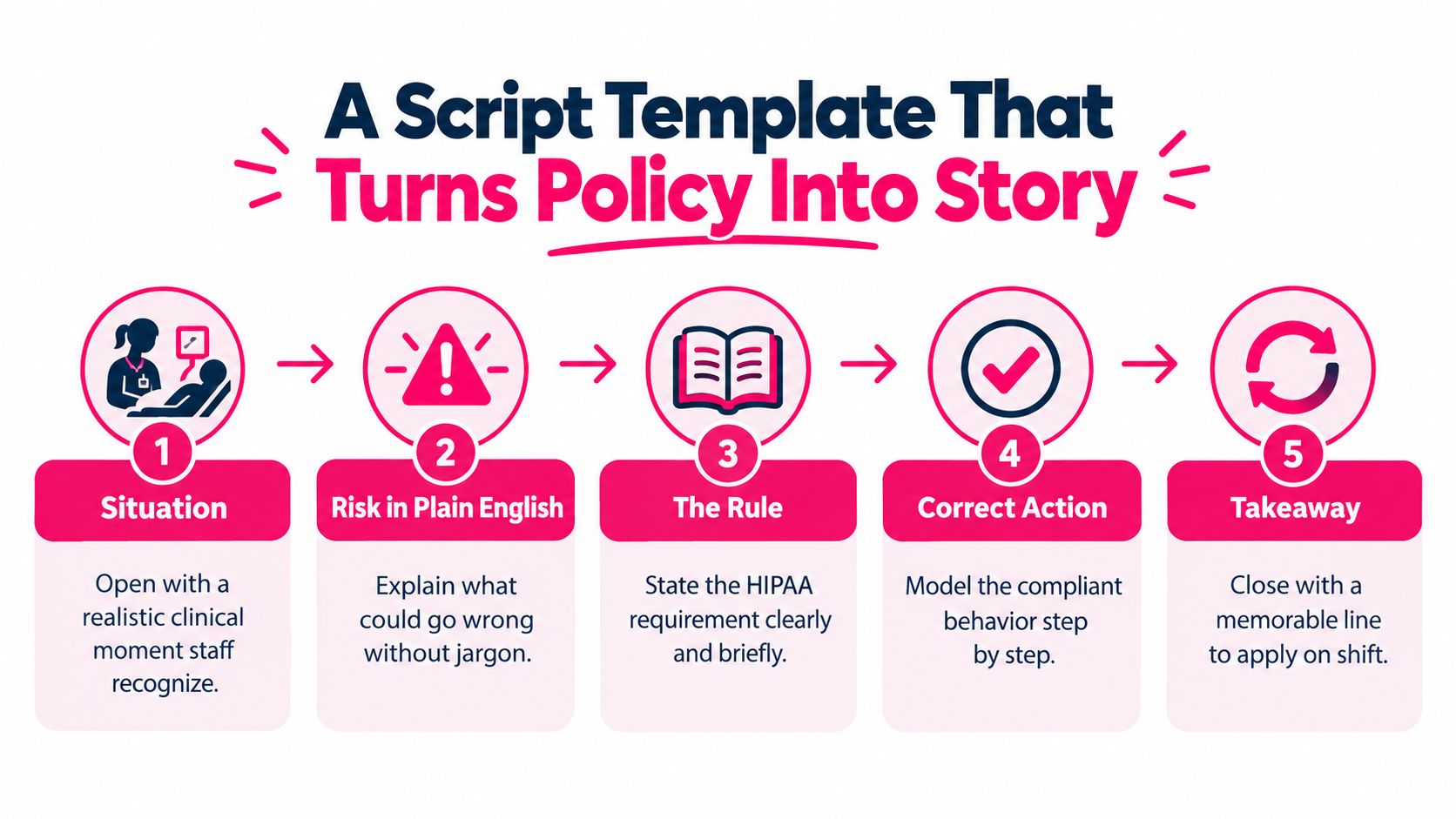
A compliant script still needs to sound like work. The most reliable structure I've used gives every scene five beats:
1. Situation: Open with a recognizable moment. 2. Risk in plain English: Explain what could go wrong without legal jargon. 3. The rule: State the relevant requirement briefly. 4. Correct action: Model the behavior in the order staff should follow it. 5. Takeaway: End with a line the viewer can repeat during a shift.
The template should be fill-in-the-blank, not aspirational:
Situation: “You're [role] and [specific request or event] happens.”
Risk: “If you [unsafe action], [plain-language consequence] could occur.”
The rule: “Under our policy, you should [approved principle].”
Correct action: “First, [step one]. Then, [step two]. If [exception], [escalation].”
Takeaway: “Before you [action], [memorable reminder].”
Worked scene for minimum-necessary disclosure
Situation: “You're a billing coordinator. A person who says they're the patient's spouse calls to confirm a diagnosis.”
Risk: “Confirming the diagnosis before completing the required verification could disclose PHI to someone who isn't authorized for that information.”
The rule: “Use the minimum necessary information and follow the organization's identity and authorization process before disclosing.”
Correct action: “Don't confirm or deny the diagnosis. Follow the approved verification steps. If authorization isn't established, explain that you can't provide the information and route the caller through the approved process.”
Takeaway: “Verify first, disclose only what the workflow permits.”
Keep each beat focused. A scene that tries to teach definitions, exceptions, sanctions, and escalation at once will become difficult to follow and harder to assess. Short modules can still carry compliance cues when the script gives each decision one clear purpose.
For a reusable production worksheet, use this training video script template. It should capture the objective, audience, policy source, scene, narration, on-screen text, interaction, feedback, and reviewer sign-off in one place.
Structuring Microlearning Modules With Built-In Assessment
Microlearning works when each module has a narrow decision target. It doesn't work when a long course is chopped into arbitrary pieces with no change in objectives or practice. Organize modules around role and risk, such as PHI basics, email and messaging, remote work, vendors and BAA boundaries, and breach response.
A practical module can run 3 to 7 minutes, with one scenario and a short knowledge check. Put the decision point after the learner has enough context to act, not at the very end after the answer has been telegraphed. If the learner chooses incorrectly, show the consequence, explain the missed cue, and offer a remedial path before allowing a retake.
| Module | Length | Primary Objective | Pass Threshold | |---|---:|---|---| | PHI basics | 3 to 5 minutes | Identify PHI in routine work | Set an approved knowledge-check threshold | | Email and messaging | 4 to 6 minutes | Select a safe communication action | Require correct handling of the decision scenario | | Remote work | 3 to 5 minutes | Apply device and workspace safeguards | Use feedback before a retake | | Vendors and BAA boundaries | 4 to 7 minutes | Recognize when vendor handling needs review | Test escalation judgment | | Breach response | 4 to 7 minutes | Report a suspected incident through the right flow | Require completion of the reporting path |
The pass threshold belongs in the design specification, not as a last-minute LMS setting. Compliance and HR should approve whether every question must be correct, whether remediation is required, and how retakes are recorded. Use the checks-for-understanding guidance to distinguish recall questions from applied judgment.
A phishing scenario should reference a realistic work context without using a real patient's information. Ask the learner to inspect the sender, link, urgency, and request, then branch to reporting or escalation. The 2025 industry survey data reports that 94.3% of organizations provide annual refresher training, but only 79.3% test workforce members on HIPAA knowledge, 58.7% use certified tests, and 70.1% conduct phishing simulations. The lesson is straightforward: completion is evidence of exposure, not evidence of understanding.
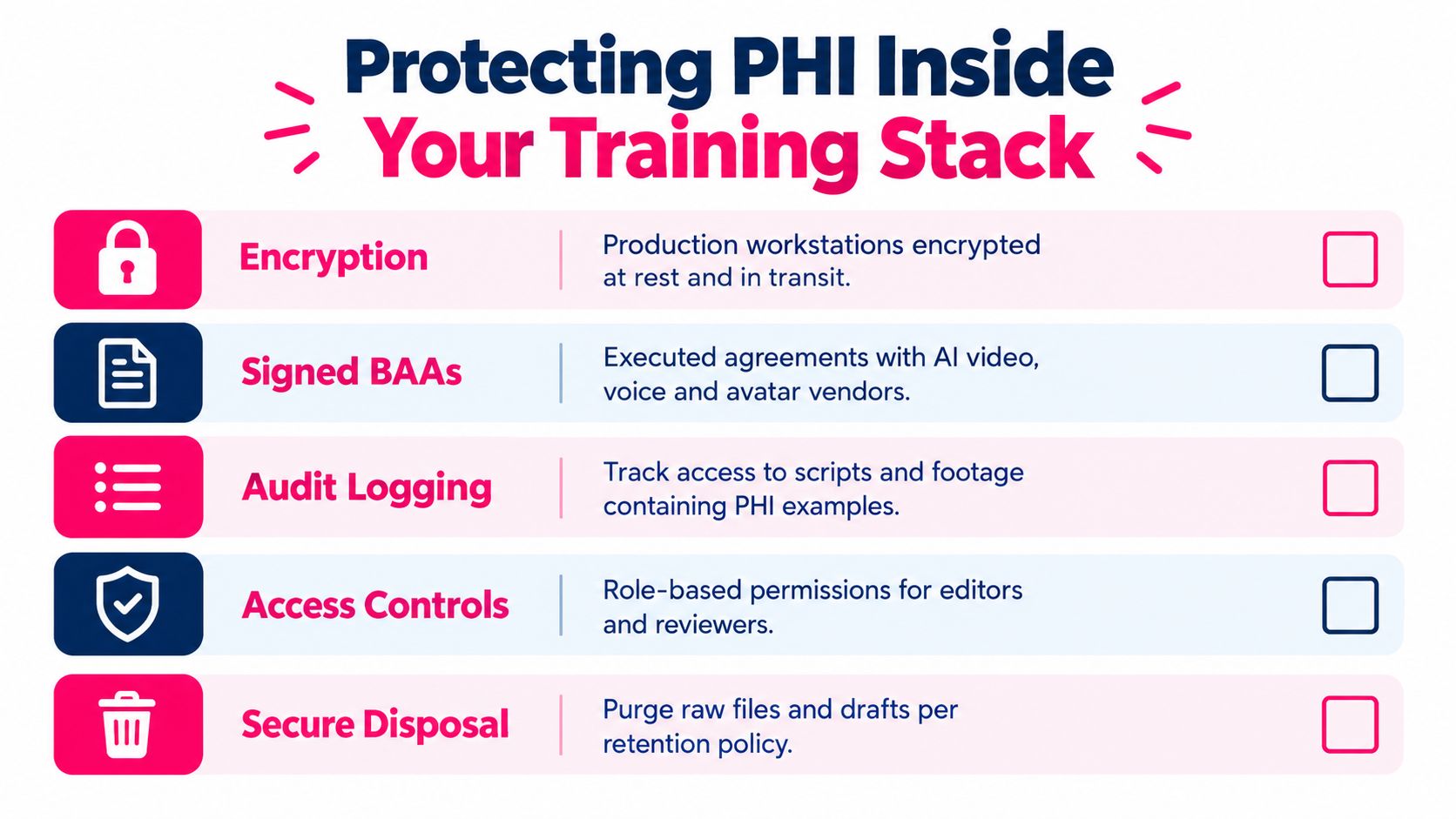
Protecting PHI Inside Your Training Stack
The training stack can create compliance risk if the production team treats scripts, screen recordings, voice files, and learner records as harmless creative assets. A recording that captures a real patient chart, even briefly, can become a problem during editing, review, storage, or vendor processing. Use synthetic or de-identified data in every demonstration, and make that requirement part of the production checklist.
Control the environment before the first recording. Production workstations should use encryption at rest and in transit. Editors and reviewers should receive role-based access rather than shared credentials. Audit logs should show who accessed scripts, footage, screen captures, exports, and learner records. If an AI video platform, voice provider, avatar vendor, or hosting service handles PHI, confirm that the required BAA coverage is in place before uploading anything sensitive.
Use a sanitized production prop
Create a fictional patient record specifically for training. Give it a clearly synthetic name, fictional identifiers, invented dates, and test values that can't be mistaken for a live chart. Use a controlled dataset in screen recordings, and review every frame for names, identifiers, browser notifications, email previews, and background documents before approval.
If PHI appears in post-production, stop distribution. Restrict access to the raw file, document the exposure, follow the organization's incident process, and remove the asset from editing caches, review links, exports, and backups according to retention policy. Don't rely on cropping alone, because the original file may still contain the information.
Ask vendors:
- Sub-processors: Who can access uploaded scripts, recordings, captions, and learner data?
- Retention: How long are source files, generated media, and backups retained?
- Deletion: Can the organization request deletion at contract end, and how is completion documented?
- Residency: Where are assets processed and stored?
- BAA scope: Does the agreement cover every service involved, including voice, avatar, analytics, and hosting?
Teams comparing controls and responsibilities can also consult your 2026 HIPAA guide from Technovation LLC as a supplementary compliance resource. Use it to inform vendor and governance questions, then validate the final controls with your own Privacy and Security Officers.
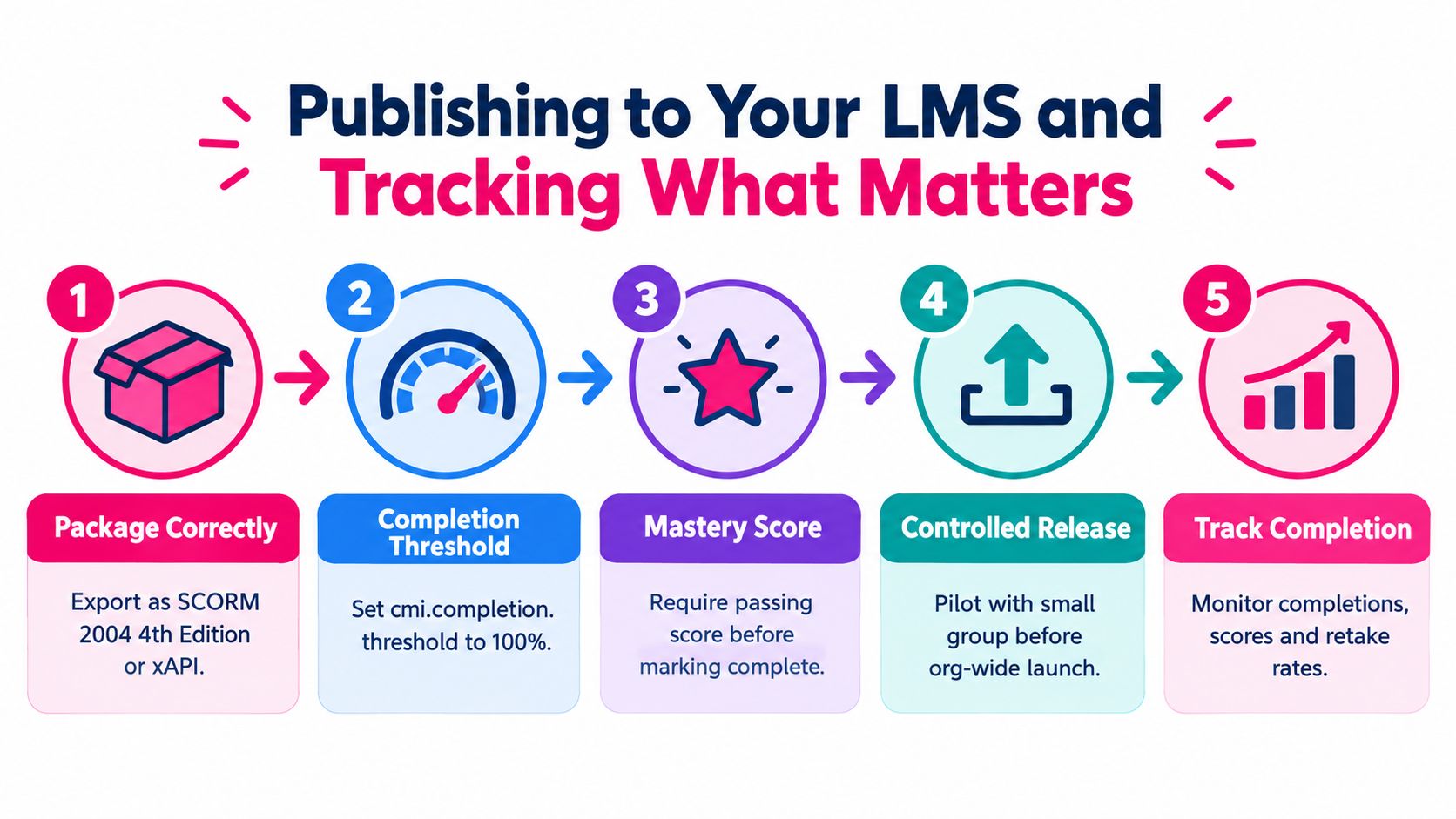
Publishing to Your LMS and Tracking What Matters
Treat LMS publication as a controlled release. The file isn't finished when the video renders. It's finished when the right audience receives the right path, the completion record is reliable, the assessment result is meaningful, and the compliance team can retrieve evidence without reconstructing it from email.
Pre-publish controls
Confirm the package format, completion behavior, score behavior, and playback resilience in staging. A SCORM 2004 4th Edition or xAPI package may fit the environment, but the choice should follow the LMS's reporting and integration capabilities. For SCORM, configure cmi.completion.threshold to 100% when that matches the organization's approved completion definition, and set the mastery score to 80% for embedded quizzes when compliance owners approve that threshold.
Test cached playback on low-bandwidth hospital sites. Validate captions, keyboard navigation, mobile behavior, resume logic, retakes, and failure feedback. A nurse manager and billing clerk shouldn't receive the same bundle by default if their objectives differ. Assign by role, department, location, contractor status, or other controlled attributes that HR and compliance can maintain.
For event-level reporting, define a minimal xAPI vocabulary before launch: answered, passed, failed, retaken, and time-on-task. Connect those events to the LMS fields that compliance staff use. A dashboard full of unused data creates administrative noise, not assurance.
Track seven operational measures:
- Completion by role: Identify groups falling behind.
- Time to competency: See whether assignment completion aligns with demonstrated understanding.
- Quiz pass rate: Separate exposure from comprehension.
- Repeat-attempt rate: Find confusing content or weak prerequisite knowledge.
- Overdue assignments: Surface assignment and manager follow-up issues.
- Role-gap closure: Confirm that identified gaps close after assignment.
- Content feedback score: Detect unclear examples and production problems.
Set an alert when any approved metric drops by more than 10% week over week, as specified in the program's monitoring policy. For teams evaluating healthcare-focused workflow tools alongside LMS infrastructure, Ekipa AI healthcare offers context for considering technology in healthcare operations. It shouldn't replace the organization's own security review or learning governance.
A 30-60-90 Rollout Plan and Final Checklist
A practical rollout gives operations a handoff that's specific enough to execute and flexible enough to correct. The phases below keep content, security, and measurement moving together.
Days 1 to 30, discovery and design
- Complete the audience map: Confirm PHI exposure, workflow pressure, role groups, and assignment owners.
- Validate objectives: Have compliance counsel, the Privacy Officer, Security Officer, and HR review the objectives and checkpoints.
- Approve the paths: Decide which modules are shared and which branch by role.
- Lock the script system: Approve the five-beat scene template, review fields, feedback language, and accessibility requirements.
- Set measurement definitions: Agree on what completion, pass, remediation, and role-gap closure mean before production.
Days 31 to 60, build and harden
Produce the modules, record narration, add captions, and embed the approved scenarios. Run a security review covering encrypted workstations, BAA coverage, access permissions, audit logs, synthetic data, retention, and secure disposal. Load the SCORM or xAPI packages into a staging LMS and test assignment logic with representative users.
Days 61 to 90, launch and iterate
Pilot with a controlled cohort, monitor the seven LMS measures, investigate weak scores or incomplete paths, and correct the content or assignment logic. Set a 90-day content refresh calendar so policy changes, incidents, system changes, and reviewer feedback have a scheduled home. Publish a refreshed microlearning asset every six months when that cadence fits the organization's approved governance plan.
Use these phase KPIs as operating targets, not universal legal requirements:
- Pilot completion above 90%
- Quiz pass rate above 85%
- Role-gap closure within 30 days of assignment
- A refreshed microlearning asset published every six months
The final handoff checklist should include:
- Regulatory anchor: Training reflects the requirements under 45 CFR §164.530(b).
- Role-based paths: Each audience receives relevant scenarios.
- Microlearning structure: Modules have narrow objectives and remedial paths.
- Assessment design: Knowledge checks test judgment, not passive viewing.
- Stack compliance: Encryption, BAAs, access controls, audit logs, synthetic data, and disposal are documented.
- LMS integration: Packaging, completion, scoring, captions, playback, and retakes are tested.
- Measurement cadence: Owners review completion, competency, role gaps, feedback, and overdue work.
A HIPAA training video should leave behind more than a completion certificate. It should leave a maintained system that shows what staff were taught, what they understood, what their roles require, and how the organization responds when the work changes.
---
VideoLearningAI helps teams turn approved compliance content into structured training videos with scripts, narration, captions, visuals, and bite-sized lesson formats. Use VideoLearningAI to prototype role-based HIPAA modules, then route every output through your Privacy Officer, Security Officer, HR, and LMS review process before release.