Your LMS dashboard looks reassuring. Almost everyone has watched the GDPR video, the completion report is ready for audit, and then someone forwards a customer spreadsheet to the wrong address, sits on an erasure request for a week, or pastes personal data into an AI tool. That's the gap L&D teams keep hitting. You don't need a prettier awareness video. You need a GDPR training video programme that works as a measurable compliance control, with role based scenarios, assessment evidence, and a refresh loop you can defend.
Table of Contents
- Completion Is Not Competence - Turn Obligations Into Observable Decisions - Build a Role to Module Map - Two Outlines You Can Adapt - A Practical Production Sequence - Localize Meaning, Not Just WordsWhy Most GDPR Training Videos Fall Short on Real Behavior Change
Most programmes fail at the definition stage. Raise awareness, so the video explains principles, definitions, and penalties in polished language. Learners pass a recall quiz, you record a view, and nobody has practiced the decision they'll face under time pressure. A manager still doesn't know whether a vague customer email counts as a formal request. Support staff still don't know who to notify or what to preserve.
Completion Is Not Competence
Treating video completion as proof of competence is the central trap. Guidance from the UK Information Commissioner's Office calls for evidence that staff both complete and understand training, using assessments or surveys, and for retaining training materials and recipient records, as set out in EDPB guidance on securing personal data for handlers. If you can't show score, attempts, remediation, and version, you've built a library, not a control.
> A view tells you someone pressed play. It doesn't tell you they can route a request, spot a disclosure, or escalate a breach correctly.
That's why the work splits into four jobs. You need to plan by risk, not by chapter title. You need to build scenarios around real workflows. You need to localize language and escalation routes for each jurisdiction and team. And you need to prove effectiveness with data an auditor can trace from requirement to result.
Structure helps here, even outside privacy. A structured hospitality training program framework shows the same logic L&D teams use elsewhere. Define the audience, set outcomes, sequence practice, then measure. Apply that discipline to GDPR and the deliverable changes. It stops being one annual video for everyone and becomes induction plus role specific modules, tied to access, refreshed when procedures change, and owned by a named person.
What a GDPR Training Video Must Actually Teach
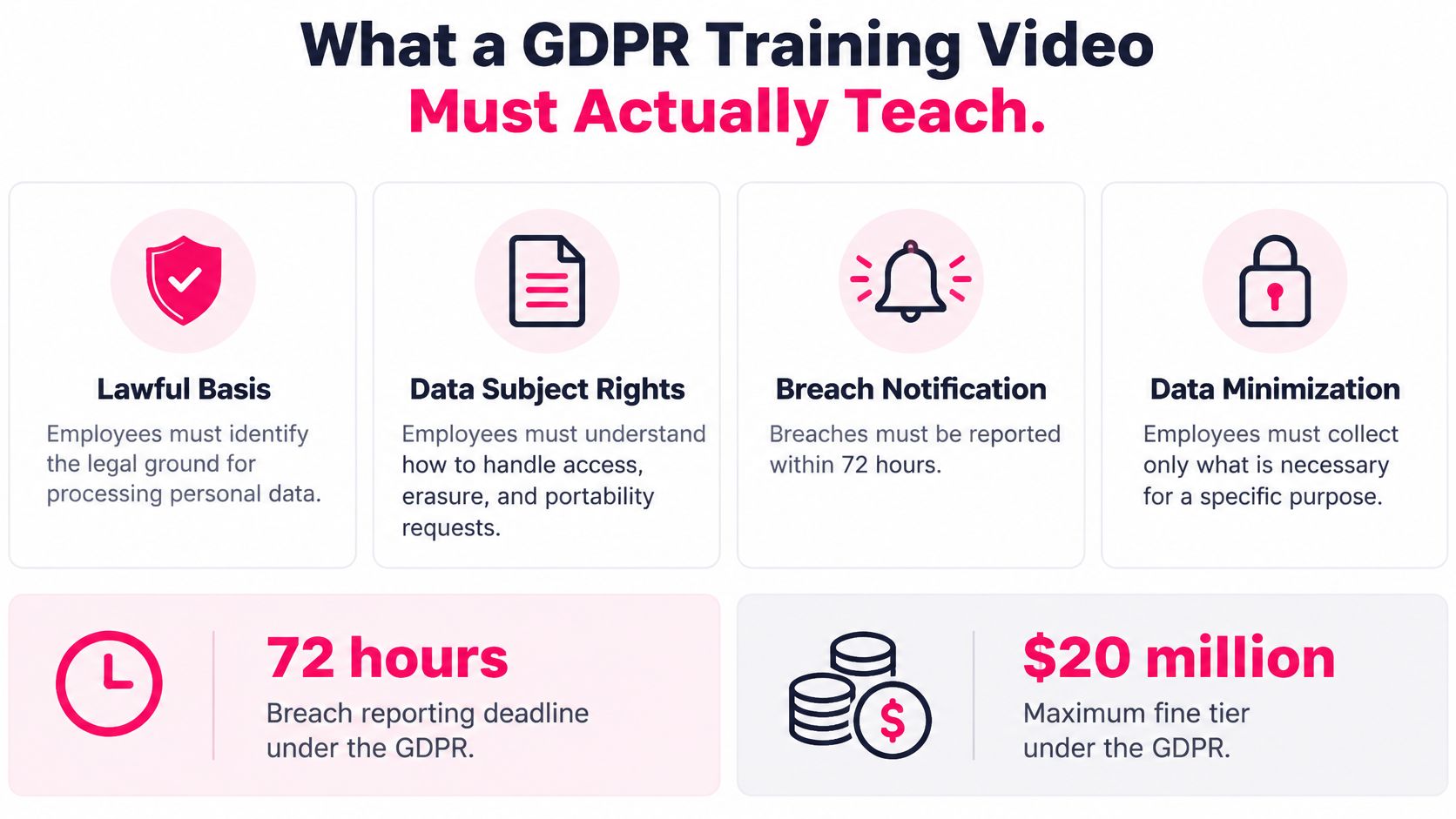
Start with scope, then move quickly to decisions. GDPR began applying on 25 May 2018, two years after adoption, replacing Directive 95/46/EC and applying directly across EU member states to organisations processing personal data in the EEA and to many outside Europe offering goods or services to people in the EU, according to EUR-Lex guidance on the GDPR application date. Employees need that context in plain language. They don't need a legal history lecture.
Enforcement tells you where to focus practice. A tracker recorded 2,245 fines with complete information by 1 March 2025, totaling approximately EUR 5.65 billion, including 669 fines for insufficient legal basis and 644 for non-compliance with general processing principles, as reported in the CMS GDPR Enforcement Tracker Report 2025 executive summary. Those categories map directly to teachable behaviour.
Turn Obligations Into Observable Decisions
- Identify a lawful basis first: Don't collect or reuse data because it's available. Name the ground before processing starts.
- Minimise and limit retention: Collect only what's needed for the stated purpose and delete or archive on schedule.
- Protect confidentiality: Check recipients, permissions, and sharing method before sending.
- Handle rights requests: Recognise access, rectification, erasure, and objection requests in ordinary language and route them fast.
- Escalate incidents: Treat misdirected email, unauthorised access, and suspected breaches as escalation triggers, not personal mistakes to hide.
Sector context sharpens examples without changing the core. Care settings, for instance, connect confidentiality to daily record handling, a point reinforced by Cura Academy care compliance tips. Use that kind of operational framing for every audience. General staff need recognition and escalation. HR, marketing, IT, and privileged handlers need deeper modules on the records and systems they control.
Planning and Scoping the Video Programme
Don't start with a script. Start with a training needs analysis that maps job functions to processing risks. HR handles employee records and candidate data. Marketing builds lists and shares data with vendors. Support receives rights requests in messy, informal language. IT controls access and incident response. Managers approve exceptions and chase overdue training.
Build a Role to Module Map
List each role, the personal data it touches, the riskiest moment in its workflow, and the correct action. That map becomes your production brief. It also forces a format decision. A single cornerstone video works only for shared basics. Most organisations need that foundation plus a role based series of short modules, because the decision that matters for HR isn't the decision that matters for sales.
Evidence supports splitting the audience. A 2025 study reported 73% of surveyed organizations lacked adequate HR-specific data-protection training and only 34% of 1,200 European employees could accurately identify the legal basis for their employer's processing, as summarised in a 2025 study on HR data protection training gaps. Generic content leaves exactly those gaps untouched.
Next, inventory what you already trust. Pull current SOPs, privacy notices, records retention schedules, incident forms, and prior decks. Mark what's approved, what's stale, and who owns each source. Your video shouldn't invent procedure. It should dramatise the procedure employees are meant to follow.
1. Write measurable objectives: Use verbs you can test, such as route, identify, redact, escalate, or refuse an unsafe share. 2. Define the audience boundary: Include contractors, temporary workers, and volunteers who process personal data, not just permanent staff. 3. Agree success metrics early: Decide pass mark, remediation route, and exception process before production. 4. Lock stakeholder sign-off: Privacy, legal, security, and the business owner review the brief, not just the finished cut.
Continuing education models in other regulated fields use the same scoping discipline, as shown in the PIA Southern Alliance CE guide. Borrow the habit. If you can't state who must learn what, by when, and how you'll prove it, you're not ready to produce.
Writing Scenarios and Scripts That Stick
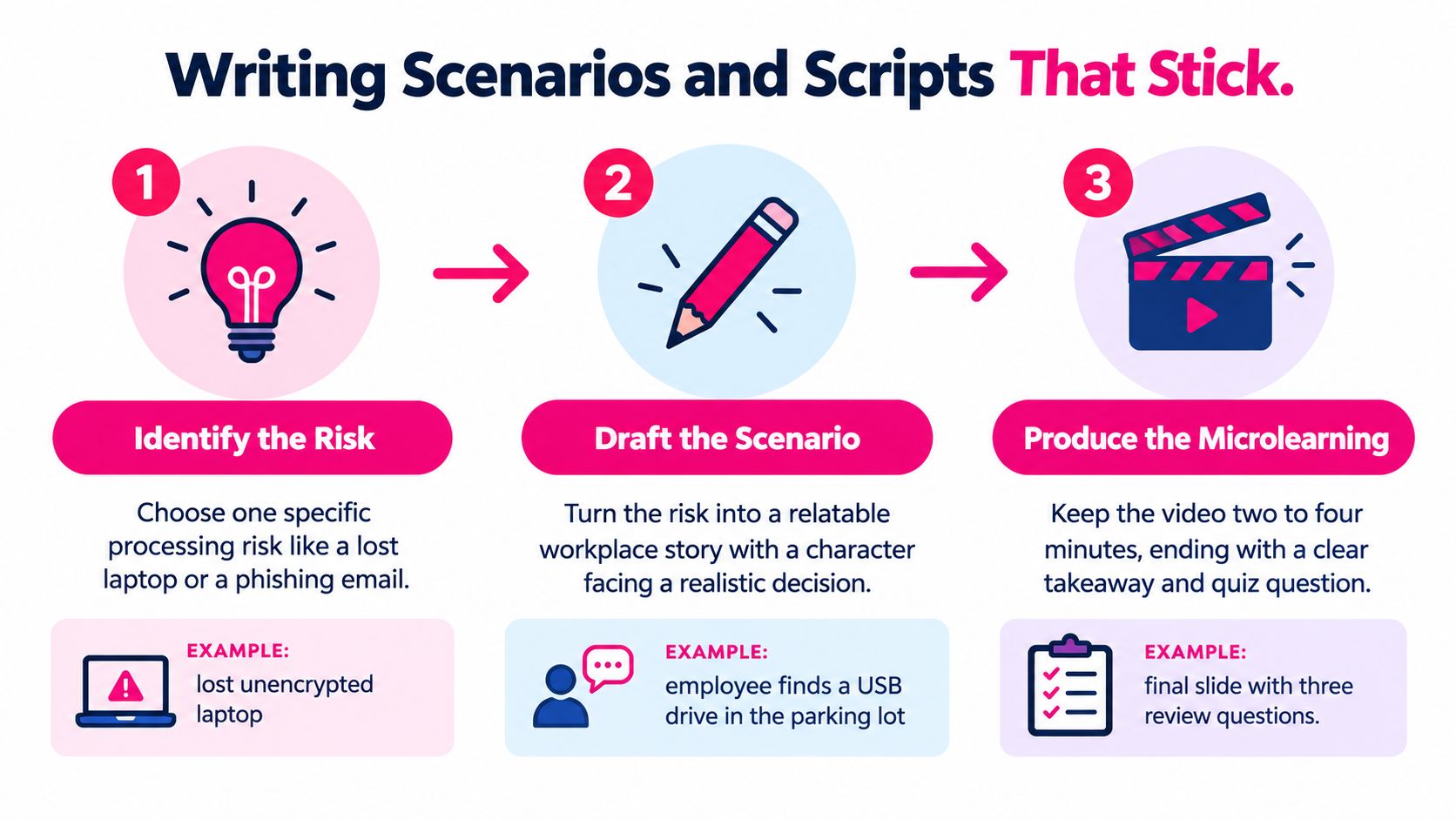
A good scenario starts mid problem. An HR advisor opens an email from a former candidate saying "remove everything you hold on me." Is that a formal erasure request? Who verifies identity? What about interview notes, backups, and a legal hold? That ambiguity matters more now, because the EDPB's 2025 enforcement sweep focuses on the right to erasure across 32 European data-protection authorities, and employee confidence in recognising a data subject access request fell by 0.44 points in a 2025 privacy culture survey, as described in Jackson Lewis analysis of the EU erasure enforcement sweep. Teach the triage, not just the definition.
Use a repeatable template. Open with the hook, pause at a decision point, show the escalation route, model the correct action, then recap in one sentence employees can repeat. That's the core of scenario based training design for workplace decisions, and it's why a short module outperforms a lecture. The learner rehearses judgement.
Two Outlines You Can Adapt
HR erasure request. The advisor doesn't delete anything immediately. She logs the request, starts identity verification, routes it to the privacy contact, and distinguishes deletion from suppression where retention rules apply. A branching choice lets learners pick the wrong shortcut, then shows the consequence and the correct path.
Marketing list clean-up. A manager inherits an overbroad campaign list built from old event signups. Before sending, he checks lawful basis and purpose, removes contacts outside that purpose, and checks suppression records. The tension is deadline pressure versus permission. That pressure is the lesson.
> Practical rule: If the scenario has no cost for choosing wrong, employees won't remember choosing right.
Write voiceover and on screen text together. Keep sentences short for captions and translation. Avoid idioms that won't localize. Name the exact system, form, or ticket route used in your workplace, because "contact the relevant team" teaches nothing.
Producing the GDPR Training Video with AI Workflows
AI compresses production, but it doesn't remove editorial control. Your approved script is the source of truth. From there, an AI workflow can generate structured scenes, voiceover, captions, and branded templates, so your team spends time on accuracy instead of studio logistics.
!Screenshot from https://www.videolearningai.com
Keep human review at the points where errors create risk. A privacy reviewer checks lawful basis language, rights handling, retention phrasing, and regulator names. A business owner checks that escalation routes, system names, and screenshots match current procedure. L&D checks pacing, caption readability, and whether the decision point is clear without replaying.
A Practical Production Sequence
- Ingest approved material only: Feed the tool signed off scripts, policies, and brand assets, not rough notes.
- Build in chapters: Short segments let you update one workflow without reshooting the whole programme.
- Lock a version trail: Record owner, revision date, source policy, and approver for every export.
- Export for real delivery: Test desktop and mobile playback in your LMS, including captions and assessment handoff.
VideoLearningAI is one option in this category. It converts existing course material into structured, bite sized training videos with scripts and visuals for LMS workflows. Other AI video tools follow a similar pattern, and the evaluation criteria are the same. Look for template consistency, caption control, easy revision, and clean export, as discussed in automated video production workflows for training teams.
The example below shows the kind of polished, chaptered output learners expect from modern compliance video.
Speed is the gain. Governance is the constraint. If updating a phone number, privacy contact, or ticket link takes weeks, your workflow is wrong. Build for revision from day one.
Localizing, Branding, and Compliance Checks Before Publish
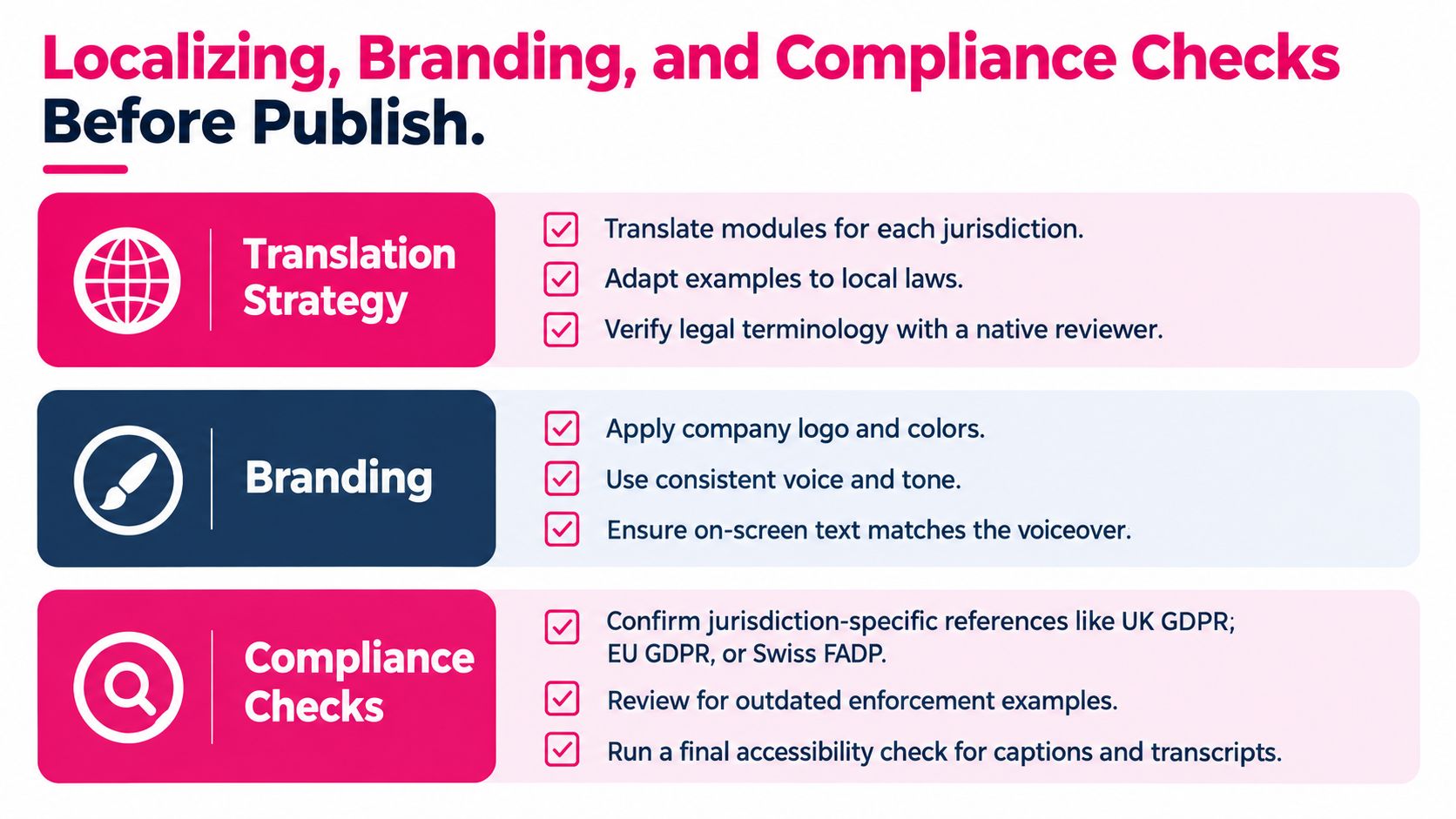
An English only rollout excludes distributed teams and creates uneven understanding. Separate what's global from what's local before you translate. The operational framework, recognise, protect, route, escalate, can stay common. Jurisdiction specific references, contacts, retention rules, and rights procedures shouldn't.
Localize Meaning, Not Just Words
Build a terminology list for personal data, lawful basis, data subject, controller, processor, and breach, and have a native reviewer with privacy knowledge check it. Adapt examples to local systems and teams, but don't let local editors soften mandatory steps. Captions need the same review as voiceover. If on screen text contradicts the narration, learners trust neither.
Branding is more than a logo. Consistent templates, speaker style, and chapter titling tell employees this is official procedure, not optional content. That consistency also helps when you publish refreshers. Learners recognise the format and get to the decision faster.
Run a pre publish check before anything goes live:
- Content accuracy: Lawful basis, purpose, minimisation, and retention language match approved policy.
- Actionability: Named privacy contact, escalation route, and policy links appear where the scenario needs them.
- Accessibility: Captions, transcripts, contrast, and playback controls work in the LMS.
- Approval record: The data protection officer or privacy lead signs off, with date and version recorded.
> If an employee finishes the video and still has to ask who to contact, the video isn't ready to publish.
Don't publish and then fix. Version the release, communicate what changed, and retire the old file everywhere it lives, including intranet copies and manager toolkits.
Measuring Effectiveness and Maintaining the Programme Over Time
Publishing starts evidence collection. GDPR doesn't prescribe a universal completion percentage, but the ICO recommends setting completion KPIs, producing periodic reports, and having department heads review their own rates, with 100% completion for personnel who process personal data before access is granted as a practical target, as set out in ICO guidance on monitoring training completion. Use that benchmark, plus a documented exception process for leave, transfers, and contractors.
Design the assessment around decisions, not definitions. Ask learners to recognise a breach, route a subject access request, spot an unauthorised disclosure, or choose what not to paste into an AI tool. Set a defined pass mark, require additional training after repeated failure, and record remediation. That's how you measure training effectiveness beyond completion rates in a way that maps to accountability.
| Metric | What it measures | Target or action | | --- | --- | --- | | Completion by role | Whether required audiences finished the assigned version | Chase exceptions weekly until resolved | | Assessment score | Whether learners can apply the procedure | Retrain below pass mark, review weak questions | | Failed attempts | Where understanding breaks down | Coach, remediate, and revise unclear scenes | | Time to remediation | How quickly gaps close | Escalate overdue cases to managers | | Version compliance | Whether staff completed current content | Retire old versions and reassign after updates |
Retain learner identity, timestamp, score, attempts, version identifier, remediation status, and evidence of content approval. Review content after regulatory or procedural changes, after a near miss, and on a regular refresh cycle. Short chapters make that feasible. You replace the outdated scenario, reassign only affected roles, and keep the audit trail intact.
---
Turn your approved GDPR policies and SOPs into short, scenario based videos your teams can apply, with captions, consistent branding, and LMS ready exports. Visit VideoLearningAI to build your first GDPR training video module, add a knowledge check, and start collecting evidence that completion means competence.