You've just inherited a support team, and leadership wants onboarding live in two weeks. The senior reps are answering tickets, the product team is shipping, and nobody has time to author a manual from zero. Starting from a blank document feels responsible, but it usually produces a long file that arrives late, lacks practice, and becomes stale as soon as workflows change.
A customer service training template gives you a working frame. The right choice depends on what your team must do next: download a manual, customize a lesson, or publish a short video to your LMS. This shortlist is organized around those real workflows, not feature checklists.
Each resource answers two practical questions. How quickly can you deploy it? And how well does it map to the way your team learns, practices, and tracks completion in an LMS? Choose the format that matches your deadline and the kind of behavior you need to change.
Table of Contents
- Why it works for frontline training - Where it saves time - The practical deployment path - Use it to build a ramp, not a document dump - Where Continu fits - A strong choice for tool-heavy onboarding - Keep the manual from becoming the LMS - Speed comes with a quality check - Build the policy layer first - The useful distinction between documents1. VideoLearningAI
Best for: teams that need publish-ready customer service microlearning without a production crew.
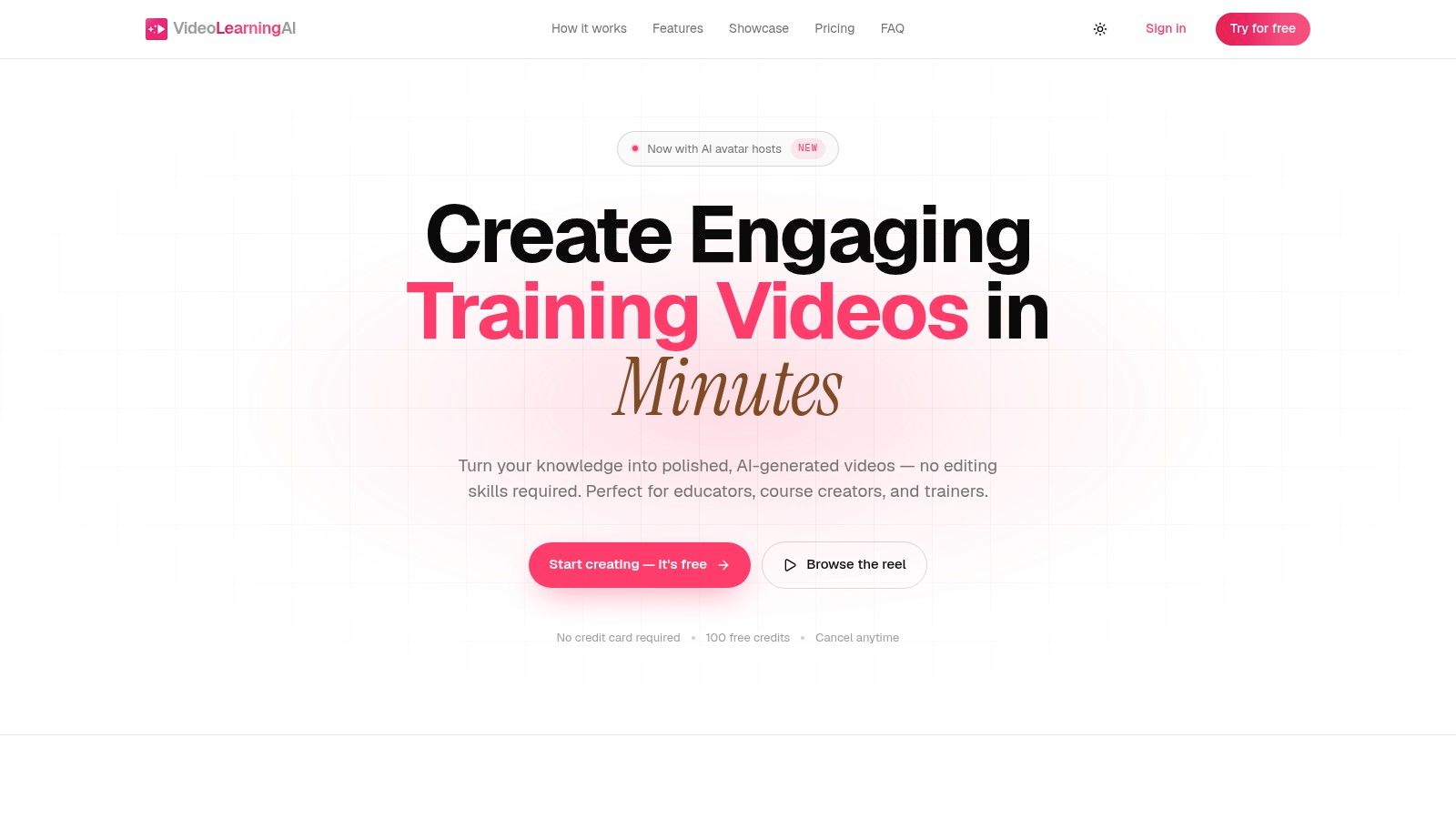
VideoLearningAI is the fastest path when a support manual has to become training content now, not after a long design cycle. Give it a prompt or source material, and it can shape the script, add narration and captions, generate visuals, and render a training video. That removes the usual back-and-forth between instructional design, scripting, voice recording, and editing.
The fit is better than a generic video editor because the platform is built for learning workflows. Ready-made templates support onboarding, compliance, sales enablement, and customer education, while LMS-oriented publishing supports SCORM and xAPI workflows when your system requires them. You can also share lessons by link when a formal LMS package is unnecessary.
Why it works for frontline training
Customer service teams need short lessons tied to specific actions, such as spotting severity, writing a clear first response, or escalating a security issue. VideoLearningAI supports that format with lifelike avatar hosts, 70+ voices, 16+ languages, and photo-real, illustration, or 3D visual styles. That makes it easier to adapt one learning objective for different audiences without rebuilding every asset from scratch.
The credit model also makes production capacity visible. The free starter offer includes 100 credits with no card required, though free renders carry a watermark. Paid plans shown on the site include Starter at about 1,000 credits and 25 minutes per month, Pro at 2,500 credits and 60 minutes, and Enterprise at 6,000 credits and 150 minutes. Promotional pricing shown by the company reflects an introductory discount, so check current terms before you budget.
> Practical rule: Keep one video focused on one workflow. A polished five-minute lesson that teaches escalation is more deployable than a broad recording that tries to cover the whole support manual.
The trade-off is clear. Video length and credits limit heavy production, and avatar-led content will not replace bespoke studio work for every brand. For fast, consistent microlearning, though, it gives an L&D team a direct route from raw material to an LMS-ready lesson. The platform's Explore feed also shows active examples, with the site reporting 980+ creators and 2,400+ videos created on the platform.
2. HubSpot
Best for: teams that need a free, editable manual framework immediately.
HubSpot's customer service training manual template is a practical starting point for a policy-heavy support operation. Download it, replace generic language with your service standards, add your escalation rules, and publish the approved version in your knowledge base or LMS as supporting material.
The template is organized around the parts managers usually need to document first: expectations, procedures, scenarios, and operational standards. That makes it useful when the immediate problem is inconsistency. New representatives shouldn't have to infer how your company handles refunds, difficult conversations, handoffs, or response expectations from scattered Slack messages.
Where it saves time
HubSpot's format works well as a source document. An L&D lead can use it to collect approved language from support leadership, product, security, and operations before turning selected sections into lessons. It also gives managers a common review object, which is valuable when several stakeholders need to approve the same onboarding material.
The weakness is equally important. This is a general-purpose document, not a complete course. It doesn't provide built-in LMS tracking, assessments, or practice environments, and a technical support team will need to add product-specific workflows and tiered escalation rules.
After customizing the manual, convert the highest-risk sections into short practice assets. Customer service video training guidance can help you decide which parts deserve demonstration rather than another page of prose.
Choose HubSpot when you need a fast, free manual skeleton and already have an LMS or documentation system. Don't choose it as your only learning experience. The template gets you organized, but your team still has to add scenarios, checks, ownership, and a publishing plan.
3. Seismic Learning
Best for: enterprise teams that want practice and role-play inside a governed learning environment.
Seismic Learning's customer service training manual template is a better fit than a plain document when representatives must rehearse conversations, not just read standards. The resource combines a manual framework with lesson templates that support role-play and chat practice, giving instructional designers a route from policy to observable behavior.
That distinction matters. A manual can explain what a good response should contain, but a lesson can ask a representative to respond to an angry customer, classify the issue, and choose the correct escalation path. Managers can then coach the decision, not merely confirm that the employee opened the document.
The practical deployment path
Start with the downloadable manual as your content inventory. Mark each section as one of three types: reference material, demonstration, or practice. Keep stable policies in the reference layer, turn response standards into examples, and use the lesson templates for scenarios where judgment matters.
Seismic Learning is strongest when your organization already uses the platform or is prepared to govern learning there. Subscription access becomes part of the decision, and some downloadable resources may need refreshing before you publish them as current company policy. That isn't a reason to reject the resource. It means your content owner must validate terminology, workflows, and examples before launch.
Use this option for a distributed service organization with multiple managers, regions, or teams that need a consistent authoring process. It offers better pedagogical structure than a static manual, especially for role-play, chat practice, and frontline application. If your only requirement is a quick PDF, it adds more platform than you need.
4. Trainual
Best for: small and midsize teams that need SOPs, onboarding paths, assignments, and tracking in one place.
Trainual's template library is built for the manager who has to turn scattered processes into assigned training. Its customer service topics can support service SOPs, escalation documentation, and role-based onboarding paths. Instead of handing a new hire a folder of files, you can sequence topics and assign them according to the person's role.
The main advantage is operational clarity. A support lead can separate what a tier-one representative needs from what a manager or escalation specialist needs. That prevents the common mistake of giving every employee the same oversized manual, even when their decisions and permissions differ.
Use it to build a ramp, not a document dump
A useful Trainual path should follow the work. Start with orientation and tools, move into product and service standards, then assign scenarios for escalation, written responses, and handoffs. Each topic should have an owner and a clear completion expectation.
Template access depends on the subscription plan, so confirm what your account includes before designing the whole program around it. Trainual also isn't a customer experience platform. It won't replace ticketing, quality assurance, or helpdesk workflows, which means your training should link to the systems representatives use every day.
For teams that want a quick path from SOP to assigned onboarding, Trainual is one of the most practical choices on this list. Use a training video script template when a written procedure would be clearer as a demonstration. That combination gives managers a structured path without forcing every lesson into the same format.
5. Continu
Best for: organizations creating a role-based manual alongside an LMS rollout.
Continu's customer service training manual resource offers a structured guide for teams that need to design the manual before publishing it into a learning system. It focuses on skills, processes, relationship-building, and role-based documentation, which gives first-time builders a sensible sequence for organizing content.
The resource is most useful during the planning and drafting stage. An L&D manager can use it to define what a new representative needs to know, what they must be able to do, and which content belongs in the LMS rather than in a reference document. That separation keeps onboarding from becoming a warehouse for every product detail your team has ever written.
Where Continu fits
Continu works well when the organization has already decided to implement an LMS and needs a content blueprint before configuration. Draft the manual, identify the learning objectives, then break the material into modules that can be assigned by role or stage of onboarding.
The downloadable resource is primarily a guide, not a standalone LMS. Platform access is separate, and industry-specific teams will need to adapt the examples to their products, channels, policies, and compliance requirements. Treat the document as a design aid rather than a finished course.
Choose Continu when governance and role-based structure matter more than instant publishing. It gives an L&D team a disciplined starting point, but you'll still need to add real scenarios, assessments, media, and completion rules before calling the program live.
6. Scribe
Best for: teams that need to capture software procedures while writing their service manual.
Scribe's customer service training manual template combines an editable manual structure with procedural capture. That makes it particularly useful for support teams whose work depends on navigating a helpdesk, CRM, billing system, admin console, or internal troubleshooting tool.
A written instruction such as “update the ticket and route it to engineering” leaves too much room for interpretation. A captured procedure can show the actual screens and sequence, giving a new representative a visual reference while they practice the task.
A strong choice for tool-heavy onboarding
Use Scribe for workflows that are difficult to explain in paragraphs. Capture the steps for tagging a ticket, checking account context, documenting a bug, or escalating a security concern. Then place those procedures inside a broader manual that explains judgment, ownership, and customer communication.
The free editable templates are useful for getting the document started, and captured procedures are easy to share. The limitations appear when you need formal assessments, analytics, or learning-path management. Scribe isn't a full LMS, so you'll need to pair it with your existing platform if completion tracking and scored checks are required.
Scribe earns its place when the training problem is procedural friction. It won't teach empathy or escalation judgment by itself, but it can make the software portion of onboarding far clearer. Use it as the visual layer beneath your service standards, not as the entire curriculum.
7. Bit.ai
Best for: teams that want a living, collaborative service manual that changes often.
Bit.ai's customer service training manual template suits organizations that treat documentation as an active workspace rather than a final PDF. Its document format supports rich embeds, including images, videos, and links, so a team can keep policies, examples, demonstrations, and references together while still connecting learners to source systems.
The central benefit is maintainability. Customer service teams change scripts, workflows, escalation owners, and product guidance regularly. A centralized document with collaborative editing and version history gives managers a place to review updates instead of circulating multiple attachments with unclear ownership.
Keep the manual from becoming the LMS
Bit.ai is document-centric. It doesn't replace assessments, assignment rules, or completion analytics, so pair it with an LMS when formal tracking matters. The document should explain the operating model and point to the correct procedure, lesson, or knowledge-base article.
Its customer service examples are less specialized than those found in dedicated CX learning platforms. You'll need to add your own escalation matrix, channel expectations, product workflows, and representative scenarios. That customization is also the resource's strength, because a living manual can reflect your actual operation instead of forcing your team into a generic curriculum.
Pick Bit.ai when your support organization needs collaboration and frequent updates more than learning measurement. It works especially well as the maintained source of truth behind short LMS lessons and manager-led coaching.
8. Template.net
Best for: teams that need a familiar office document they can edit and export quickly.
Template.net's customer service training manual templates are designed for teams working in Word, Google Docs, PDF, or an online editor. That makes the deployment path simple. Select a layout, replace the placeholder content, add your policies, and export the format your organization already approves.
This is the speed-first option for documentation. If your team has no LMS authoring workflow yet, a familiar document can get the first version in front of managers quickly. It also works for organizations that need a printable manual or a file that stakeholders can review without learning new software.
Speed comes with a quality check
Template quality varies, and the resource offers limited instructional guidance. Before publishing, remove decorative sections that don't support performance and add the information representatives need during real customer interactions. That usually includes approved response patterns, escalation triggers, tool steps, and examples of difficult cases.
Don't confuse a polished layout with a finished learning experience. The document still needs knowledge checks, practice, and an owner. If you want to turn the selected content into consistent customer education assets, the customer education template provides a useful structure for short lessons.
Template.net is the right recommendation when the deadline is immediate and the team already lives in Office or Google Workspace. It isn't the best fit for complex onboarding measurement, but it gets a usable draft moving faster than a blank page.
9. Zendesk
Best for: support leaders who need to define service operations before training representatives.
Zendesk's Customer Service Plan Template isn't a training manual. That's exactly why it can be valuable. It helps define channels, service standards, SLAs, and operating expectations that a training manual should teach consistently.
A representative can't apply a response standard that leadership hasn't defined. Before writing lessons about prioritization or escalation, use the plan to settle how your organization handles channels, ownership, handoffs, and customer commitments. Then turn those decisions into examples and practice.
Build the policy layer first
Zendesk's PDF works as an input to a larger program. Use it to document the service model, then create training around the decisions that representatives must make. For example, a channel policy can become a scenario about choosing the correct queue, documenting context, or escalating an issue when the customer moves from email to chat.
The limitation is straightforward. The template includes minimal pedagogical guidance, so it won't tell you how to sequence instruction, design practice, or verify competence. You'll need a separate LMS, lesson builder, or coaching process for that work.
Choose Zendesk when operational ambiguity is slowing down training design. It gives service leaders a structured foundation, but don't publish the PDF as onboarding and assume the team has learned the process. Policy defines the rules. Training builds the behavior.
10. Helply
Best for: B2B software teams that want a copy-ready manual with technical support context.
Helply's customer service training manual guide is the most targeted option for B2B and SaaS support organizations. Its structure addresses the content that technical teams often struggle to document clearly, including tools and access, product knowledge, communication standards, escalation, decision authority, and the definition of a fully ramped representative.
The B2B focus reduces the amount of structural rewriting you'll need. A software support lead can adapt the outline to cover bug reports, account context, security handling, renewal risk, and collaboration with engineering, customer success, and sales.
The useful distinction between documents
Helply's guidance separates a training manual from a policy, SOP, knowledge base, and public help center. That distinction keeps the manual focused on how a new hire performs the job instead of duplicating every product answer. Link to the knowledge base for changing product information, and keep stable training guidance in the manual.
The resource also emphasizes practical rollout and maintenance. Add an owner, review date, real examples, and the escalation criteria your representatives will use. The main trade-off is ecosystem depth. Helply is a smaller provider, and teams outside B2B software will need to adapt the examples for their own environment.
Choose Helply if your support operation handles technical products and needs more than generic tone guidance. It offers the clearest route from a blank document to a useful SaaS-oriented manual, provided your team validates every policy and threshold before publication.
Top 10 Customer Service Training Template Comparison
| Product | Core features | UX / Quality | Value / Price | Target audience | Unique selling points | |---|---|---:|---|---|---| | 🏆 VideoLearningAI | Prompt→script→voice→visuals→MP4; templates; LMS (SCORM/xAPI); avatars; multi-format outputs | ★★★★★ Fast, polished, studio-grade | 💰 100 free credits; Starter → ~$29–59/mo; Pro/Enterprise credit plans | 👥 Educators, course creators, L&D & enterprise trainers | ✨ Single-pass microlearning studio; LMS-ready publishing; multilingual voices | | HubSpot – Free Customer Service Training Manual Template | Editable manual framework; KPIs; quick customization | ★★★★ Clean, practical document | 💰 Free download | 👥 L&D, CX leaders needing a quick baseline | ✨ Ready-to-adopt doc from a trusted SaaS brand | | Seismic Learning (formerly Lessonly) | Manual + lesson templates; role-play & chat practice; template builder | ★★★★ Practice-focused, enterprise-ready | 💰 Free templates; best with Seismic subscription | 👥 Enterprise training teams, frontline reps | ✨ Scenario/role-play templates + governance options | | Trainual – Prebuilt Templates & Paths | Template library; training paths; role assignment & tracking | ★★★★ Manager-friendly, actionable | 💰 Subscription-based (tiered) | 👥 SMBs to mid-market teams, managers | ✨ SOPs + assignable training paths with tracking | | Continu – Training Manual Template (ebook) | Step-by-step framework; role-based documentation; LMS pairing guidance | ★★★★ Structured, instructional | 💰 Guide free; platform separate (paid) | 👥 L&D builders, enterprise implementers | ✨ Clear framework for first-time course builders | | Scribe – Editable Manual Template + Procedural Capture | Editable templates; procedural capture with screenshots; easy sharing | ★★★★ Fast capture, visual procedures | 💰 Free starter templates; upgrades for team features | 👥 Ops teams, documenters, trainers | ✨ Procedural capture automates step-by-step docs | | Bit.ai – Collaborative Manual Template | Living docs; rich embeds; versioning; collaborative editing | ★★★★ Dynamic, collaborative UX | 💰 Freemium → paid plans for teams | 👥 Teams needing centralized, updateable manuals | ✨ Wiki-like manuals with rich media embeds | | Template.net – Manual Templates (Word/Google/PDF) | Multiple formats; pre-written sections; online editor | ★★★★ Quick to customize | 💰 Mostly low-cost or freemium downloads | 👥 Office/Google Workspace users | ✨ Familiar file formats for fast rollout | | Zendesk – Customer Service Plan Template (PDF) | Service plan template: channels, SLAs, policies | ★★★★ Operationally focused | 💰 Free PDF | 👥 Ops leaders, training architects | ✨ Channel & SLA blueprint to feed training content | | Helply – B2B Training Manual + Guide | Copy-ready B2B template; 10-section guidance; rollout tips | ★★★★ SaaS-focused, practical | 💰 Free resource | 👥 B2B/SaaS support teams | ✨ B2B-tailored sections & maintenance advice |
From Template to Live LMS: Your Next 48 Hours
Don't spend the next two weeks polishing a document nobody finishes. Pick the format according to the behavior you need. A document manual fits a policy-heavy team that needs one approved source for standards and procedures. Lesson templates fit teams that need role-play, chat practice, and manager feedback. Video-first microlearning fits busy frontline representatives who need short, repeatable instruction that can be published and revisited quickly.
Start by choosing one resource and assigning one owner. That person should have authority to confirm service standards, escalation rules, tool access, and the examples representatives will practice. Pull content from your current procedures and real customer interactions, but don't copy your entire knowledge base into the manual. Link to changing product information instead.
Customize the selected template with your brand voice and three to five real scenarios. Use cases your representatives face, such as an unclear billing request, a broken workflow with no workaround, a customer asking for an exception, or a security-sensitive message. Each scenario should state the expected decision, the response structure, and the handoff when the representative can't resolve the issue.
Then package the content for your LMS. Convert documents into lessons, add a knowledge check after each important topic, and use SCORM or xAPI where your platform supports those standards. For video, publish the lesson with a clear objective, completion rule, and transcript or captions. For a manual, make the source easy to search and place links beside the workflow they support.
Pilot the training with two representatives before you roll it out to the whole team. Watch where they pause, which instructions they interpret differently, and which questions they still ask a manager. Those gaps are more useful than another round of visual polishing. Fix the content, test the revised version, and set the first review date before launch.
The most common failure is a polished manual that nobody finishes. Microlearning helps because it turns a large onboarding burden into short, task-specific lessons. The 2026 microlearning summary reports that 78% of L&D professionals adopted microlearning in the previous two years and 65% of companies use it as a primary training method, with customer service among the leading use cases, according to this industry summary. The same source set cites 4.5x ROI for microlearning in customer service training and recommends modules no longer than 10 minutes, with 2 to 5 minutes often ideal, so design for one workflow per segment and add checks at the point of need.
Formal education also deserves operational attention. A 2024 Forrester Consulting study commissioned by Intellum reported an average 7.6% increase in top-line revenue, a 38.3% lift in adoption for trained-on products, and positive ROI for 96% of organizations, alongside improved customer satisfaction and fewer support questions, as reported by Intellum's customer education statistics. The lesson for service leaders is practical: standardized training content can support commercial outcomes and reduce avoidable support demand when teams deploy it consistently.
Make one decision today. Choose the template that matches your deadline, set a deployment date, and ship the first version.
---
VideoLearningAI turns customer service source material into polished, bite-sized training videos without requiring editing skills or a production team. Use its customer education and script templates to convert your selected scenarios into LMS-friendly lessons, then visit VideoLearningAI to start building the version your representatives can complete and use.