
Most L&D teams spend 80% of their effort creating training content and 20% figuring out how to get people to actually watch it. That ratio should be closer to 50/50 — because even the best microlearning video is worthless if it sits in a shared drive that nobody opens.
The shift happening right now is simple: instead of pulling learners to a platform (LMS, intranet, training portal), push learning to the tools they already have open all day. Slack, Microsoft Teams, email, and other workplace tools aren't just communication channels — they're distribution channels for training content.
This guide covers practical, tested strategies for getting bite-sized training videos in front of your team without asking them to change their workflow.
Why "learning in the flow of work" actually works
The concept isn't new — Josh Bersin coined the phrase years ago — but the tooling has finally caught up. Here's why distributing training through workplace tools outperforms traditional approaches:
Lower friction equals higher completion. Every click between a learner and the content is a drop-off point. A video embedded directly in a Slack message has zero navigation steps. A video behind an LMS login, course catalog, and module menu has at least four. Completion rates reflect this: L&D teams regularly report that in-channel training content gets significantly higher view rates than the same content posted to an LMS.
Context makes content stick. A 3-minute video about handling customer objections lands differently when it appears in the #sales channel right after someone asks for help with a tough deal. Context transforms generic training into just-in-time support.
Repetition without nagging. Scheduled drip delivery of micro-lessons through channels people already check feels like a natural part of the workday, not an interruption. Compare that to a weekly "reminder: please complete your training" email.
Slack: strategies that actually get watched
Dedicated learning channels
Create purpose-built channels for training content. Keep the naming clear and consistent:
- #learn-product — product training clips and updates
- #learn-sales — sales enablement videos and techniques
- #learn-onboarding — new hire content, dripped over first 30/60/90 days
- #learn-weekly — a curated "lesson of the week" for the whole company
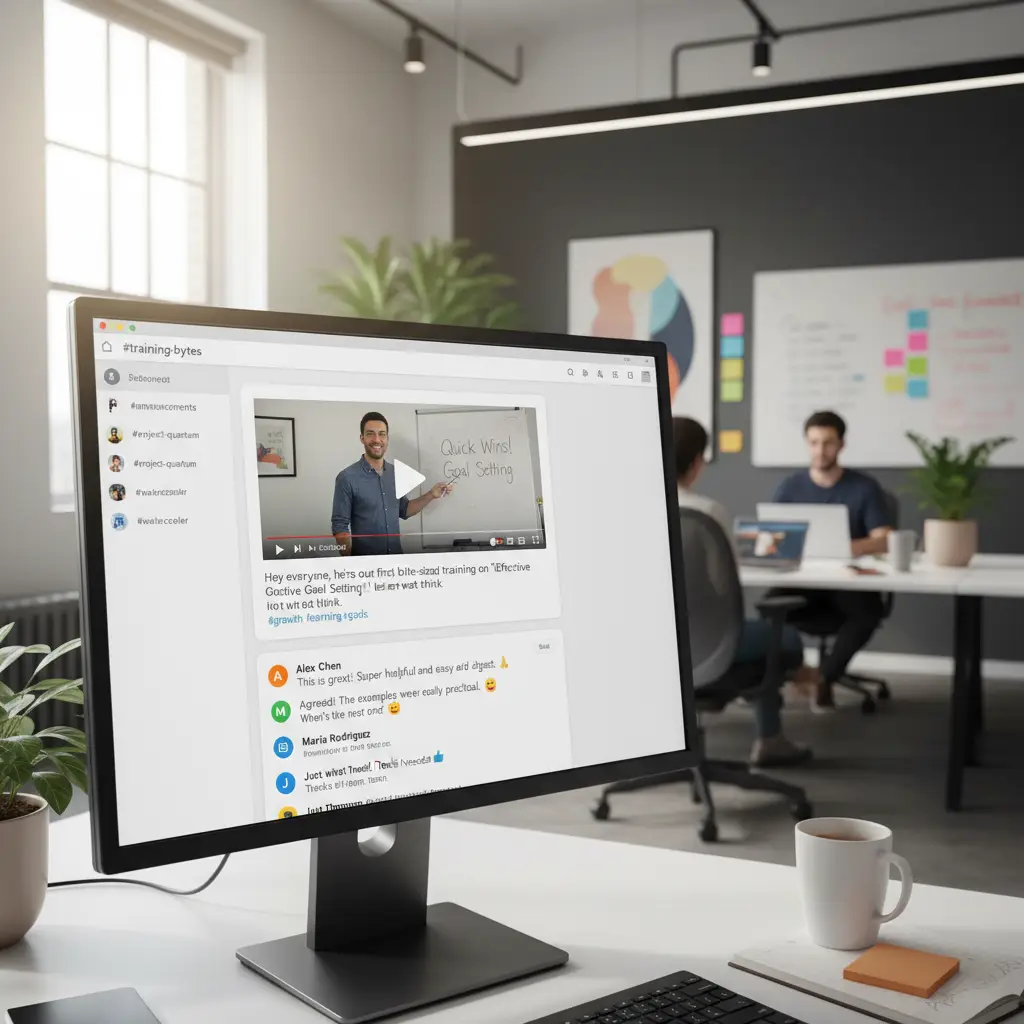
The key is one video per post, with context. Don't just drop a link. Include:
- A one-sentence summary of what the viewer will learn
- The video duration (people need to know the time commitment)
- A thread prompt or question to encourage discussion
Bad: "New training video: https://link"
Good: "3-min video: How to handle the 'we already have a solution' objection — the reframe technique that closed 4 deals last month. Drop your own go-to response in the thread."
Slack Workflows for automated drip sequences
Slack's Workflow Builder lets you create automated sequences that post content on a schedule — no code required. Use this for:
- Onboarding drips: A new hire joins #learn-onboarding and automatically receives Day 1, Day 3, Day 7, Day 14, and Day 30 videos covering company culture, tools, processes, and role-specific skills
- Weekly skill drops: Every Tuesday at 10 AM, a new micro-lesson appears in the relevant channel
- Post-event reinforcement: After a training workshop, schedule 4 weekly follow-up videos that reinforce key concepts
For more advanced automation, tools like Zapier or Make can trigger Slack messages based on events — a new customer support ticket category trending up could automatically surface the relevant training clip in #learn-support.
Slack Canvas and bookmarks for reference libraries
Not all training needs to be pushed. Some content works better as a pull resource — available when someone needs it. Use Slack's Canvas feature (or channel bookmarks) to pin a curated library of micro-lessons at the top of relevant channels.
Organize by topic, not by date. A sales rep looking for objection handling videos shouldn't have to scroll through months of posts.
Microsoft Teams: reaching enterprise learners
Teams channels and tabs
The channel approach works similarly to Slack, but Teams offers a few extra distribution options:
- Channel posts with video cards: Teams renders video previews natively for many hosting platforms. Post videos with a rich preview card that shows the thumbnail, title, and duration
- Channel tabs: Pin a tab in a team channel that links to a curated playlist or training dashboard. Team members access it without leaving Teams
- Wiki or OneNote tabs: Create a structured micro-lesson library as a Wiki or OneNote notebook pinned to the channel
Viva Learning integration
If your organization uses Microsoft Viva, you can surface training videos directly in the Viva Learning app within Teams. This lets you:
- Assign specific micro-lessons to individuals or teams
- Track completion alongside other learning content
- Recommend content based on role or department
- Surface learning content in the Teams activity feed
Even without Viva, you can achieve most of this with a well-organized SharePoint site linked as a Teams tab.
Adaptive Cards for interactive delivery
Teams supports Adaptive Cards — rich, interactive message cards that go beyond a simple link. For training distribution, you can create cards that show:
- Video thumbnail with play button
- Title, duration, and learning objective
- A "Mark as watched" button
- A quick poll or quiz question related to the content
These cards feel native to Teams and get significantly higher engagement than plain links. Tools like Power Automate can send these cards on a schedule or trigger them based on events.
Meeting chat integration
Drop relevant training clips in meeting chats before or after sessions:
- Before a sprint planning meeting: "2-min refresher on our estimation framework"
- After a QBR: "3-min recap of the new pricing model we discussed"
- Before onboarding a new client: "4-min overview of their industry vertical"
This turns meeting chat from a throwaway to a learning resource.
Email: still effective when done right
Email gets dismissed as a training delivery channel, but it remains the highest-reach tool in most organizations. The key is treating training emails differently from regular communications:
What works
- One video per email. Never batch multiple lessons. One subject, one video, one call to action
- Subject lines that sell the benefit, not the content. "Close more renewals with this 3-min technique" beats "Q1 Sales Training Module 4"
- Inline thumbnails with play buttons. The visual cue of a video thumbnail dramatically increases click-through rates. Most email platforms support clickable images that link to the video
- Consistent schedule. "Tuesday Training Tips" or "Friday in 5 Minutes" — a predictable cadence builds a habit
- Mobile-friendly formatting. Over 60% of work email is read on mobile. Make sure the video plays well on phones and the email layout is single-column
What doesn't work
- Embedding videos directly in email (most clients strip them)
- Long preambles before the video link
- Bundling training with other announcements
- Sending at random intervals
Public teasers, private full content
A common need — especially for organizations with mixed audiences — is sharing introductory or promotional content publicly while keeping the full training library gated. Here's how to structure this:
The funnel approach
1. Public channel or social: Post a 60-second teaser or trailer that covers the topic and outcome 2. Gated channel (private Slack/Teams channel, LMS, or member portal): Host the full micro-lesson with detailed walkthroughs 3. Team-specific channels: Distribute role-specific deep dives only to relevant groups
This works for external audiences too. Post a course intro video publicly on your website or social media, then gate the actual modules behind a login, team membership, or paid access.
Channel permissions as access control
Both Slack and Teams support private channels. Use this for:
- Department-specific training that contains sensitive processes or proprietary methods
- Tiered access where general awareness content is in public channels and detailed how-to content is in team-restricted channels
- Client-facing vs. internal versions of the same content

Formatting videos for in-channel consumption
Videos that work in an LMS don't always work in a chat channel. Optimize for the medium:
Keep it under 4 minutes. Channel-delivered videos compete with messages, notifications, and tasks. Shorter is better. The sweet spot for in-channel training is 90 seconds to 3 minutes.
Front-load the value. The first 10 seconds must hook the viewer. Start with the problem or the payoff, not a logo animation or intro sequence.
Add captions. Many people watch in-channel videos with sound off — in open offices, during meetings, or on transit. Burned-in captions (not just auto-generated CC) make your content accessible and watchable in any context.
Use a clear thumbnail. In Slack and Teams, the thumbnail is the first thing people see. A custom thumbnail with readable text outperforms a random frame grab every time.
End with one clear takeaway. Don't try to cover multiple topics. One video, one concept, one action the viewer can take immediately.
Measuring what's working
Distribution without measurement means you have no idea what's landing. Track these metrics across your channels:
Engagement metrics
- View count — How many people played the video (most hosting platforms provide this)
- Watch-through rate — What percentage watched to the end (drop-offs signal content or length problems)
- Thread activity — Are people discussing the content? Asking follow-up questions? Sharing their own examples?
- Emoji reactions — Quick proxy for engagement in Slack/Teams
Behavioral signals
- Requests for more — Are viewers asking for follow-up content on the topic?
- Peer sharing — Are people forwarding or cross-posting videos to other channels?
- Support ticket reduction — After distributing how-to training, do related tickets decrease?
- Performance correlation — Can you connect video engagement to outcomes (sales numbers, QA scores, onboarding speed)?
Channel comparison
Test the same content across different channels (Slack vs. email vs. Teams) and compare view rates. You'll likely find that different teams prefer different channels — let the data guide your distribution strategy rather than assuming one channel fits all.
Building a distribution rhythm
The most effective L&D teams treat distribution as a system, not a one-off effort:
Weekly: One curated micro-lesson per major channel (sales, product, support, engineering). Posted same day, same time, with context and a discussion prompt.
Onboarding: Automated drip sequence triggered by new hire start date. 10–15 bite-sized videos spread across the first 30 days, delivered through Slack DMs or a dedicated channel.
Event-driven: Product launches, process changes, and policy updates each get a micro-lesson distributed within 48 hours to relevant channels.
Reinforcement: After any live training session (workshop, webinar, all-hands), schedule 3–4 weekly follow-up micro-lessons that reinforce the key points.
Creating content fast enough to keep up
A distribution system only works if you can produce content at the pace your channels demand. Traditional video production — scripting, filming, editing — takes days or weeks per video. That's too slow for a weekly cadence across multiple channels.
AI-powered video tools like VideoLearningAI let you turn documents, slides, or even a short text prompt into a polished micro-lesson in minutes. This means you can:
- Respond to a trending support issue with a training video the same day
- Create role-specific versions of the same content for different channels
- Maintain a weekly posting schedule without a dedicated video production team
- Update existing videos when processes change, instead of starting from scratch
Fast creation paired with consistent distribution is what makes microlearning work as a system, not just a one-off project.
Getting started: a practical first step
If you're currently distributing training through an LMS only, start small:
1. Pick your highest-priority training topic (the one with the most support tickets, the most questions, or the weakest performance metrics) 2. Create or repurpose a single 2–3 minute video on that topic 3. Post it in the most relevant Slack or Teams channel with context and a discussion prompt 4. Track views and engagement for one week 5. Compare completion to your LMS metrics for similar content
Most teams see a noticeable improvement on the first try. That data makes the case for building out a full distribution system.
Your team's existing tools are your best training delivery channels. Put content where people already spend their time, and completion follows.