Modern learners expect training that feels human, relevant, and easy to consume—no matter where they are. Yet many programs still rely on long slide decks, sporadic instructor availability, or videos that take weeks to produce. Avatar-led training videos solve both problems: they keep attention and deliver consistency at scale.
Why engagement breaks down in today’s e-learning
Despite best intentions, L&D teams often hit the same obstacles:
- Slide fatigue: Text-heavy modules struggle to hold attention beyond a few minutes.
- Inconsistent delivery: Different instructors or versions of content create mixed experiences across cohorts or regions.
- Localization gaps: Translating a video with a single voiceover rarely feels culturally natural or accessible.
- Production friction: Filming, editing, and reshoots slow teams down—especially when policies or products change.
- Limited feedback loops: Without detailed analytics, it’s hard to fine-tune content to learner behavior.
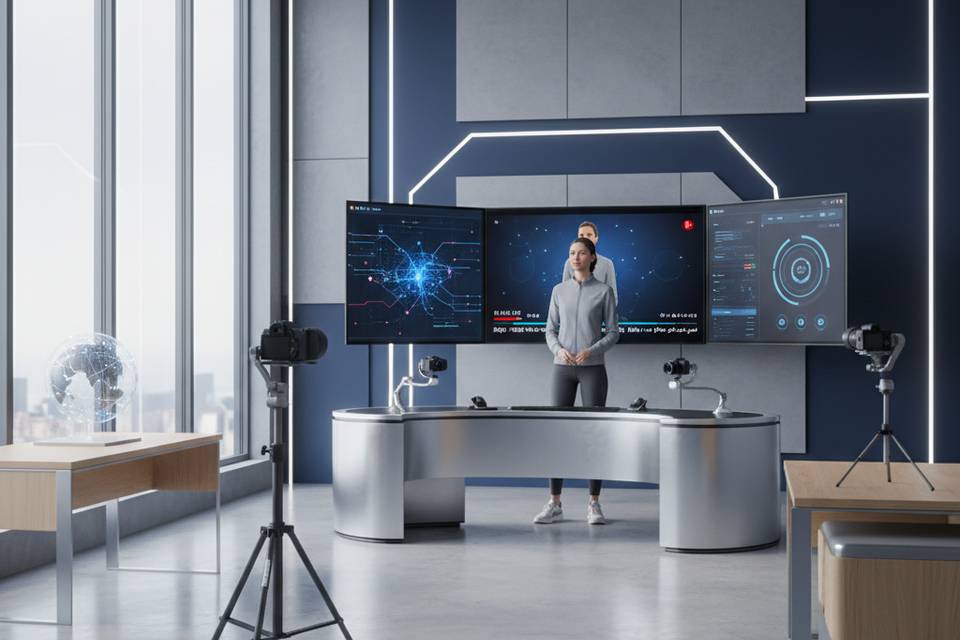
Avatar-led video sidesteps many of these pitfalls by providing a relatable on-screen guide, natural voiceovers, and rapid iteration. No studios, cameras, or recurring shoots required.
What are AI avatars—and why do they boost engagement?
Avatar presenters are digital characters that deliver your scripts in a lifelike, on-brand style. When paired with high-quality voiceovers, captions, and visuals, they simulate the feeling of learning from a real instructor while offering benefits traditional production can’t easily match:
- Consistent tone and quality across every module, region, and update
- Easy personalization for roles, geographies, and proficiency levels
- Rapid localization with multiple languages and accents
- Enhanced accessibility with captions and transcripts
- Lower production overhead and faster turnaround times
Platforms like VideoLearningAI are tailored for L&D teams: you can transform source materials (docs, URLs, slide decks) into polished videos, choose from a broad range of presenter styles, localize content quickly, and track learner engagement—all without external production resources.
Where avatars shine across the learning journey
- Employee onboarding: Introduce company culture, role expectations, and systems with a familiar presenter who appears throughout the program for continuity.
- Technical training: Walk through software workflows or SOPs with screen captures and an avatar guiding each step.
- Compliance and safety: Turn policy-heavy content into short, scenario-led modules that are easier to watch and retain.
- Sales enablement: Deliver product updates with consistent messaging worldwide; switch presenters or languages by region.
- Refresher and microlearning: Drop 3–5 minute updates that keep skills sharp without scheduling live sessions.
Mini-scenarios across cultures:
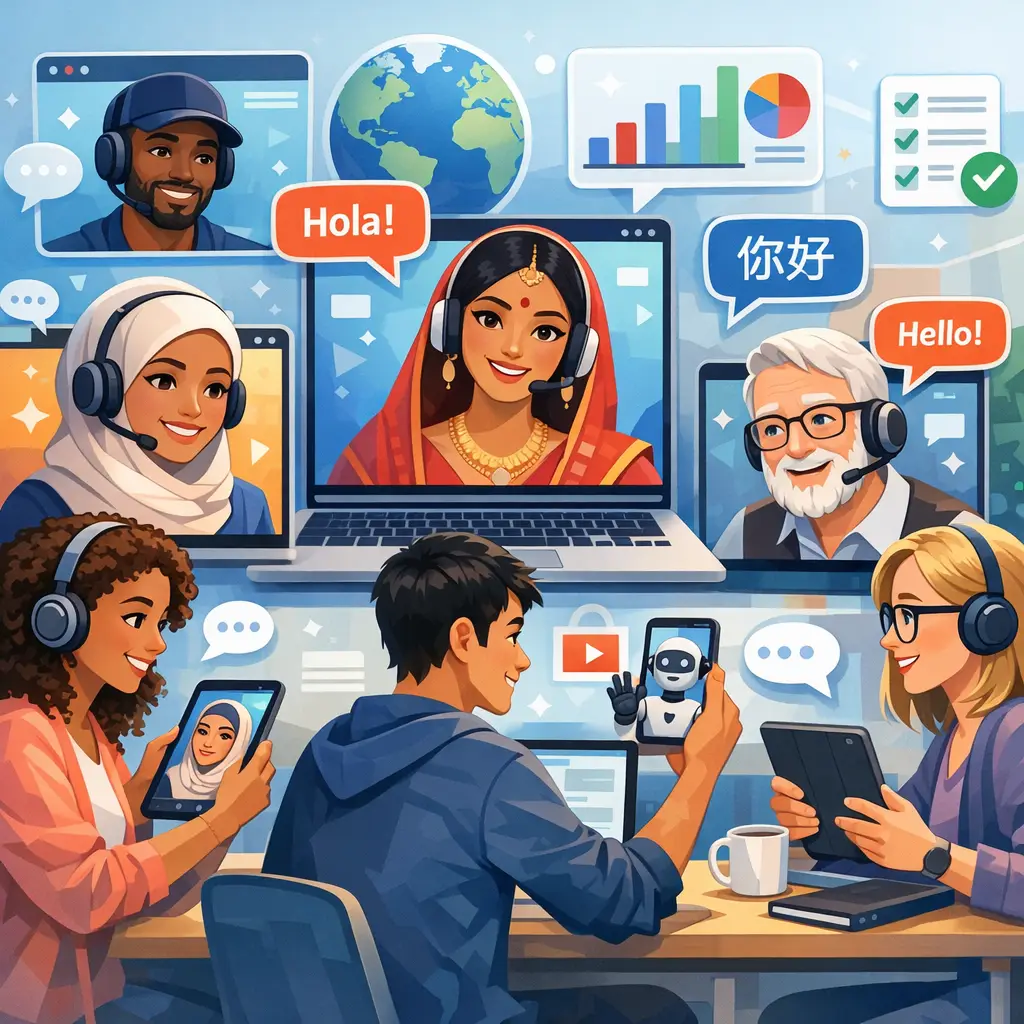
- A Singapore-based engineer views a process demo voiced in English with localized captions; a teammate in São Paulo watches the same module in Portuguese with the same avatar for consistency.
- A new-hire cohort in Germany completes onboarding guided by a presenter who pronounces names, terms, and local regulations correctly—boosting trust and comprehension.
Design principles for avatar-led training that sticks
1) Anchor to clear outcomes
- Write objectives that specify the behavior you expect after the module.
- Keep each video focused on one task or decision to reduce cognitive load.
2) Use scenario-based storytelling
- Replace generic lectures with realistic situations, choices, and consequences.
- Have the avatar play a mentor, peer, or customer to create context.
3) Keep it bite-sized
- Aim for 3–7 minute modules with one idea per video.
- Use playlists or pathways to sequence knowledge logically.
4) Optimize for global audiences
- Use plain language and avoid idioms that don’t translate easily.
- Add localized captions and on-screen labels; check date, time, and currency formats.
5) Build interactivity around the video
- Insert quick knowledge checks, reflection prompts, or branching questions between segments.
- Offer job aids or checklists as downloadable resources.
6) Prioritize accessibility
- Ensure captions are accurate and timed well.
- Consider color contrast, readable fonts, and meaningful alt text for visuals.
7) Plan for updates from day one
- Keep scripts modular; store source text so updates don’t require reshoots.
- Track analytics and user feedback to iterate quickly.
From storyboard to screen: a practical workflow
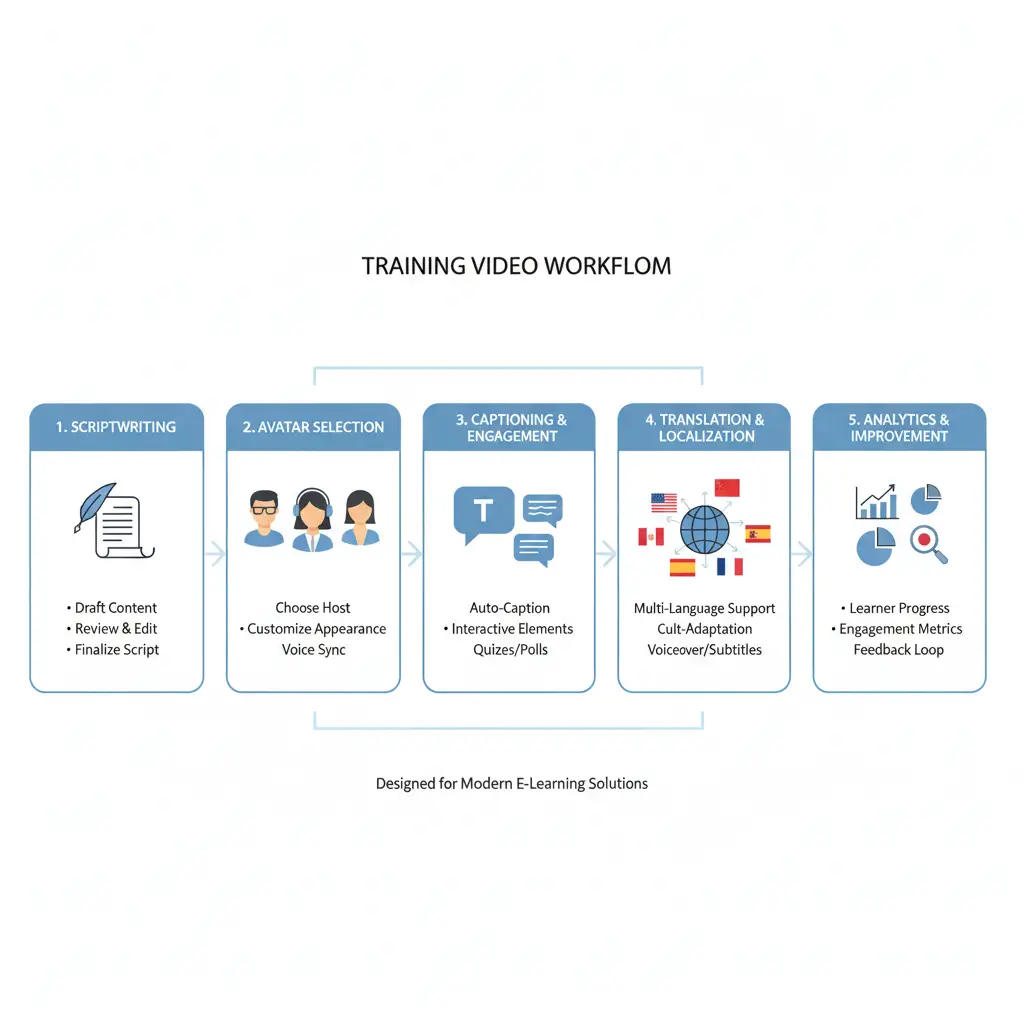
- Source and structure: Gather policies, SOPs, product docs, or slide decks. Outline learning objectives and chunk content into short segments.
- Script and storyboard: Write tight, conversational scripts. Draft a simple storyboard indicating visuals, on-screen text, and interactions.
- Choose your presenter(s): Select avatar styles that match your brand tone and learner demographics. Consider consistency across a curriculum.
- Record workflows: For software or process training, capture screens with narration cues so the avatar can guide the demo clearly.
- Voice and language: Pick natural-sounding voices; localize into target languages and dialects. Add captions and transcripts.
- Visual design: Use templates for intros, lower-thirds, callouts, and section transitions to standardize your look and feel.
- Quality pass: Review pronunciation, timing, captions, and brand compliance. Adjust pacing or visuals where attention dips.
- Publish and distribute: Host in your LMS/LXP with a multilingual player so learners can switch languages on the fly.
- Measure and iterate: Track views, watch time, drop-off points, quiz outcomes, and feedback. Update scripts or visuals as needed—without reshooting.
VideoLearningAI supports each step: import source materials, select from dozens of presenter options, translate in clicks, edit videos like documents, and review engagement analytics to refine content.
Traditional filming vs. avatar-driven production
| Factor | Traditional Live-Action | Avatar-Driven Training | |---|---|---| | Speed to produce | Weeks to months (scheduling, filming, editing) | Minutes to days (convert text, pick avatar, publish) | | Update effort | Reshoots and re-edits | Edit script and regenerate—no camera crew | | Consistency | Varies by instructor, location, and session | Uniform delivery across modules and regions | | Localization | New voiceover, potential reshoot | Swap language/voice; add localized captions | | Cost profile | Studio, talent, equipment, travel | Software-first; lower variable costs | | Scalability | Constrained by logistics | Built for high-volume, iterative releases |
Pros and cons at a glance
Pros
- Human presence without live filming
- Faster iteration when policies, products, or scripts change
- Easier localization and accessibility
- Consistent quality control across courses
Considerations
- For high-stakes brand ads or complex physical demos, live action may still be ideal
- Avatars work best with tight scripting and strong visuals; avoid long monologues
Measuring engagement and learning impact
Metrics to monitor
- Reach and consumption: unique viewers, average watch time, completion rates
- Content resonance: drop-off timestamps, replayed segments, heatmaps
- Knowledge transfer: practice scores, post-assessment lift, error-rate reduction on the job
- Experience quality: CSAT, NPS, comments, support ticket volume tied to topics
Optimization levers
- Shorten segments where learners drop off
- A/B test openings, callouts, or presenter styles
- Localize the top-performing modules first, then expand
- Add just-in-time resources: checklists, SOP summaries, or quick-reference cards
With VideoLearningAI’s analytics, L&D teams can see which modules hold attention, spot confusing moments, and push updates—without overhauling an entire production.
Governance, ethics, and trust
- Disclose appropriately: If your policy requires indicating synthetic presenters, do so clearly in the opening or credits.
- Cultural sensitivity: Avoid stereotypes in voice, attire, or name choices. Test content with local reviewers.
- Data and privacy: Use secure workflows for scripts, captions, and analytics exports. Limit PII in screen recordings.
- Version control: Track iterations so regulated content (e.g., compliance) stays audit-ready.
Quick-start templates that save time
Templates help standardize structure, lighten cognitive load, and accelerate production. Useful patterns include:
- “How it works” feature walkthroughs with a step-by-step overlay
- Policy essentials: what it is, why it matters, how to comply, common pitfalls
- Scenario + decision + debrief: present a choice, capture a response, explain the best action
- Micro-coaching for managers: one tip, one example, one practice activity
VideoLearningAI provides a broad template library designed for common L&D scenarios so teams don’t have to build from scratch every time.
Localization that truly lands across cultures
- Start with script-neutral phrasing that’s easy to translate.
- Choose presenter and voice combinations that feel authentic for each region.
- Use a multilingual player so learners can switch languages instantly.
- Validate with regional SMEs to catch terminology or regulatory nuances.
The ability to generate multiple language versions of the same module—without re-filming—ensures global employees get a consistent learning experience that still respects local context.
Case snapshot: onboarding at scale (illustrative)
Challenge: A global operations team needed to onboard 1,200 hires across four regions within a tight deadline. Live classes were overbooked, and slide decks weren’t engaging enough.
Solution: The team converted SOPs and welcome materials into a series of short, avatar-led videos. Each module included localized captions and role-specific examples. A multilingual player let employees pick their preferred language.
Outcome (hypothetical but realistic):
- Production time reduced from weeks to days per module
- Consistent messaging across regions with localized nuances
- Watch-time increased by 35% vs. slide-based modules
- Support tickets for basic process questions dropped after rollout
Practical checklist to get started this quarter
- Identify 3–5 high-impact topics for avatar-led pilots (onboarding, compliance updates, product changes)
- Draft concise scripts (300–500 words per 3–4 minute video)
- Select 1–2 presenter styles aligned to your brand
- Produce an English master, then localize to your top two languages
- Add captions, on-screen callouts, and a 3-question knowledge check
- Publish to your LMS/LXP with analytics enabled
- Review data after two weeks; refresh scripts based on feedback
The bottom line for L&D teams
Avatar-led training brings the human element back to digital learning while cutting the production overhead that slows teams down. You get relatable presenters, consistent quality, and fast localization in workflows designed for frequent updates and measurable impact.
VideoLearningAI is built for exactly this workflow. Turn your existing texts, slides, or URLs into multilingual videos, update modules as policies change, and use analytics to see what’s working.