Most L&D teams already know that video works better than text-heavy manuals for training. Stakeholders rarely need convincing on that point. What stops most teams is the price tag.
A single professionally produced training video can cost anywhere from $1,000 to $10,000 per finished minute, depending on scope. For a company that needs dozens of training modules across departments, that math gets uncomfortable fast.
AI video tools have introduced a different cost structure. But how different, exactly? And where do the savings actually come from? Below is a line-by-line breakdown of the real numbers on both sides.
What goes into a traditional training video
Before comparing costs, it helps to understand what you're actually paying for when you hire a production company or build videos in-house.
Pre-production
- Scriptwriting: Someone needs to write the script. For training content, that usually means a subject matter expert works with a scriptwriter. Budget $500 to $2,000 per script depending on complexity and length.
- Storyboarding and planning: Shot lists, location scouting, scheduling talent. Even simple talking-head videos need planning, and this can take 5 to 20 hours of labor.
- Project management: Coordinating between departments, reviewers, and vendors eats time. Often underestimated in budgets.
Production
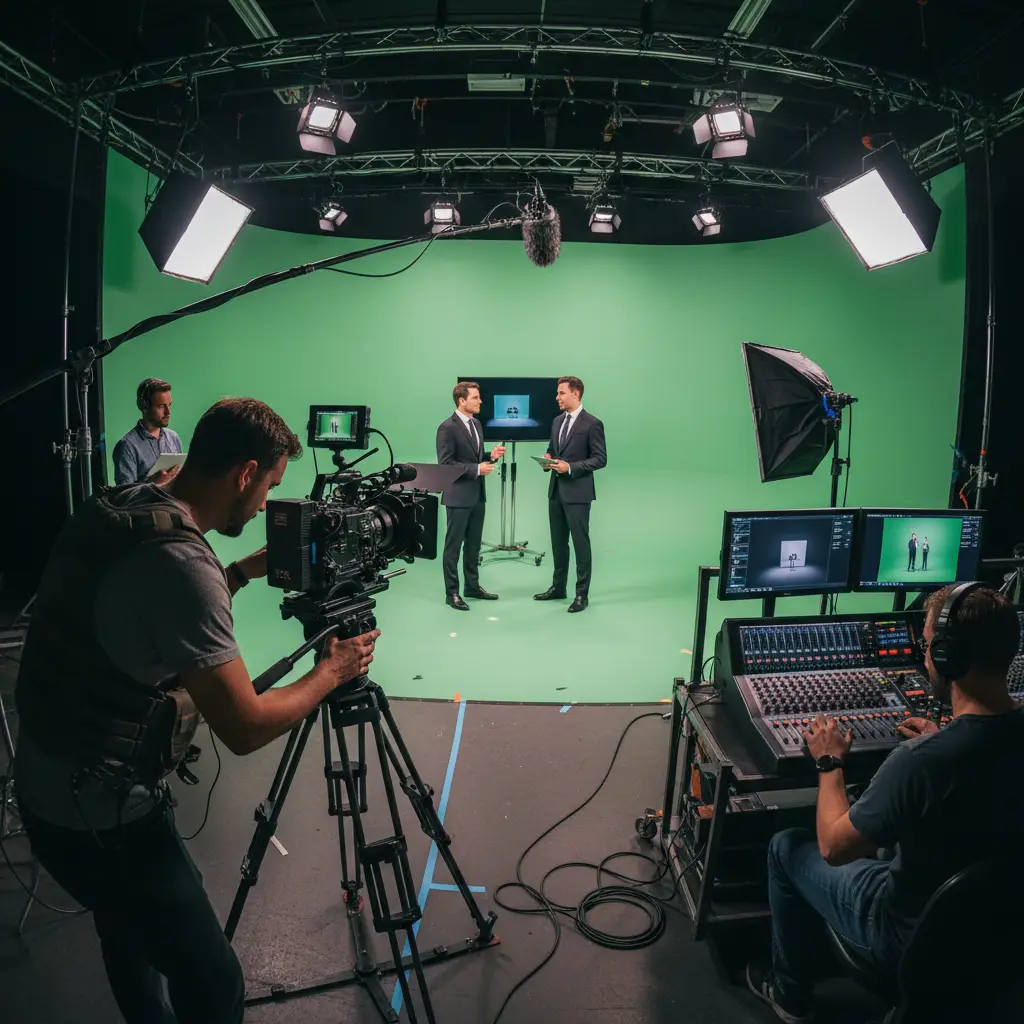
- Camera and lighting: Professional-grade equipment rental runs $500 to $2,000 per day. Buying your own requires $5,000 to $15,000 upfront for a decent setup.
- Audio: A good microphone, sound treatment, and an audio operator. Bad audio ruins otherwise good video, so this is not the place to cut corners. Expect $200 to $800 per day.
- Talent: On-screen presenters, whether internal employees or hired actors. Professional on-camera talent charges $500 to $3,000 per day. Using internal staff is "free" until you account for their time away from their actual job.
- Location: A dedicated filming space, whether rented or converted from a conference room. Studio rental costs $500 to $2,000 per day in most markets.
- Crew: Camera operator, lighting tech, director, makeup. Even a minimal crew of two people runs $1,000 to $3,000 per shoot day.
Post-production
- Video editing: Cutting footage, adding graphics, transitions, lower thirds. A skilled editor charges $50 to $150 per hour, and a 5-minute training video typically needs 10 to 30 hours of editing.
- Motion graphics: Animated diagrams, screen recordings with callouts, branded intros and outros. This is a separate skill from video editing and adds $500 to $3,000 per video.
- Voiceover recording: If you're not using on-camera talent, professional voiceover runs $250 to $1,000 per finished minute.
- Revisions: Every round of stakeholder feedback means more editing time. Most projects go through 2 to 4 revision rounds.
The hidden costs
- Time to completion: Traditional production typically takes 4 to 8 weeks from kickoff to final delivery. During that time, policies might change, making parts of the video outdated before it even ships.
- Opportunity cost: Every hour a subject matter expert spends in production is an hour not spent on their primary work.
- Storage and hosting: Raw footage generates hundreds of gigabytes. You need somewhere to store and serve the finished videos.
What goes into an AI-generated training video
AI video platforms handle most of the production pipeline through software. Here's what that looks like in practice.
Input and scripting
You still need a script. The difference is that many AI tools can help generate or refine one from existing materials: a slide deck, a document, a knowledge base article. The subject matter expert's time drops from hours of filming to minutes of reviewing a generated script.
Some teams write scripts from scratch, which is fine. The point is that the script is the only content you need to prepare. There is no shot list, no location booking, no talent scheduling.
Visual production
- AI avatars replace on-camera talent. No scheduling, no reshoots, no travel. The avatar reads your script with lip-synced delivery.
- AI voiceover replaces studio recording. Choose a voice, adjust pacing, generate audio in minutes. Re-record a section by editing text, not booking a studio session.
- Automated visuals: The platform generates or arranges slides, images, and transitions based on your script content.
Post-production
In most cases, there isn't a separate post-production phase. The video comes out assembled. You review it, tweak sections you don't like by editing the script and regenerating, and export. No editing software required.
The actual cost structure
Most AI video platforms charge through one of three models:
| Model | Typical range | What you get | |---|---|---| | Monthly subscription | $20 to $100/month | A set number of video minutes per month | | Per-minute pricing | $1 to $5 per video minute | Pay only for what you produce | | Enterprise plans | $200 to $500+/month | Higher limits, team features, custom branding |
Even at the high end of enterprise pricing, producing 20 five-minute training videos in a month costs $500 in platform fees. The same output through traditional production would run $50,000 to $200,000.
Side-by-side comparison
Here's a concrete scenario: a company needs to produce 10 training videos, each 5 minutes long (50 total minutes of content).
| Cost category | Traditional production | AI video platform | |---|---|---| | Scriptwriting | $5,000–$15,000 | $0–$2,000 (SME review time) | | Equipment & studio | $3,000–$8,000 | $0 | | On-camera talent | $3,000–$10,000 | $0 (AI avatar) | | Crew | $5,000–$15,000 | $0 | | Video editing | $5,000–$20,000 | $0 | | Voiceover | $2,500–$10,000 | $0 (AI voice) | | Motion graphics | $3,000–$15,000 | Included | | Platform/tools | $500–$2,000 (editing software) | $50–$500/month | | Revisions | $2,000–$8,000 | $0 (re-generate from script) | | Total | $29,000–$103,000 | $50–$2,500 | | Time to delivery | 6–12 weeks | 1–5 days |
The gap is wide, but context matters. Traditional production gives you complete creative control and custom cinematography. If you're producing a flagship company culture video or a customer-facing brand piece, that polish is probably worth paying for.
For internal training content that needs to be accurate, clear, and produced at volume, the cost difference is hard to justify.
Where AI video saves the most money
Updates and revisions
This is where the cost difference really adds up over time. In traditional video, updating a single policy detail means either:
- Re-shooting the relevant section (booking talent, crew, and studio again)
- Paying an editor to cut around the outdated section and splice in new footage or graphics
- Living with outdated content because the cost of fixing it is too high
With AI video, you edit the script text, regenerate the affected section, and export. A change that would cost $2,000 to $5,000 in traditional re-editing takes 15 minutes and costs nothing beyond your existing subscription.
For compliance training, where regulations change regularly, or for software training that needs quarterly refreshes, these savings stack up fast.
Translation and localization
Traditional localization means hiring voiceover artists for each language, re-editing for timing, and sometimes re-shooting segments where on-screen text or gestures are language-specific. Each additional language typically costs 30 to 50 percent of the original production budget.
AI platforms handle translation by generating new voiceover in the target language and adjusting captions automatically. Adding a language costs minutes, not thousands of dollars.
Scaling across departments
When the sales team sees the training videos that HR produced and wants their own set, traditional production means starting another project from scratch. With AI tools, the same process that created the first batch produces the next batch at the same per-video cost.
Where traditional production still wins
AI video tools are not a replacement for every kind of video production.
On-location footage. If your training involves physical equipment, real workspaces, or hands-on procedures, you need a camera pointed at the real thing. An AI avatar can't demonstrate how to operate a forklift or draw blood.
Executive communications. When the CEO addresses the company, people want to see the actual person. AI avatars don't carry the same weight for leadership messaging.
Brand and culture videos. Recruitment videos, company culture pieces, and customer testimonials rely on authenticity. Real people in real settings create emotional connection that AI-generated visuals can't match yet.
Highly custom animation. If your training requires detailed 3D models, technical animations, or interactive simulations, you'll need specialized motion graphics work that goes beyond what AI video platforms offer.
How to decide which approach fits
Start with two questions:
How many videos do you need? If you need fewer than 5 per year, traditional production is manageable. Past 20, AI tools start paying for themselves quickly.
How often does your content change? Training that stays accurate for years suits traditional production. Anything that needs quarterly or monthly refreshes strongly favors AI, where re-editing costs nothing extra.
What kind of visuals do you need? Talking-head explanations, slide-based walkthroughs, and narrated presentations work well with AI. On-location demos and cinematic storytelling still need traditional production.
Many organizations end up using both: traditional production for high-stakes, long-shelf-life content, and AI tools for the operational training that makes up the bulk of their library.
Calculating your own ROI
Here's a simple framework to estimate whether AI video tools would save money for your organization:
1. Count your current training videos and note how many are overdue for updates 2. Estimate your per-video cost, including internal labor hours, not just vendor invoices 3. Multiply by your annual production target 4. Add update costs for refreshing existing content 5. Compare that total against AI platform pricing at your expected volume
For most teams producing more than 10 training videos per year, the switch pays for itself within the first month or two.
Getting started without a large commitment
You don't need to abandon traditional production overnight. A practical approach:
1. Pick a low-stakes project, like a departmental onboarding module or a process update video 2. Produce it with an AI tool alongside your normal workflow 3. Compare the output: quality, production time, total cost, stakeholder feedback 4. Scale based on results
VideoLearningAI is a good place to start. You can generate a training video from existing text, see the quality firsthand, and decide whether it meets your standards before rolling it out more broadly.
Quality has caught up
A few years ago, AI-generated video looked robotic and sounded flat. That was a fair reason to stick with traditional production. The quality gap has closed considerably since then. AI avatars now deliver natural-looking presentations, voiceovers sound human, and for internal training, most viewers won't notice a difference.
So the question becomes: does it make sense to spend 10x to 50x more on production for content that might need updating in six months?
For training that needs to look cinematic or feature real people, traditional production is still the way to go. For everything else, AI tools give you more videos, faster turnaround, and easy updates at a fraction of the cost.